MB90 EN-39
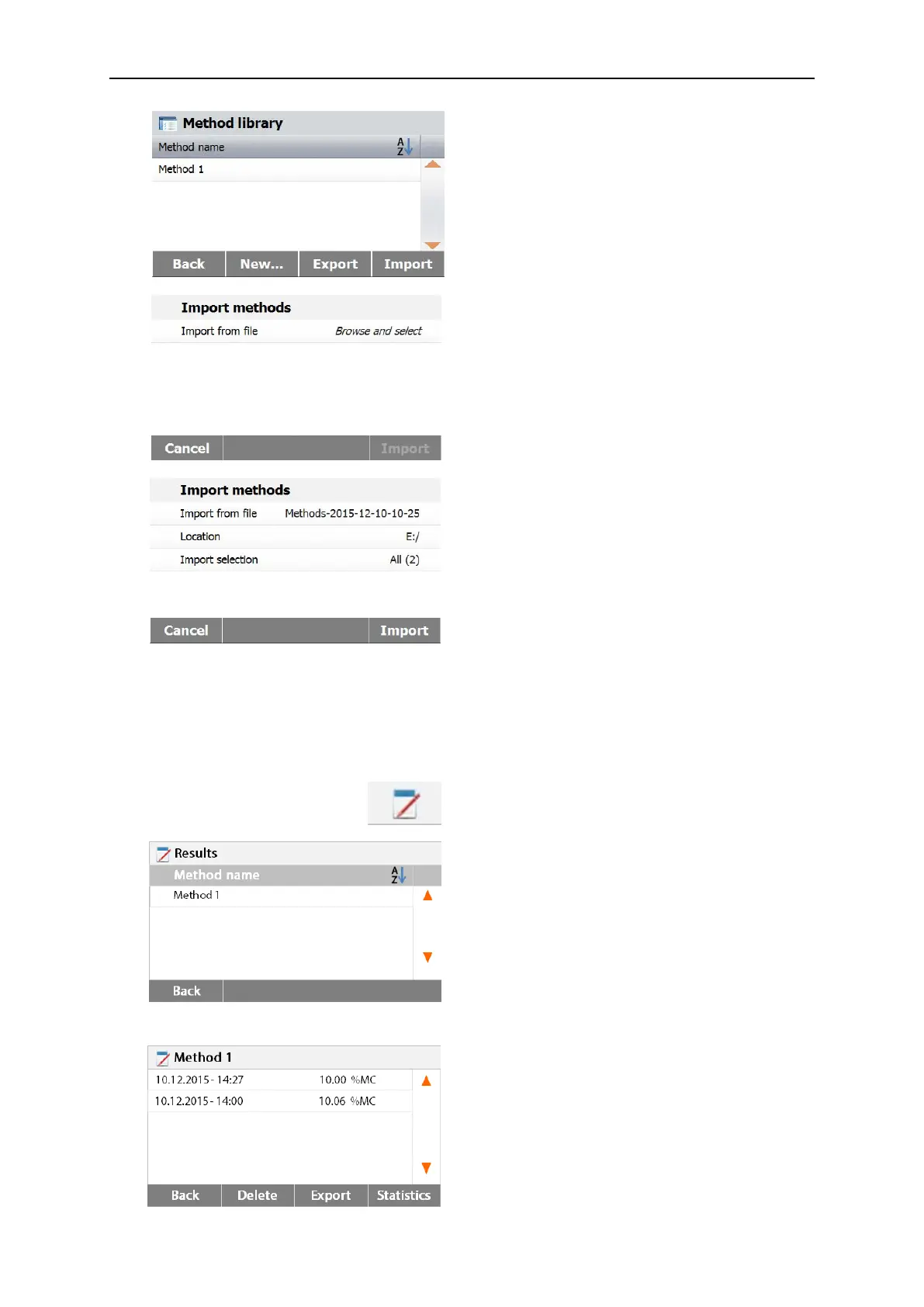
Press Import to import methods.
Press Import from file to select the file to import.
Press Cancel to previous screen.
After select the import file, the Import button is
available.
Press Location to change the import location.
Press Import selection to select methods to
import.
Press Cancel to previous screen.
8. RESULTS
This section contains the management and evaluation of measurement results.
8.1 Test Results
Press Results button on the Home screen to
access the results menu.
Select the method name to list all the test
results of the method.
Press Back to return to Home screen.
8.1.1 Result data and curve
Press result item to access the detail data.
Press Back to previous step.
Press Delete to delete the results.
Press Export to export these results.
Press Statistics to access statistics menu.



 To Next Page