EN-40 MB90
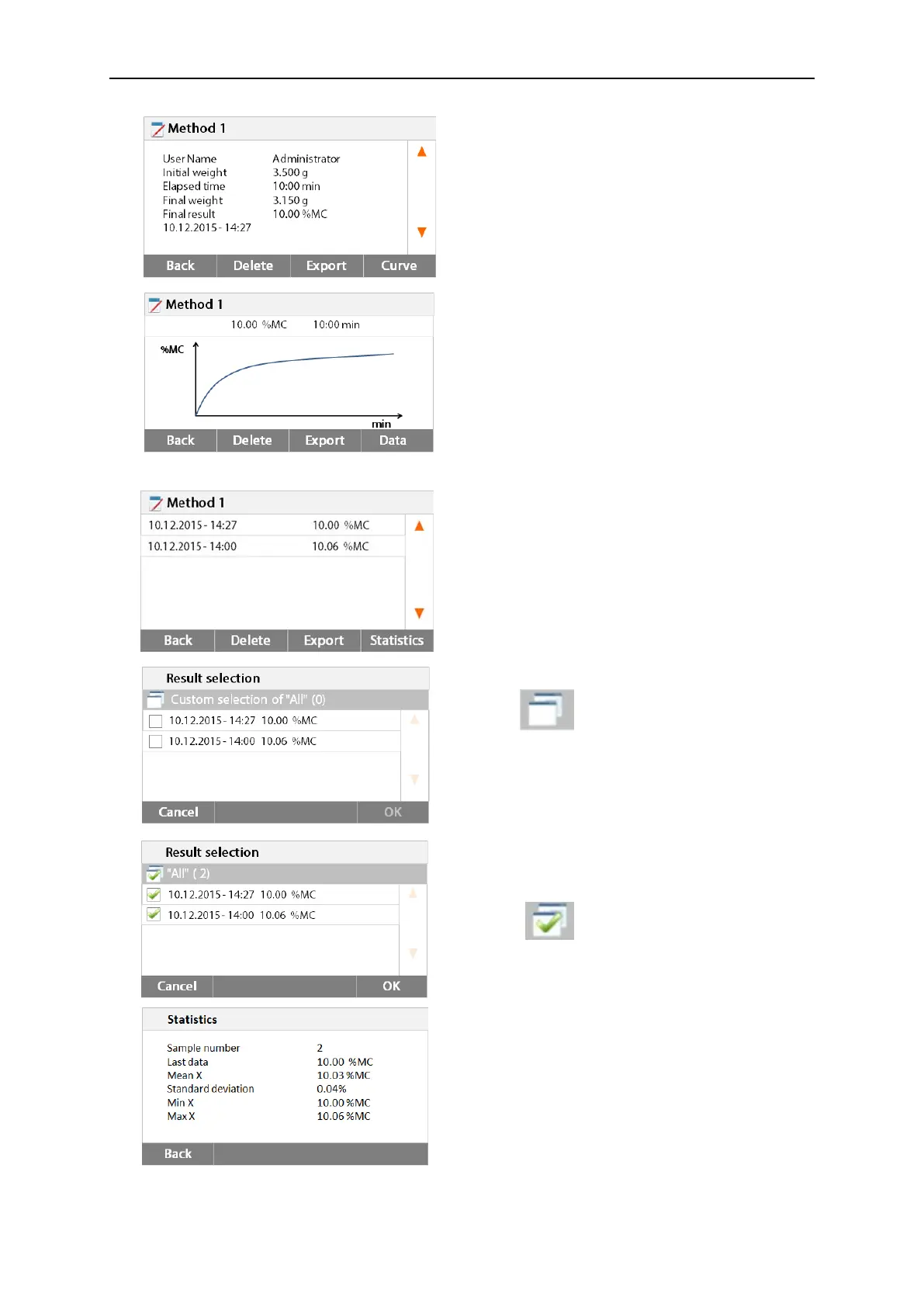
Press Back to previous step.
Press Delete to delete current result.
Press Export to export current result.
Press Curve to show result curve.
Press Back to results list.
Press Delete to delete current result.
Press Export to export current result.
Press Data to show detailed result data.
Select the method name to list all the test
results of the method.
Press Statistics to access statistics menu.
Press result item to select.
Press to select all items.
Press Cancel back to previous step.
After select the items, the OK button is
available.
Press result item to remove.
Press to remove all items.
Press Cancel back to previous step.
Press OK to execute.



 To Next Page