C5550 MFP User’s Guide
Introduction > 13
P
RINTING
PAGES
The whole manual, individual pages, or sections may be printed.
The procedure is:
1. From the toolbar, select File > Print (or press the
Ctrl + P keys).
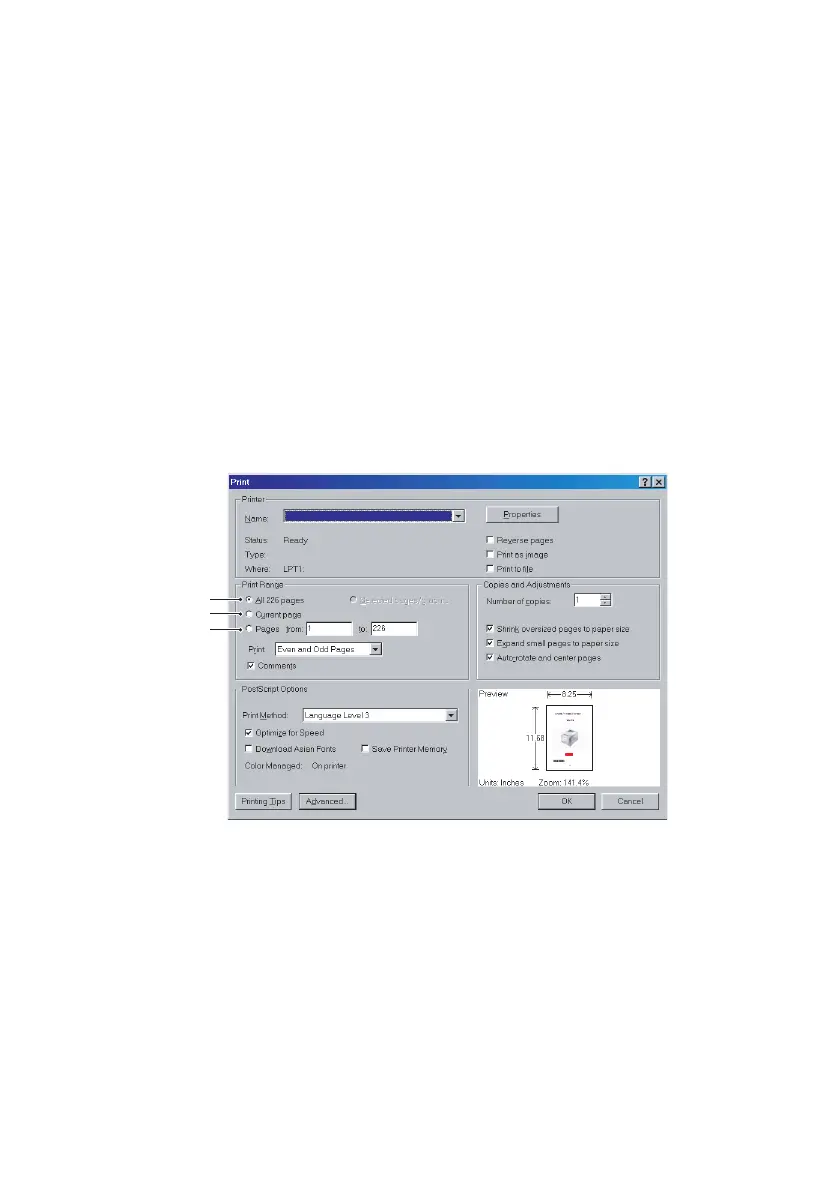
2. Choose which pages you wish to print:
(a) [All pages], (1), for the entire manual.
(b) [Current page], (2), for the page at which you are
looking.
acroprint1.eps
(c) [Pages from] and [to], (3), for the range of pages
you specify by entering their page numbers.
3. Click OK.
1
2
3



 To Next Page