C5550 MFP User’s Guide
Troubleshooting > 152
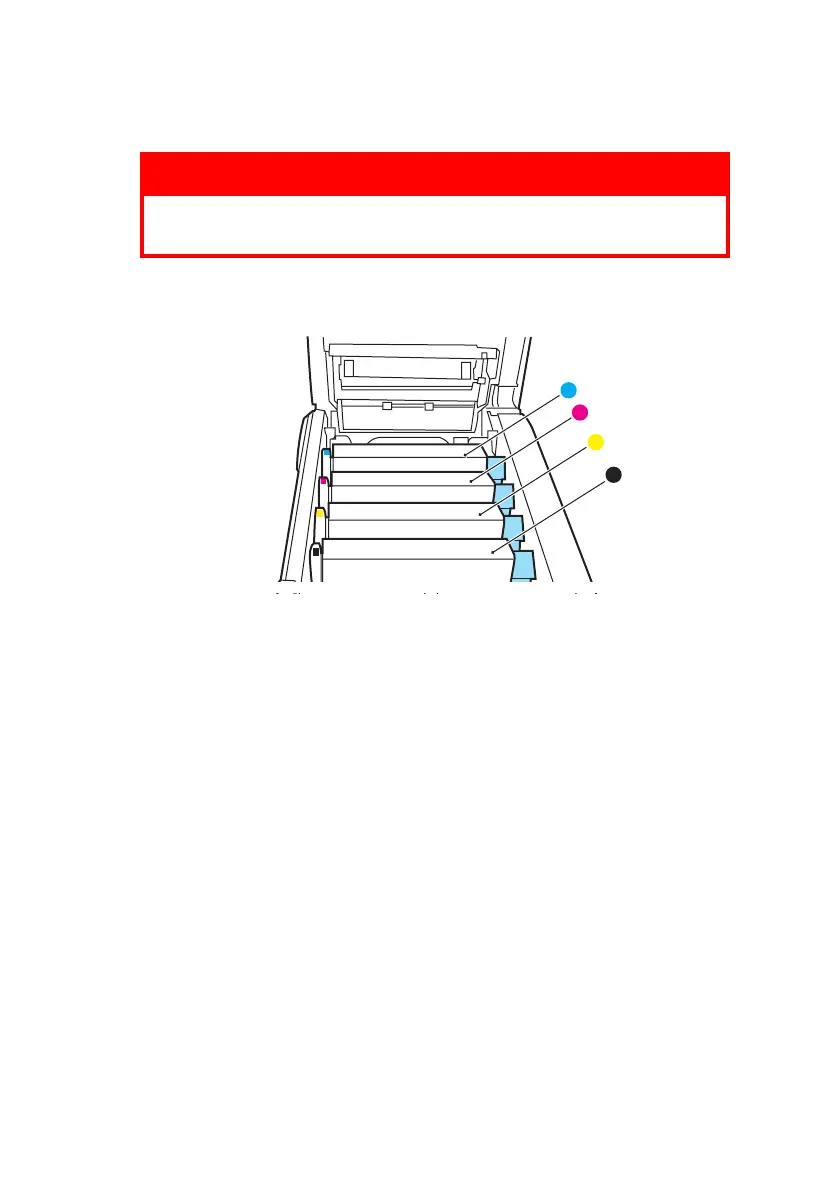
4. Note the positions of the four cartridges.
ID Order.eps
It will be necessary to remove the four image drums to
gain access to the paper path.
WARNING!
If the MFP has been powered on, the fuser will be hot.
This area is clearly labelled. Do not touch.
1
2
3
4
1. Cyan cartridge 2. Magenta cartridge
3. Yellow cartridge 4. Black cartridge



 To Next Page