Authentication by User Name and Password
-130-
Faxing From a Computer
(For Windows Only)
This procedure uses NotePad as an example. The
procedures and menus may differ depending on the OS
you use.
1 Open the file you want to fax.
2 From the [File] menu, select [Print].
3 Select your machine's fax driver in
[Select Printer] and click [Preferences].
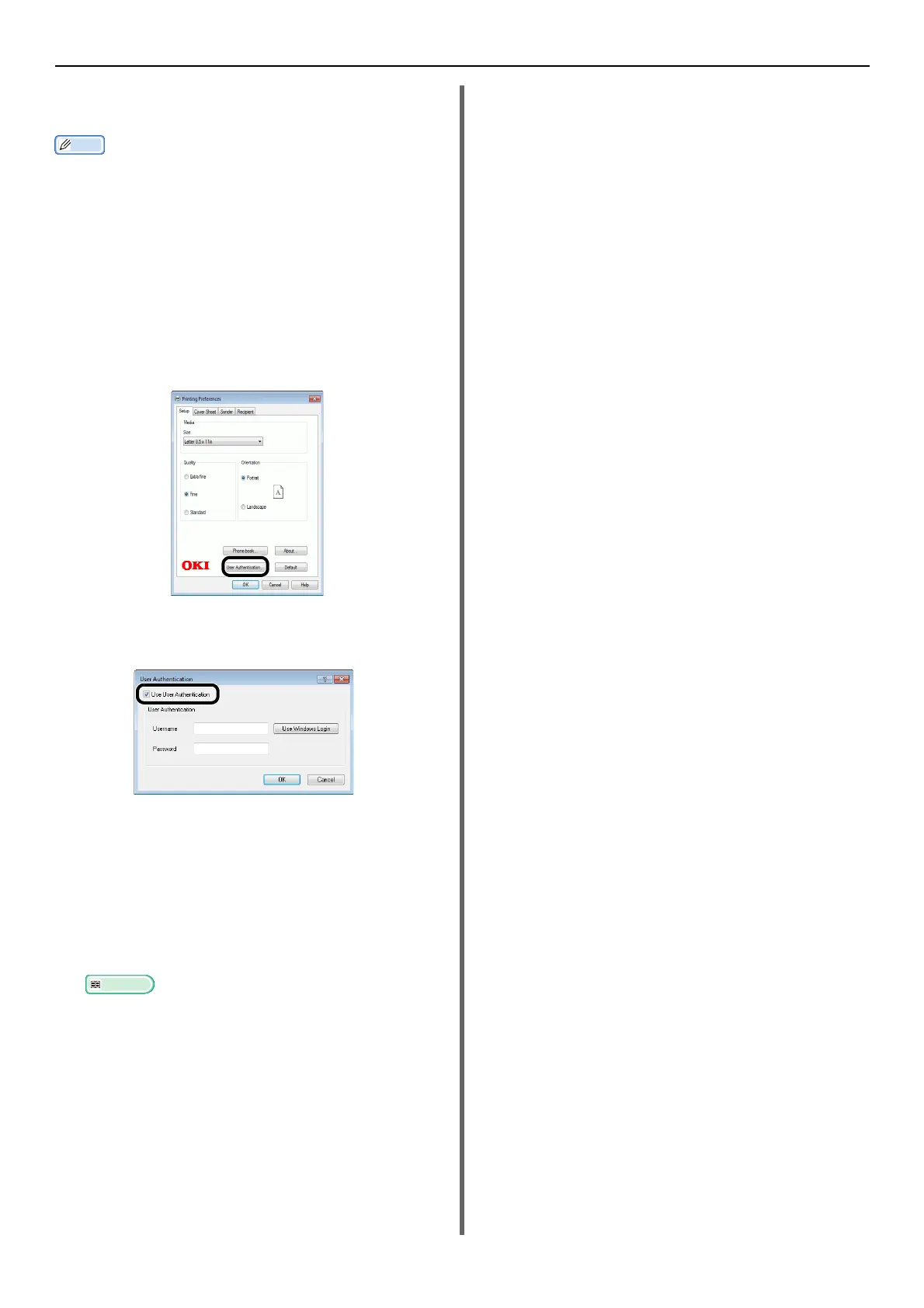
4 On the [Setup] tab, click [User
Authentication].
5 Select the [Use User Authentication]
check box.
6 Enter the user name in [Username] and
the password in [Password].
Clicking [Use Windows Login] automatically
enters your login name on Windows.
7 Click [OK].
8 Click [OK] and then click [Print].
Reference
For details on how to send a fax from a computer,
refer to the User's Manual Advanced.



 To Next Page