2MH/2MJ/2MK/2ML
1-5-20
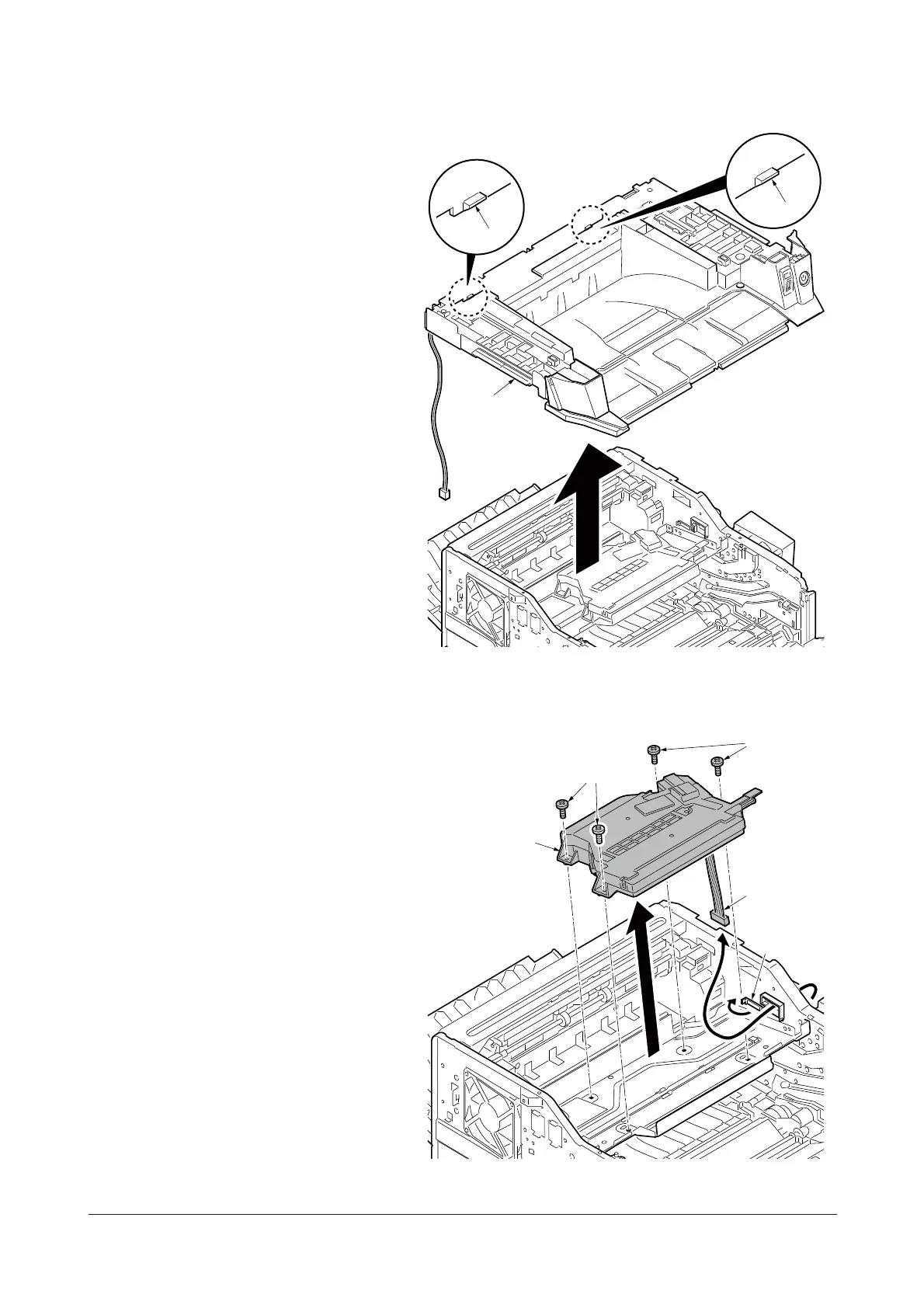
10. Unhook two hooks and then remove the
top cover.
Figure 1-5-26
11. Release the clamp and then pull out the
wires.
12. Remove four screws and then remove
the laser scanner unit (LSU).
13. Check or replace the laser scanner unit
(LSU) and refit all the removed parts.
Figure 1-5-27
Top cover
Hook
Hook
Laser scanner
unit
Wires
Clamp
Screws
Screws
Service Manual Y113860-1









 To Next Page