2MH/2MJ/2MK/2ML
1-5-21
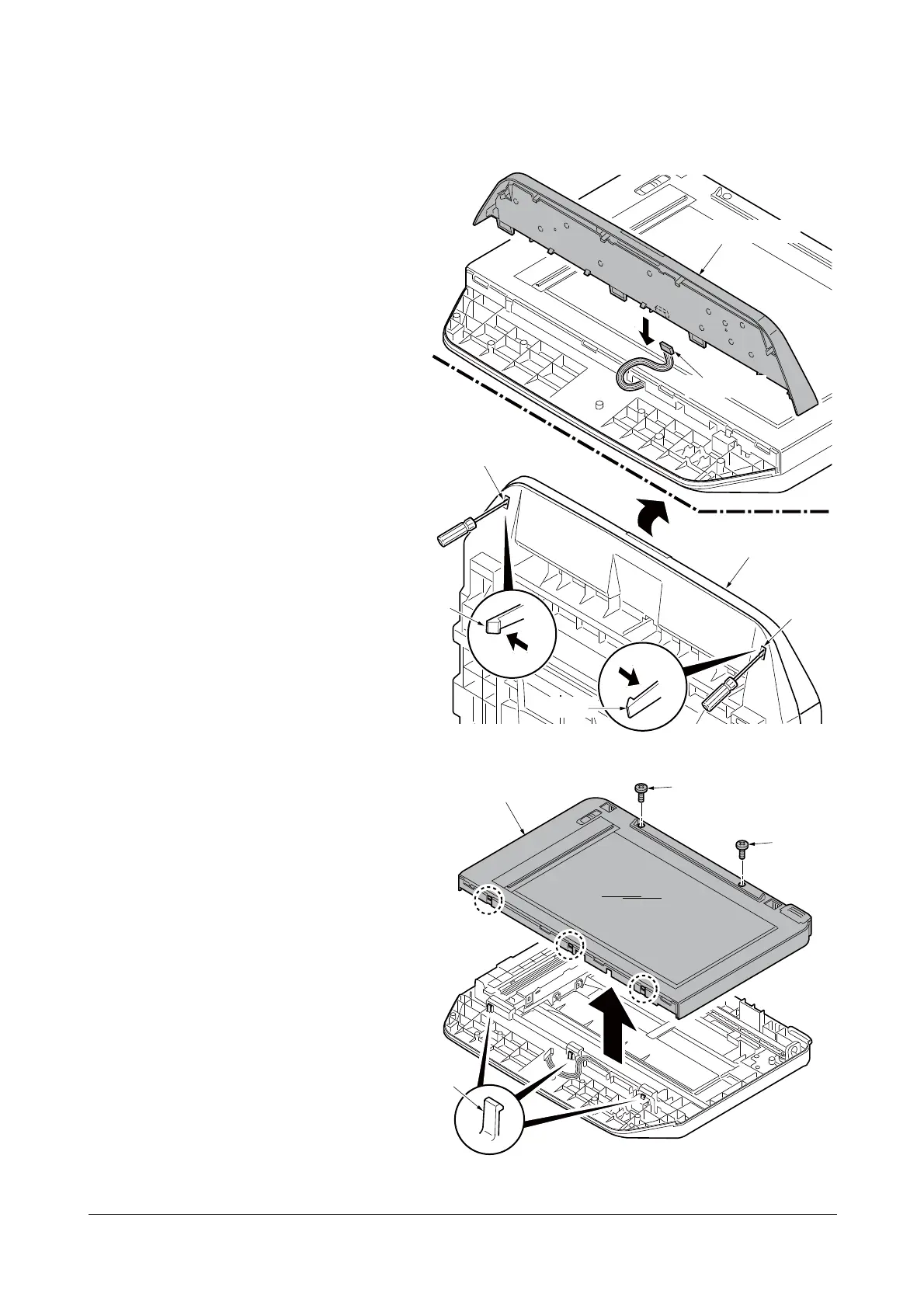
(4) Replacing the image scanner unit (ISU)
Procedure
Removing the image scanner unit (ISU)
1. Remove the DP (See page 1-5-13).
2. Unhook two hooks by using a flat
screwdriver from the pits.
3. Remove the connector and then
remove the operation panel.
Figure 1-5-28
4. Remove two screws.
5. Unhook three hooks and then remove
the ISU upper frame.
Figure 1-5-29
Hook
Pit
Pit
Connector
Operation panel
Operation panel
Hook
ISU upper frame
Screw
Screw
Hooks
Y113860-1 Sevice Manual









 To Next Page