2MH/2MJ/2MK/2ML
1-5-22
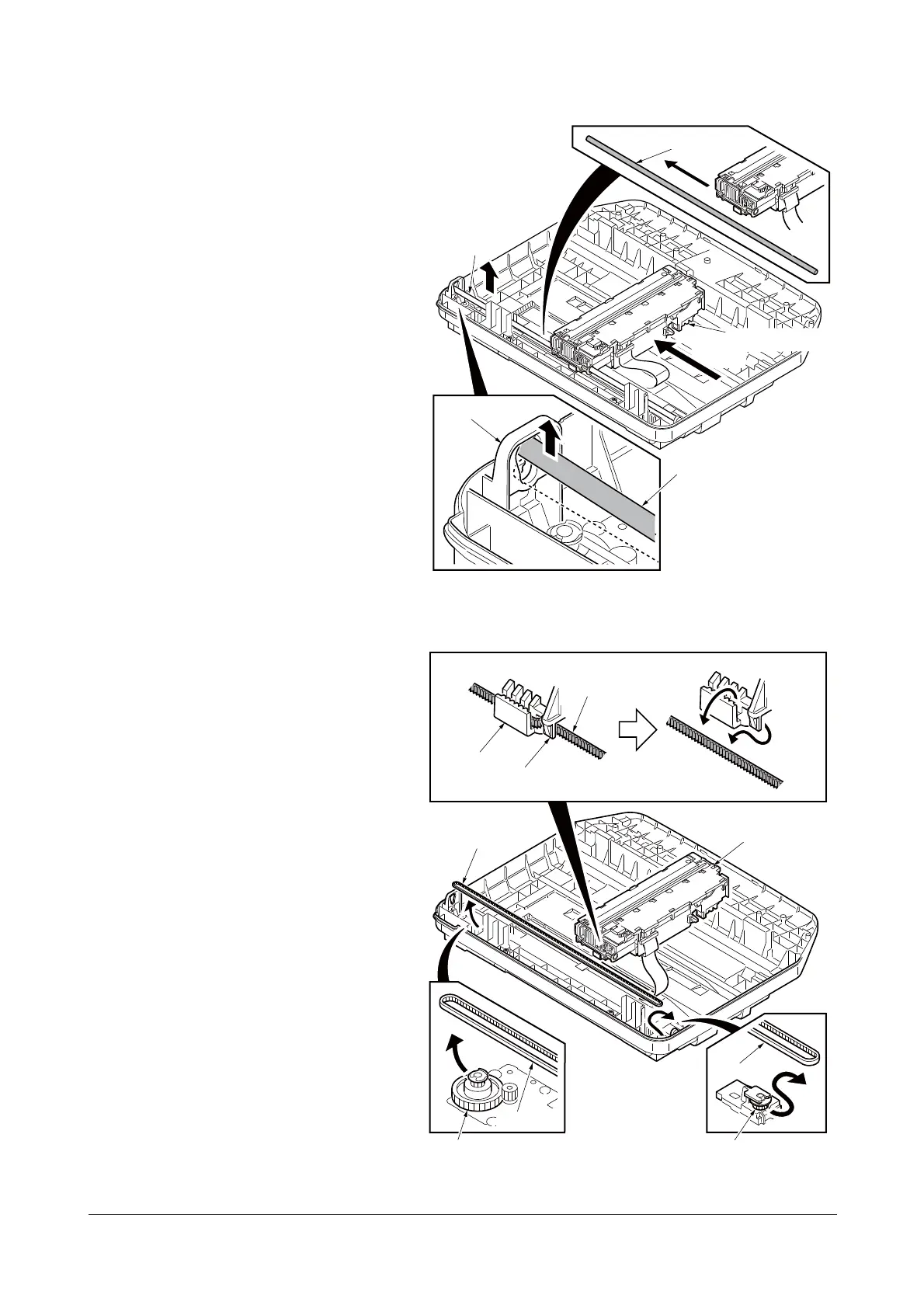
6. Move the image scanner unit (ISU) in
the middle of the ISU shaft.
7. Detach the ISU shaft from the holder by
lifting it.
8. Pull the ISU shaft out from the ISU.
Figure 1-5-30
9. Remove the ISU belt from the tension
pulley and ISU gear 63/32.
10. Remove the ISU belt from the hooks of
the ISU.
Figure 1-5-31
Holder
Image scanner unit
(ISU)
ISU shaft
ISU shaft
ISU shaft
Image scanner unit
(ISU)
ISU belt
ISU belt
Hook
Hook
ISU belt
ISU gear 63/32
Tension pulley
ISU belt
Service Manual Y113860-1









 To Next Page