8
Department Names
You can assign a name of up to 12 characters long to each
of the 40 departments available.
The department names that you define will be printed on the
customer receipts, journal reports and on all management
reports.
1. Control key position: PRG.
2. Press
repeatedly until the message "DP01" is
displayed indicating the first customizable department.
3. Press
repeatedly until the desired department
number is displayed on the left-hand side of the operator
display.
4. Enter the letters or characters of the string you wish to
define and then press
.
5. Repeat steps 3 and 4 for all desired department names.
6. Press to exit
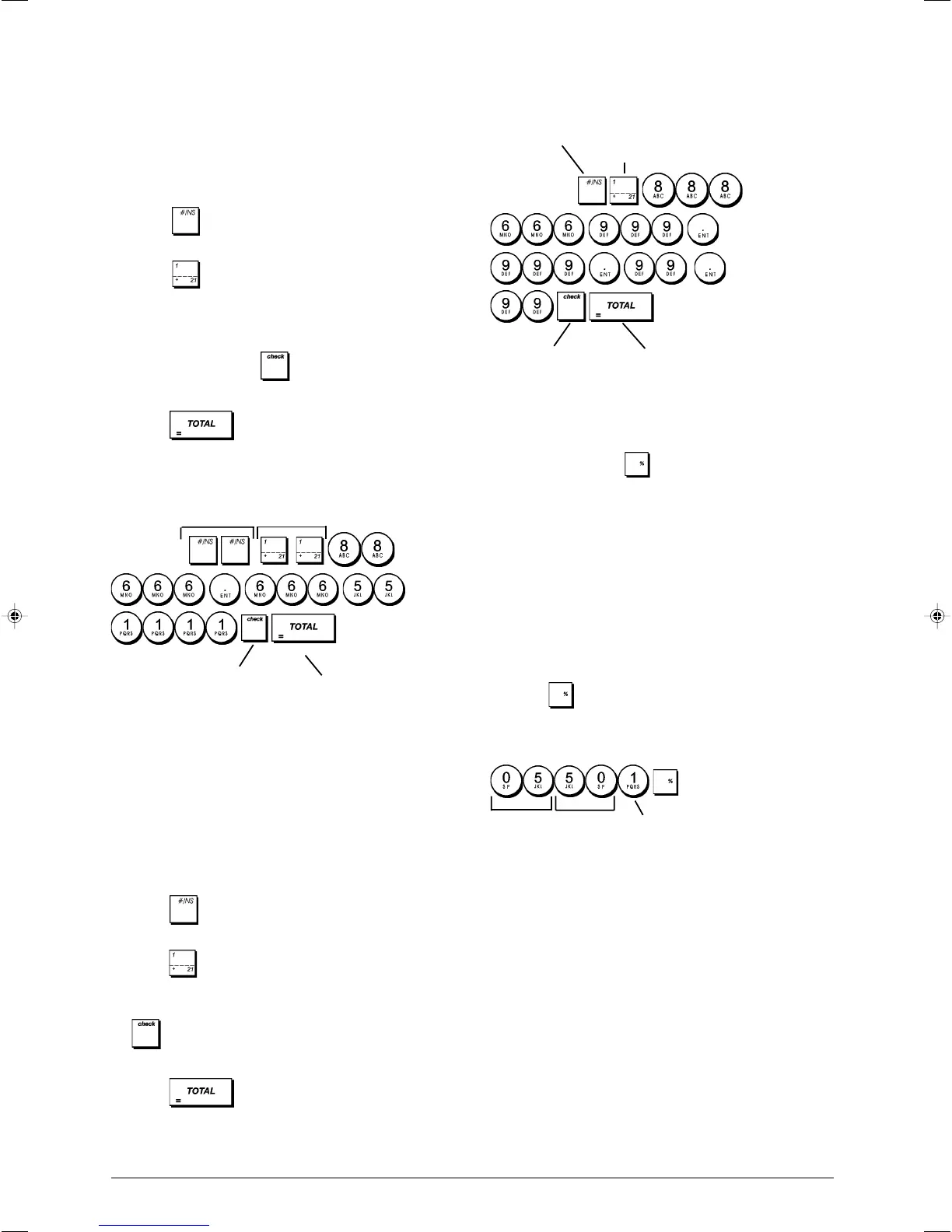
Example: Name department 3 "BOOKS" using the alpha-
numeric keypad.
Type/Press:
PLU Item Names
After associating a price to a PLU code, you can name the
PLU to identify the product that it represents. The name that
you can associate to the PLU code must be up to 12
characters long.
The PLU names that you define will be printed on the
customer receipts, journal reports and on the PLU
management reports.
1. Control key position: PRG.
2. Press
to display the message "PL001" indicating
the first PLU.
3. Press
repeatedly until the desired PLU number is
displayed on the left-hand side of the operator display.
4. Enter the name to assign to the PLU and then press
.
5. Repeat steps 3 and 4 for all desired PLU names.
6. Press to exit.
Example: Name PLU 2 "COFFEE" by using the
alphanumeric keypad.
Type/Press:
Percent Discount (-%) or Add On (+%)
Setting this option automatically calculates the preset discount
or add on rate each time
key is pressed. The percentage
rate can be discounted from, or added on to, an individual
item or sales transaction total.
1. Control key position: PRG.
2. Type the [numbers] representing the desired percentage
rate. Up to four digits ranging from 0 to 99.99 can be used.
Two digits must be placed before the decimal point and
two after.
3. Define whether the percentage rate is a discount or an
add on by pressing the related code indicated below:
0 = Percent add on
1 = Percent discount
4. Press
to store the rate.
Example: Program a standard 5.50% discount rate.
Type/Press:
Confirm entered
PLU name
Exit
Switch to PLU Name
definition mode
PLU number selection
Units Decimals
Sign
Switch to Department
name definition mode
Confirm entered
department name
Exit
Department number
selection















 To Next Page