15
ENGLISH
Changing the Cash Register's Standard Settings
1. Control key position: PRG.
2. Type the [number] of the system option.
(1 to 90 as indicated in the table) that you wish to change.
3. Type the [number] of the required setting.
4. Press
.
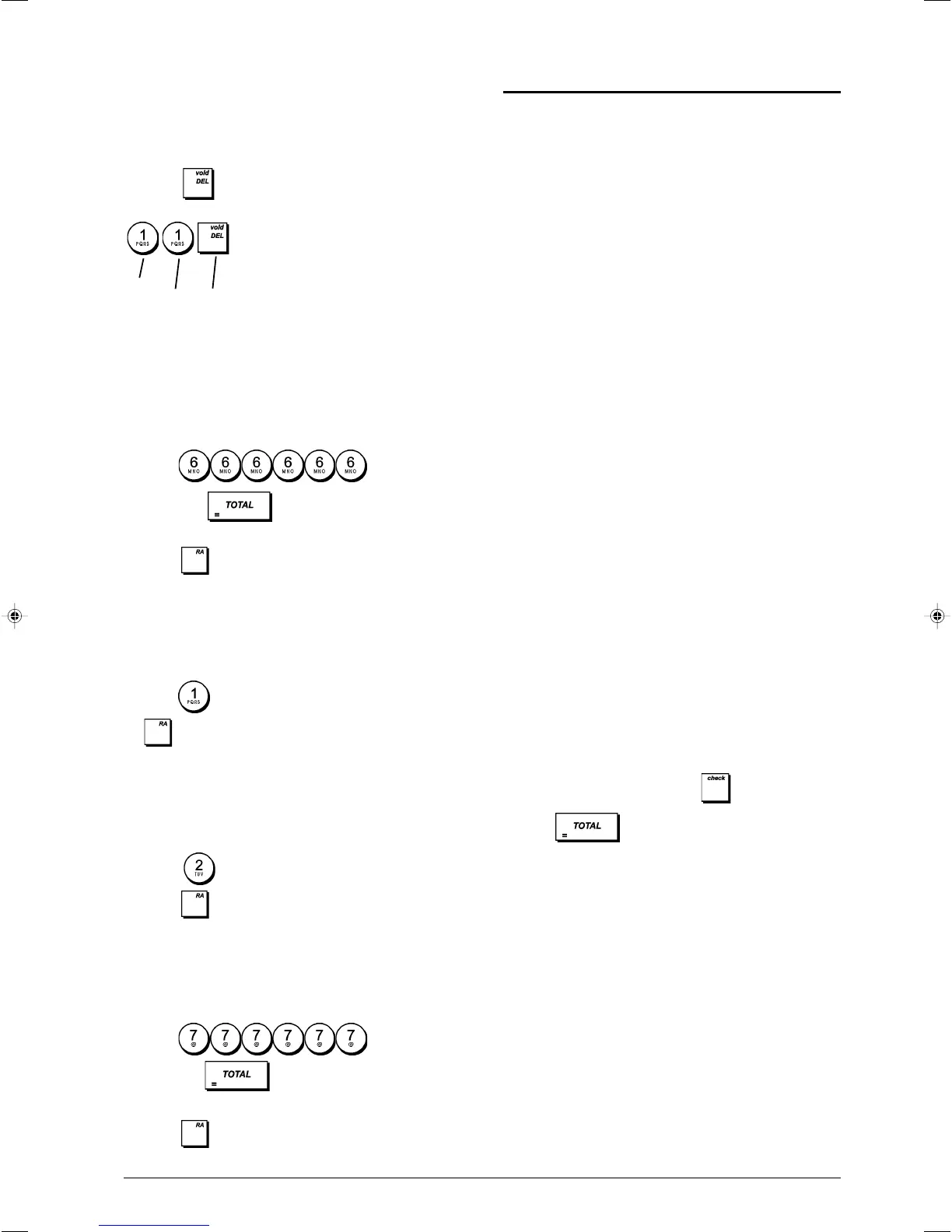
Example: Set the date to the Month/Day/Year format.
Consecutive Receipt Number
By default the cash register prints a consecutive receipt
number of up to 4 digits on each sales receipt and
management report. You can change this number
according your business needs. The newly entered receipt
number will be printed.
1. Control key position: PRG.
2. Type
and press .
3. Type your [4-digit consecutive receipt number] and
press
.
Z1 Counter Setting
You can set the Z1 counter according to your business
needs. The newly set Z1 counter will be printed.
1. Control key position: PRG.
2. Type and your [4-digit Z1 counter] and press
.
Z2 Counter Setting
You can set the set Z2 counter according to your business
needs. The newly set Z2 counter will not be printed.
1. Control key position: PRG.
2. Type
and your [4-digit Z2 counter] and
press .
Grand Total Setting
You can program the transaction grand total value printed on
the management reports.
1. Control key position: PRG.
2. Type
and press .
3. Type your [10-digit max Grand Total] and
press
.
Management Reports
Transaction data is maintained in the memory of the cash
register as long as the battery back-up system is in effect.
This data can be printed as a report for management review.
The Management Report can be printed from either the
X1/X2 or Z1/Z2 position.
X and Z Reports
Turning the control key to the X1/X2 position prints the
accumulated transaction information and RETAINS ALL
TOTALS IN MEMORY. Take this report any time of the day
to print periodic reading of the transactions performed (some
users call the X report a mid-day report). X reports include
the PLU Report, Clerk Report, and the X1 and X2 Financial
Reports.
Turning the control key to the Z1/Z2 position prints the same
information as the X report. The only difference is that after
a Z report printout, ALL TRANSACTION TOTALS ARE
RESET TO ZERO, except for the grand total unless
programmed otherwise in the system options programming
mode. This report is usually taken at the end of the day so that
all the transaction totals are cleared to start from zero the
following day.
NOTE:To prevent the accidental printing of the Z report,
assign a Z mode manager password as explained in the
section entitled "Defining a Z Mode Manager Password".
An X2 report is called a period-to-date financial report which
is usually taken on a weekly basis. It accumulates all the
transaction totals. A Z2 report is the same as an X2 report
with the exception that all the transaction totals are reset to
zero after it is taken. It is usually taken as a monthly sales
report to view end-of-month sales totals for each department.
X1 and Z1 Financial Reports
NOTE: Once a "Z" report is taken, it cannot be duplicated so
be sure to have plenty of paper in the cash register.
1. Control key position: X1/X2 or Z1/Z2 (bear in mind that a
Z2 printout resets all totals to zero).
2. If a Z-mode manager password was defined, type the
[4-digit password] and press
.
3. Type
.
Machine
condition
Setting
Confirm setting















 To Next Page