11
ENGLISH
Programming a Calculator Mode Password
1. Control key position: PRG.
2. Press .
3. Type the [4-digit password] and press
.
NOTE: The 4-digit password cannot be 0000, as this is
equivalent to no password.
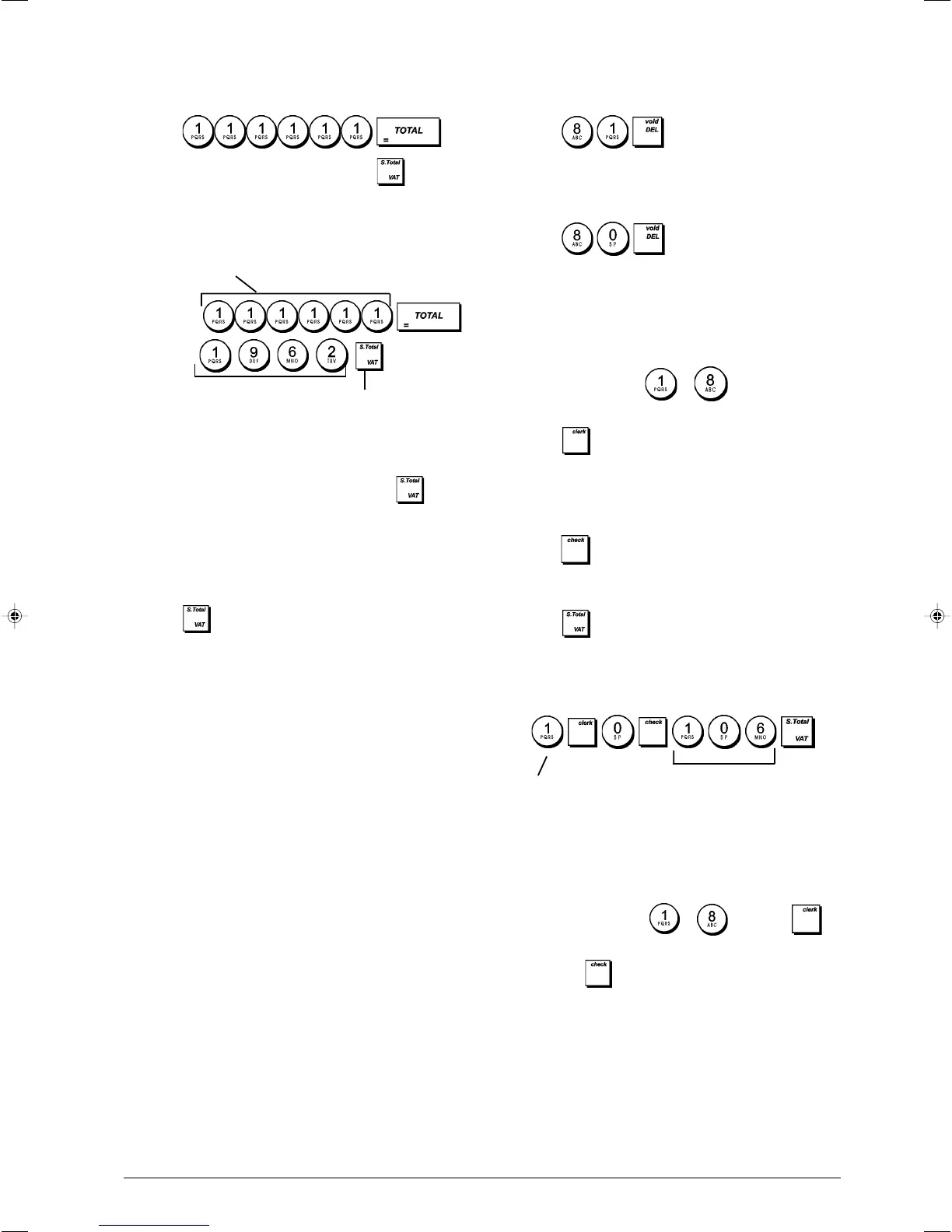
Example: Define calculator mode password 1962.
Type/Press:
Entering the Calculator Mode
1. Control key position: REG or JRNL.
2. Type the [four-digit password] and press .
3. A line will appear on the far left-hand side of the display
indicating that calculator mode is active.
Exiting the Calculator Mode
1. Control key position: REG or JRNL.
2. Press .
3. The line will disappear from the display indicating that you
are now back into the normal register mode.
Clerk System
The Clerk System is a security feature that enables you to
control access to the cash register and monitor the number
of transactions and the sales of up to 8 Clerks.
Your cash register is configured at the factory
with the Clerk System deactivated. You can
activate the Clerk System for a degree of protection
itoring or deactivate it again so that the cash register
can be used freely without restrictions.
NOTE: If the Clerk System is deactivated, the cash register
is used without needing to enter a Clerk number, only or a
Clerk number and its related 3-digit security code.
You can also program other clerk-related features. See
system options 9 and 10 in "System Options" for details.
Activating the Clerk System
1. Control key position: PRG.
2. Press .
Deactivating the Clerk System
1. Control key position: PRG.
2. Press
.
Programming a Secret Code Linked
to a Clerk Number
With the Clerk System active:
1. Control key position: PRG.
2. Type a number from
to to identify the clerk
which the secret code will be linked.
3. Press
.
4. Define if the clerk is a normal or training clerk by typing
the related code indicated below:
1 = Training clerk
0 = Normal clerk
5. Press
.
6. Define a three-digit secret code by typing three
[numeric keys].
7. Press
.
Example: Assign secret code 106 to a normal Clerk 1.
Type/Press:
Entering a Clerk Number/Secret Code
before Cash Register Operations
1. Control key position: REG or JRNL.
2. Type a Clerk number
to and press .
3. Type the corresponding three-digit code (if programmed)
and press
.
The clerk number is displayed (C1 .....C8) to identify the clerk
that is in use and that it is now possible to carry out
transactions. The clerk number is printed on the sales
receipt and on the management reports.
Calculator password defined
Confirm
password
Switch to Calculator mode
password definition
Secret code
Clerk number















 To Next Page