1-
2-8
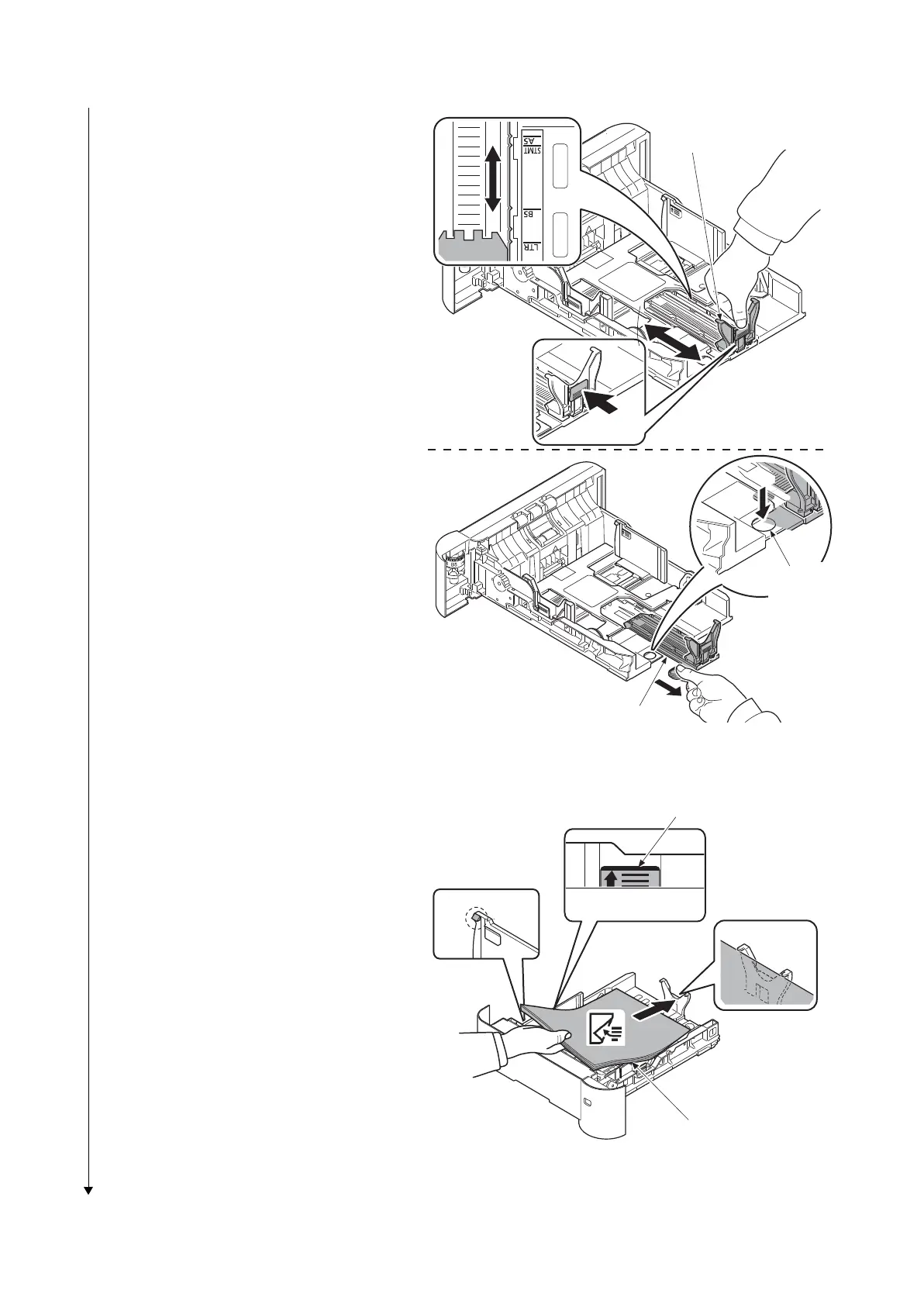
5. Push the lock lever and slide the pape
r
len
gth guide to the desired paper size.
If you are going to set paper that is lon-
ger than A4, pull out the extension cas-
settes pushing the lock button o
ne by
o
ne and adjust them to the desir
ed
p
aper size.
Figure 1-2-13
6. Fan the media (paper/transparen
cies),
the
n tap it on a level surface to avoid
media jams or skewed printing.
7. Slide the paper into the paper cassette.
8. Insert the cassette into the slot in th
e
printer
. Push it straig
ht in as far as it will
go
.
Figure 1-2-14
(Legal/Folio)
Paper length guide
Extension cassette
Lock button
Paper
Paper maximum line













 To Next Page