CHAPTER 436
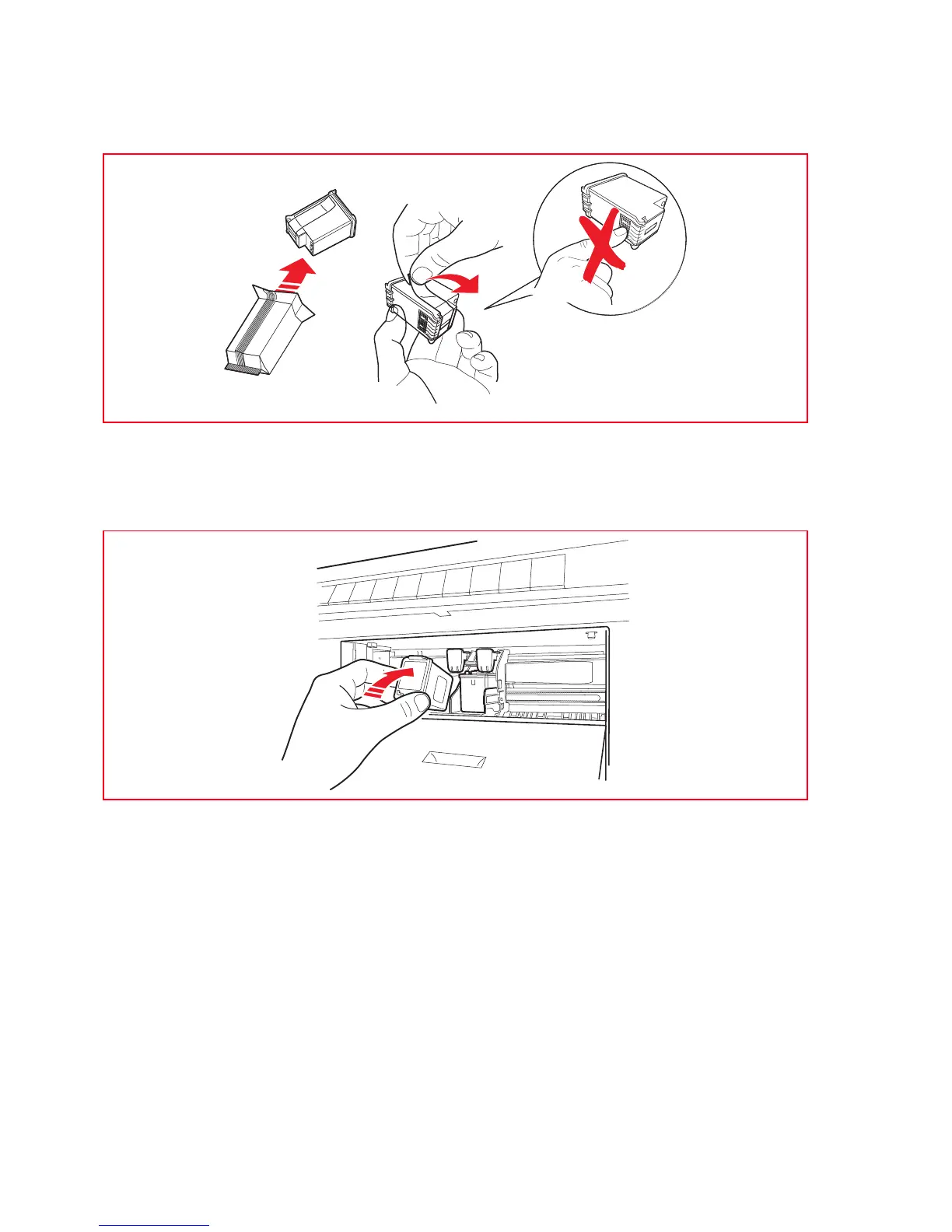
5 In the case of installation of a new cartridge, remove this from its packaging, then remove the
protection tape applied on the nozzles. DON'T TOUCH THE CONTACTS or the nozzles of the cartridge.
Hold the cartridge from the sides.
6 Hold the cartridge with the nozzles facing down and with the contacts facing towards the rear part of
the printer, then insert the color ink cartridge in the right-hand support and the photographic or black
ink cartridge in the left-hand support.
Push the cartridge forward until it is secured by the clamp.
7 On completion, after replacing the cartridge (or both cartridges) close the front hatch.













 To Next Page