29
5 Menu operations and functions
Selecting a preset title for input
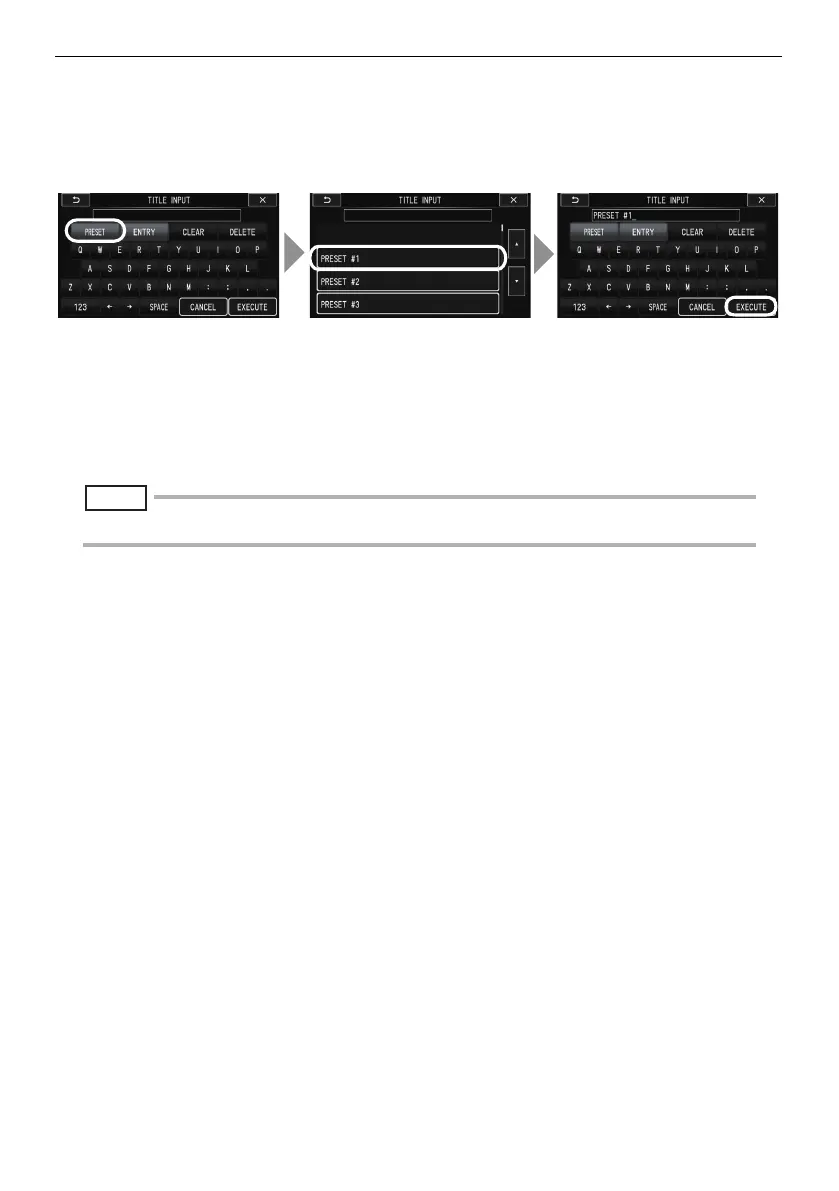
With this procedure, you select a preset character string and use it to input a title.
For information about how to register frequently used text strings, see "Registering a character
string as a preset title" (P. 30).
1 Touch [PRESET].
This displays a list of preset titles. To stop selecting a preset title, touch the J (Previous)
button.
2 Touch the corresponding preset title in the list.
The text string you select appears in the title input box.
Repeat steps 1 and 2 to complete input of the title.
NOTE
• To jump to the previous or next page of the preset title list, touch the F or G (Page Jump) button.
3 Touch [EXECUTE].
This displays the title you selected on the LCD monitor.
1 32
F-model.book 29


 To Next Page