34
6 Menu operations and functions
6.1 Performing menu operations
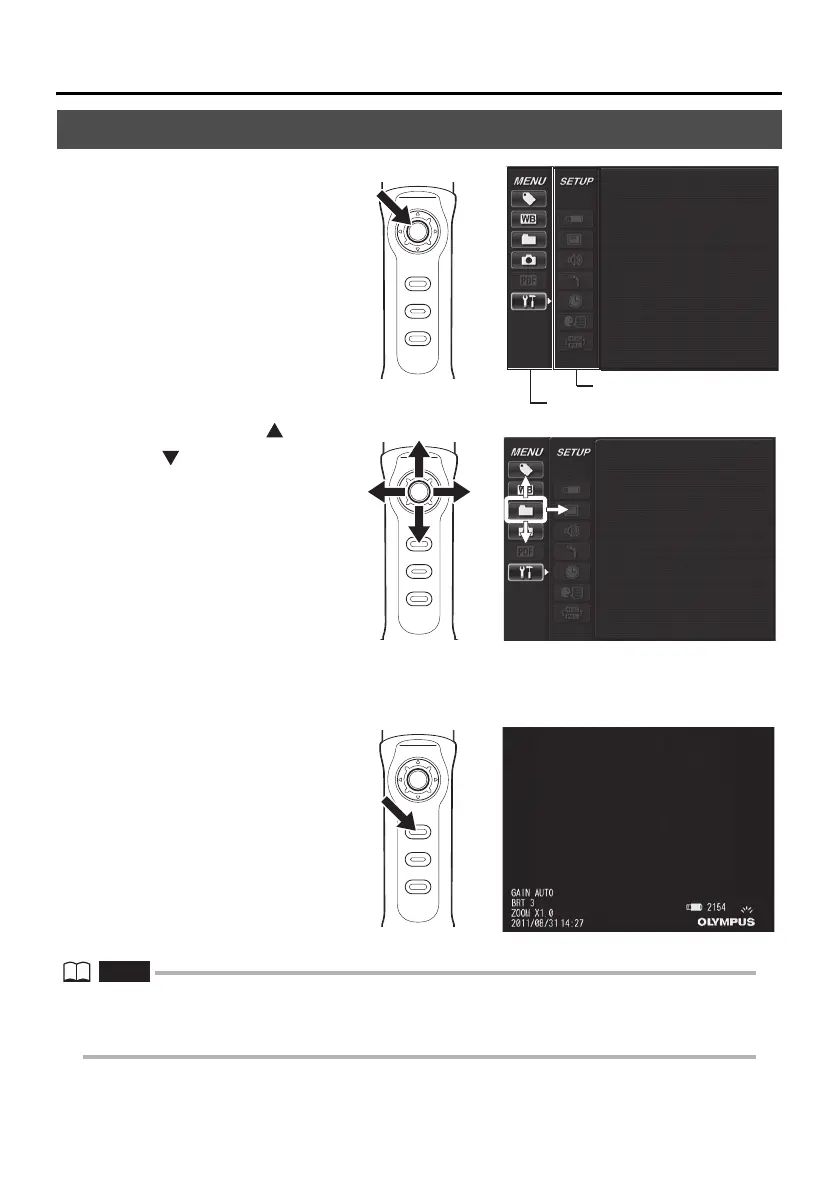
1 Long-press the [ENT/
MENU] button.
This displays the menu
screen.
2 Operate the [BRT ] /
[BRT ] buttons up
and down or the [W] /
[T] buttons to the left
and right to select the
menu item you want to
execute.
3 Short-press the [ENT/MENU] button.
This executes the selected menu item.
4 Short-press the [LIVE/
WiDER] button.
This returns the screen to
the live screen.
• Long-press the [ENT/MENU] button while the cursor is in the main menu to return to the live screen.
• Long-press the [ENT/MENU] button while the cursor is in the sub menu to return the cursor to the main
menu.




 To Next Page