HGT1 User Manual
22 OMICRON
7 Recording and saving data
The HGT1 saves measurement points consisting of the amplitudes of two measurement frequencies.
Measurement points are saved in datasets (1 dataset = 1 TXT file in the device memory).
7.1 Start new dataset
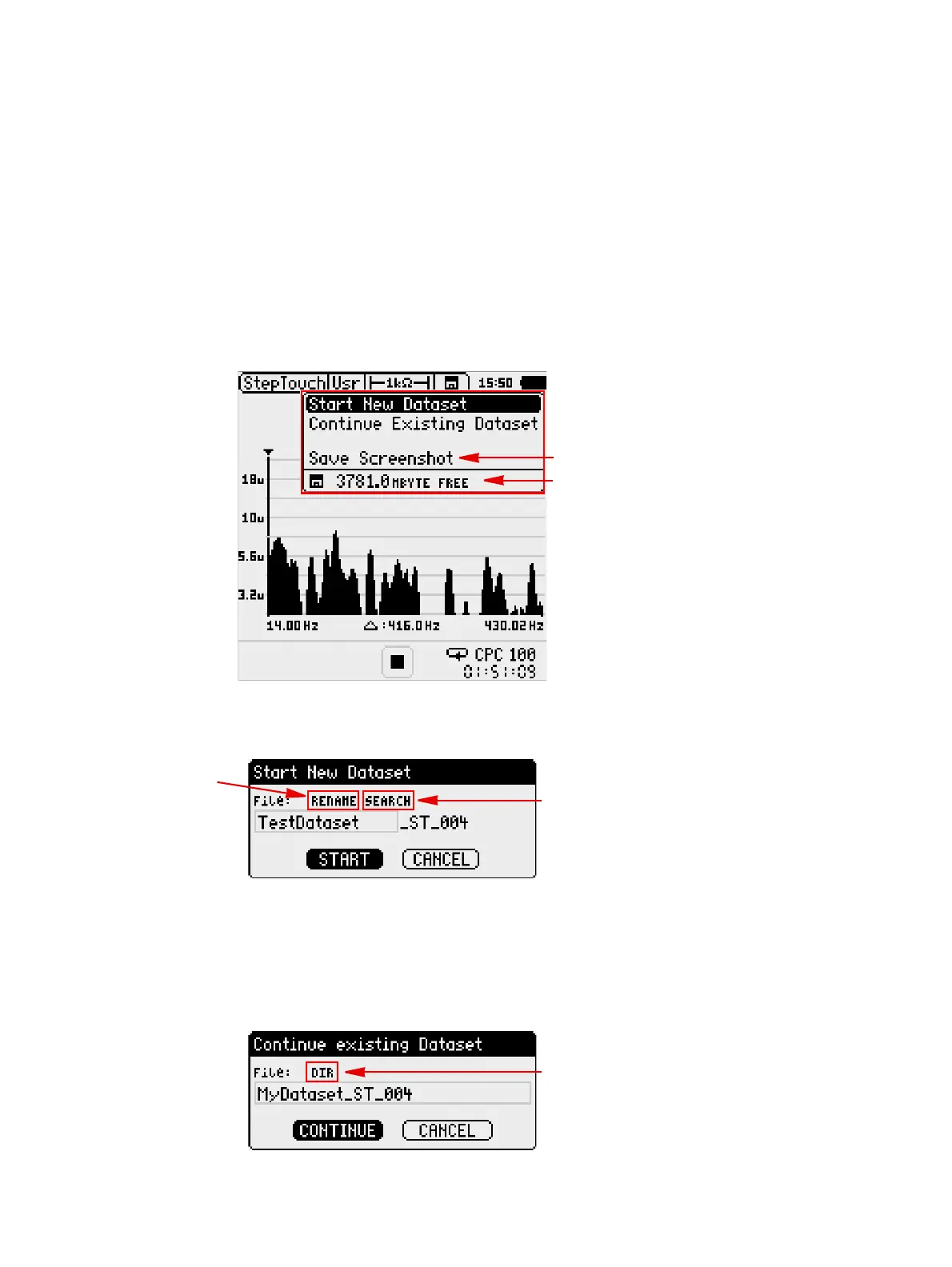
► To create a new dataset before starting the measurement, click the Save icon and select Start New
Dataset.
Figure 7-1: Save menu
► Change the suggested dataset name or search existing names and adjust them if necessary:
7.2 Continue existing dataset
► To continue a dataset, click Continue Existing Dataset in the Save menu. By default, the most
recent dataset is displayed and can be opened by clicking Continue.
► To choose a different dataset, click DIR:
Remaining storage
space
Save screenshots
in BMP format
Rename dataset
Search existing
dataset names


 To Next Page
 Loading...