HGT1 User Manual
24 OMICRON
7.4 Reports
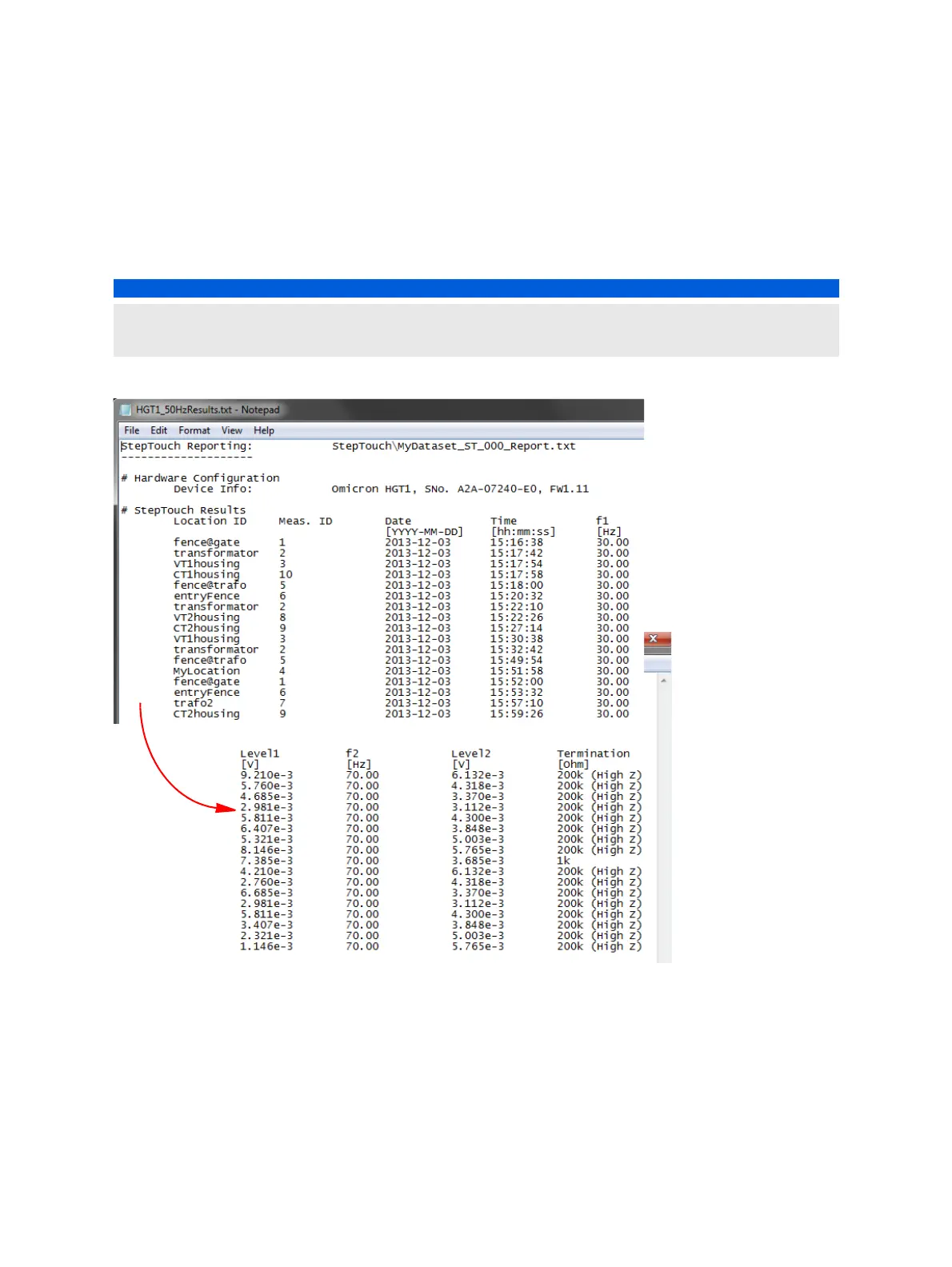
The folder OMICRONHGT1:\Measurements\StepTouch contains the measured data in TXT and XL2
format, and the screenshots you made in the Save menu (see Figure 7-1: "Save menu" on page 22).
Note: This path is only available if the HGT1 is connected in USB mode.
Figure 7-2: HGT1 measurement report
► To create a Microsoft Excel report containing the data measured with the HGT1, use the Excel
template "Step&Touch using HGT1.xlt" available on the CPC Start Page:
1. Load the "Step & Touch using HGT1" template on the CPC Start Page:
Grounding systems > StepTouch using HGT1 > StepTouch HGT1 20A50Hz > Open
StepTouch using HGT1.xlt
2. Open a CPC 100 result file.
NOTICE
Loss or corruption of data
► The XL2 files saved on the HGT1 are system files. Do not edit or move them.


 To Next Page
 Loading...