2 Installation and connection
2-4 Connecting the AC input
BU5002R/BU3002R/BU3002RH
2-4 Connecting the AC input
When installation and connection are complete, connect the unit’s AC input to a
commercial power source.
Be sure to connect the AC input of the unit to the commercial
power supply with the rated input voltage (200/208/220/230/240
VAC) and frequency 50/60 Hz.
⚫ If connected to a commercial power supply with a different voltage or
frequency, it could cause a fire.
⚫ There is a risk of a breakdown of the unit.
2-4-1 Connecting the AC input plug
Be sure to insert the input plug into a grounded outlet.
⚫ There is a risk of an electric shock.
⚫ The AC input plug of the unit is wired as shown in the following figure.
BU5002R input plug (NEMA L6-30P)
(viewed from the pin direction)
BU3002R input plug (NEMA L6-20P)
(viewed from the pin direction)
• For the input receptacle on the commercial power supply side, use the type for 30 A
(NEMA L6-30R) or the type for 20 A (NEMA L6-20R).
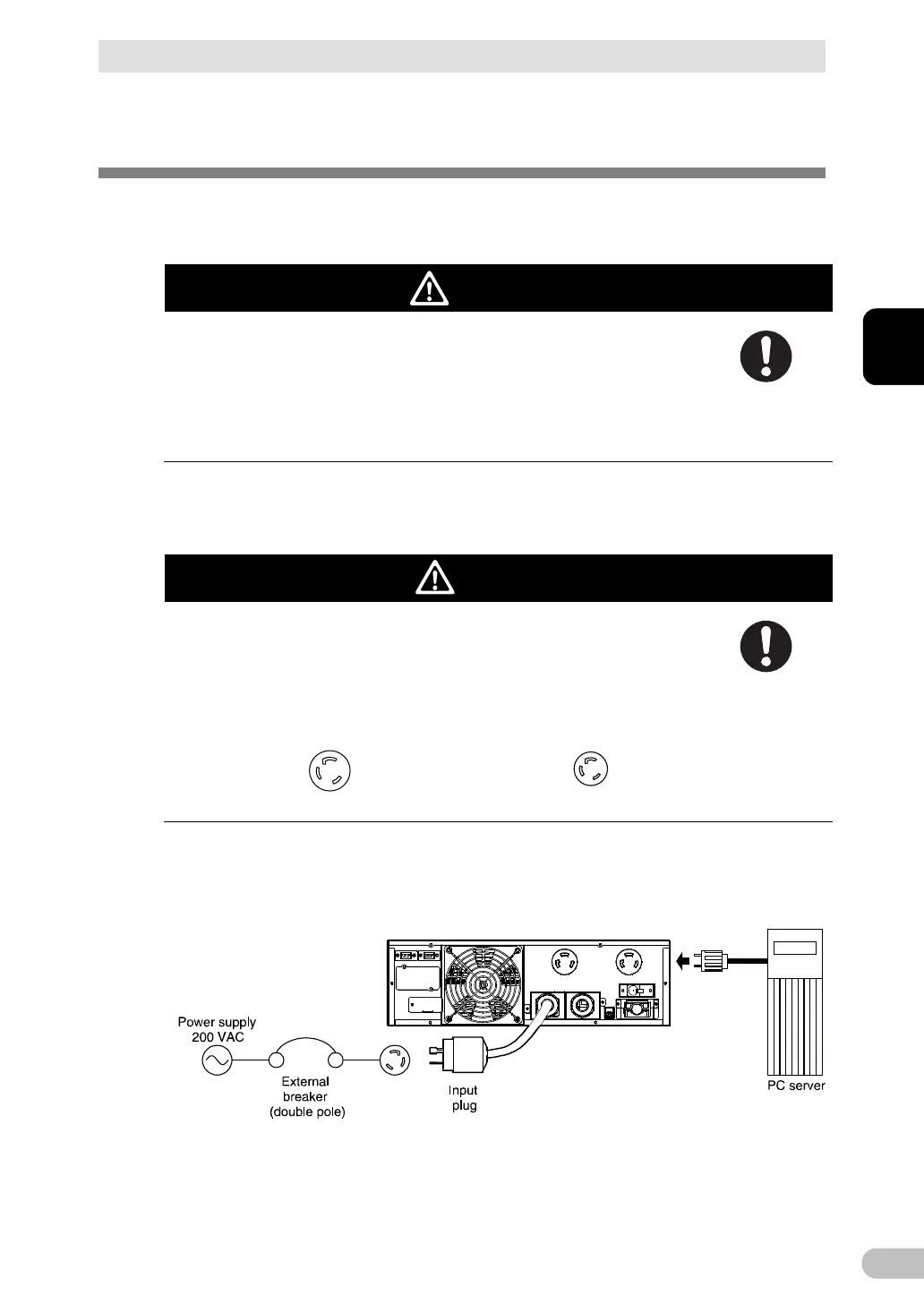
<Example of connection for BU5002R>



 To Next Page