EasyManua.ls Logo

Omron BU5002R - Connecting the Expansion Battery Unit

Omron BU5002R
135 pages
Print Icon
To Next Page IconTo Next Page
To Previous Page IconTo Previous Page
Loading...
2 Installation and connection
2-5 Connecting the expansion battery unit
BU5002R/BU3002R/BU3002RH
57
2
2-5 Connecting the expansion battery unit
Caution
Do not connect 4 or more expansion battery units to the unit.
Up to 3 expansion battery units can be connected to the unit.
There is a risk of smoke generation and ignition if 4 or more are
connected.
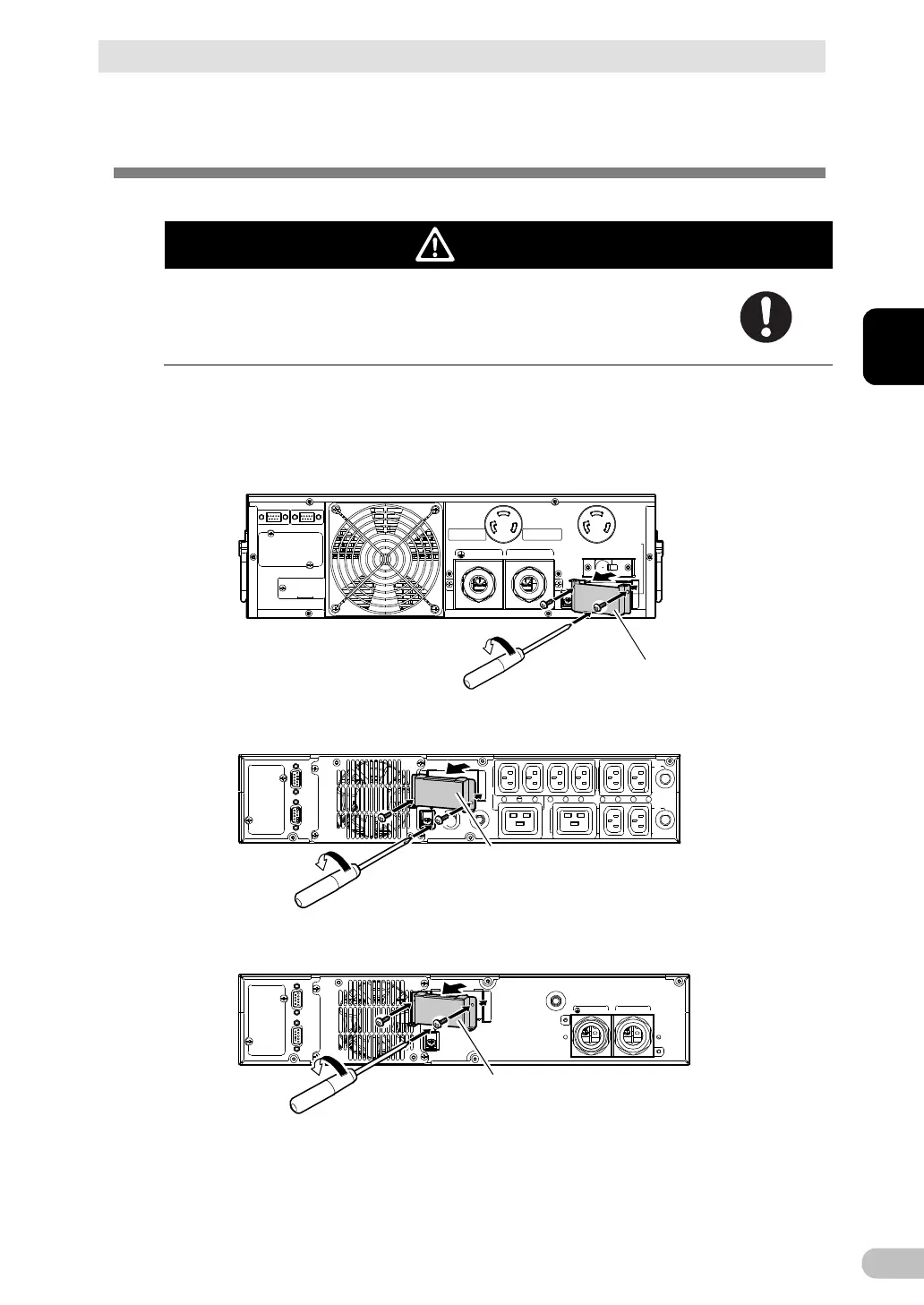
1.
Detach the battery expansion connector cover on the back of the UPS unit.
Remove the 2 screws on the battery expansion connector cover when detaching.
BU5002R
Expansion battery connector cover
BU3002R
Expansion battery connector cover
BU3002RH
Expansion battery connector cover

Table of Contents

Related product manuals