EasyManua.ls Logo

Omron BU5002R - How to Interpret Icons, LED, and Buzzer Sounds

Omron BU5002R
135 pages
Print Icon
To Next Page IconTo Next Page
To Previous Page IconTo Previous Page
Loading...
3 Checking and starting the operation
3-1 Names and functions of each part of the operation and display sections
BU5002R/BU3002R/BU3002RH
66
3-1-7 How to interpret icons, LED, and buzzer sounds
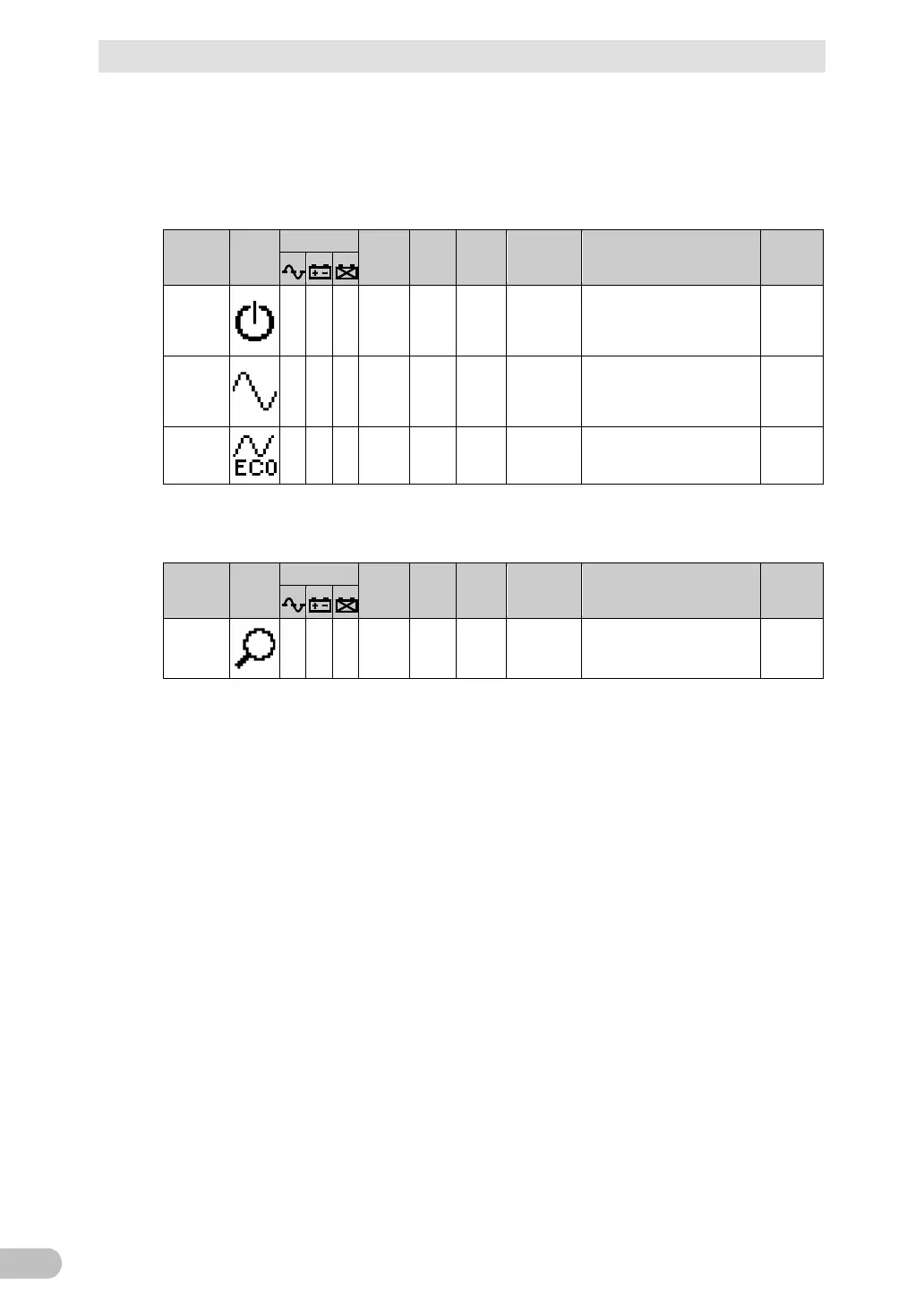
■ In normal operation
○: ON, ●: OFF
UPS
status
Icon
Symbol
Buzzer
Output
Charge
Text
displayed
on top
Description
Solution
Standby
mode
None
OFF
ON
Standby
mode
The “Power” switch is turned
OFF.
Power supply output is
stopped.
-
Normal
operation
mode
None
ON
ON
Normal
mode
The “Power” switch is turned
ON.
The UPS is in normal
operation.
-
Eco mode
None
ON
ON
ECO mode
The UPS is operating
normally in ECO mode.
-
■ In test operation
○: ON, ●: OFF
UPS
status
Icon
Symbol
Buzzer
Output
Charge
Text
displayed
on top
Description
Solution
Test
mode
None
ON
OFF/di
schargi
ng
Test mode
A self-diagnostic test is in
process.
-

Table of Contents

Related product manuals