EasyManua.ls Logo

Omron BU5002R - Page 67

Omron BU5002R
135 pages
Print Icon
To Next Page IconTo Next Page
To Previous Page IconTo Previous Page
Loading...
3 Checking and starting the operation
3-1 Names and functions of each part of the operation and display sections
BU5002R/BU3002R/BU3002RH
67
3
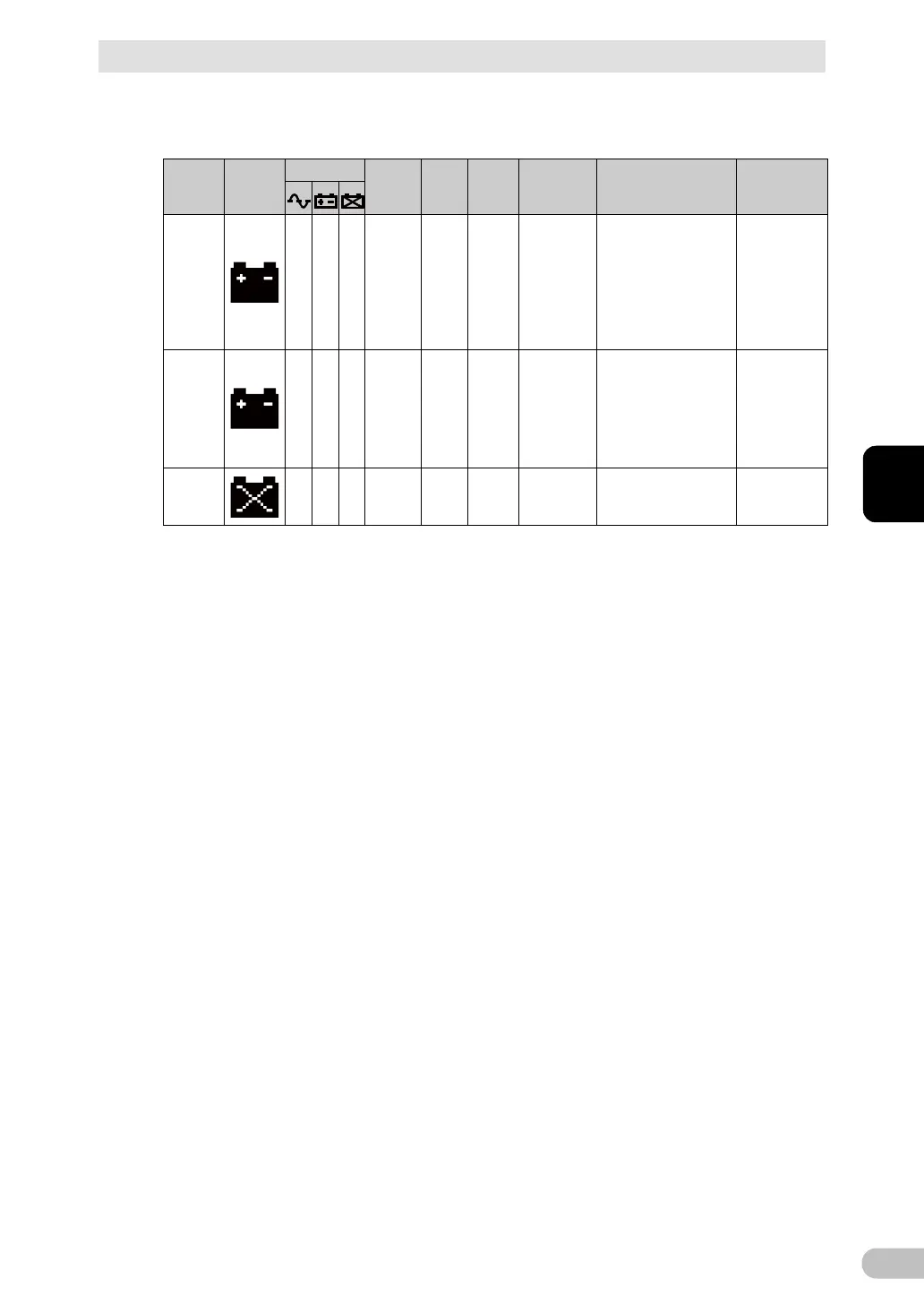
■ During a power outage
○: ON, ●: OFF
UPS
status
Icon
Symbol
Buzzer
Output
Charge
Text
displayed
on top
Description
Solution
Battery
mode
Intermitt
ent, at
intervals
of 4
seconds
ON
OFF/
Dischar
ging
Battery
mode
The UPS is in backup
operation due to a
power outage or AC
input error. Output
stops if backup
operation is
continuously
performed.
Stop the
connected
devices in use
by shutting
them down
(end
processing).
Battery
low
Intermitt
ent, at
intervals
of 1
seconds
ON
OFF/
Dischar
ging
Battery low
The battery level is
low. Output stops
soon.
Stop the
connected
devices in use
by shutting
them down
(end
processing).
Battery
empty
None
OFF
-
bE
Output stopped due to
low battery (displayed
for a few seconds).
Charge the
battery.

Table of Contents

Related product manuals