3 Checking and starting the operation
3-1 Names and functions of each part of the operation and display sections
BU5002R/BU3002R/BU3002RH
3-1-8 Text displayed at bottom
Refer to the messages which are displayed on the bottom of the LCD in accordance with
the status of the UPS.
3-1-9 Changing the language setting
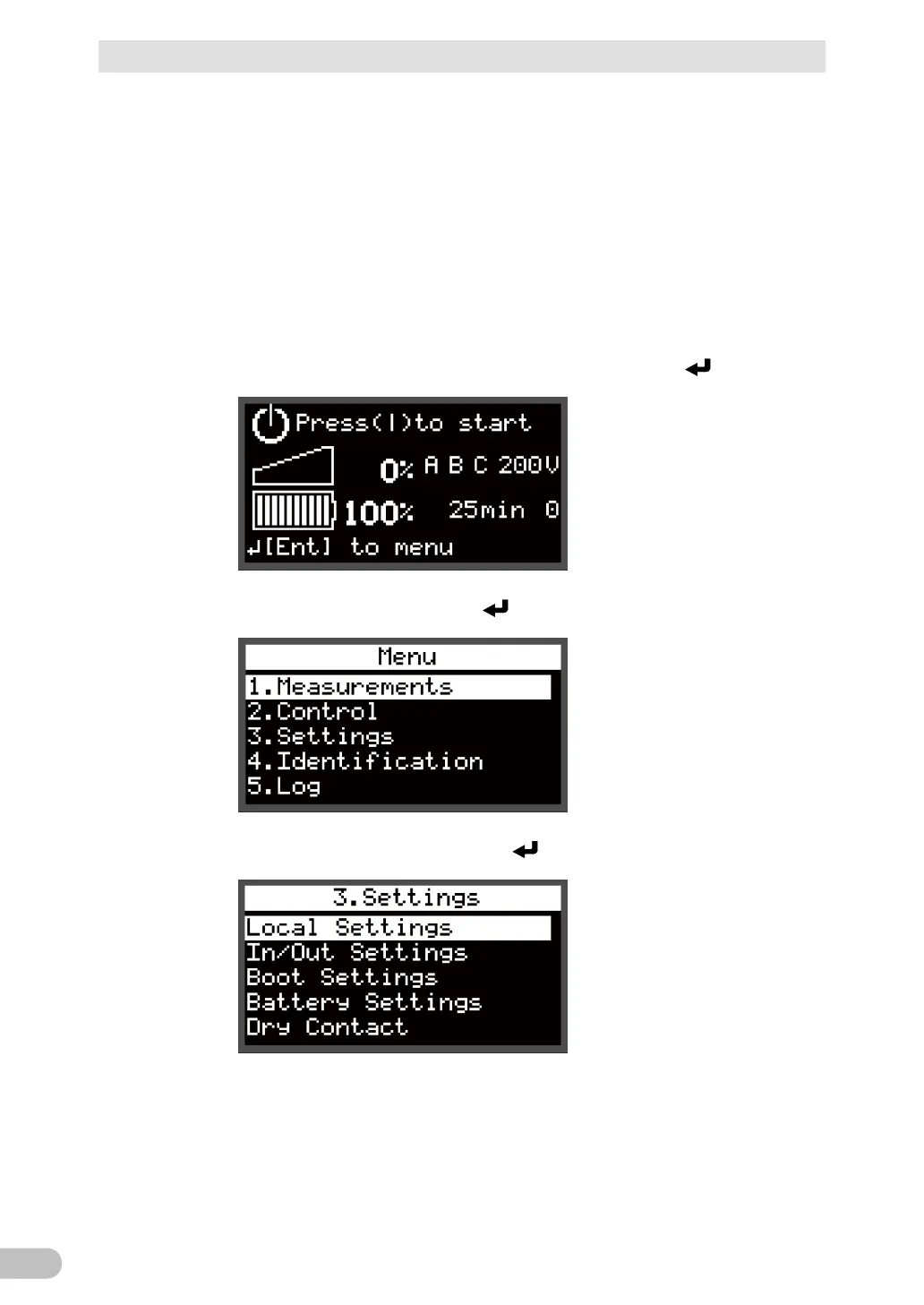
To change the language setting from Japanese to English with the "Standard" menu type,
for example, follow the procedure below.
Connect the AC input cable to the power outlet, and press the switch.
Select [3.Settings], and press the switch.
Select [Local Settings], and press the switch.



 To Next Page