57
F3SJ-B
User’s Manual
Chapter3 Mounting
Wiring/Installation
E
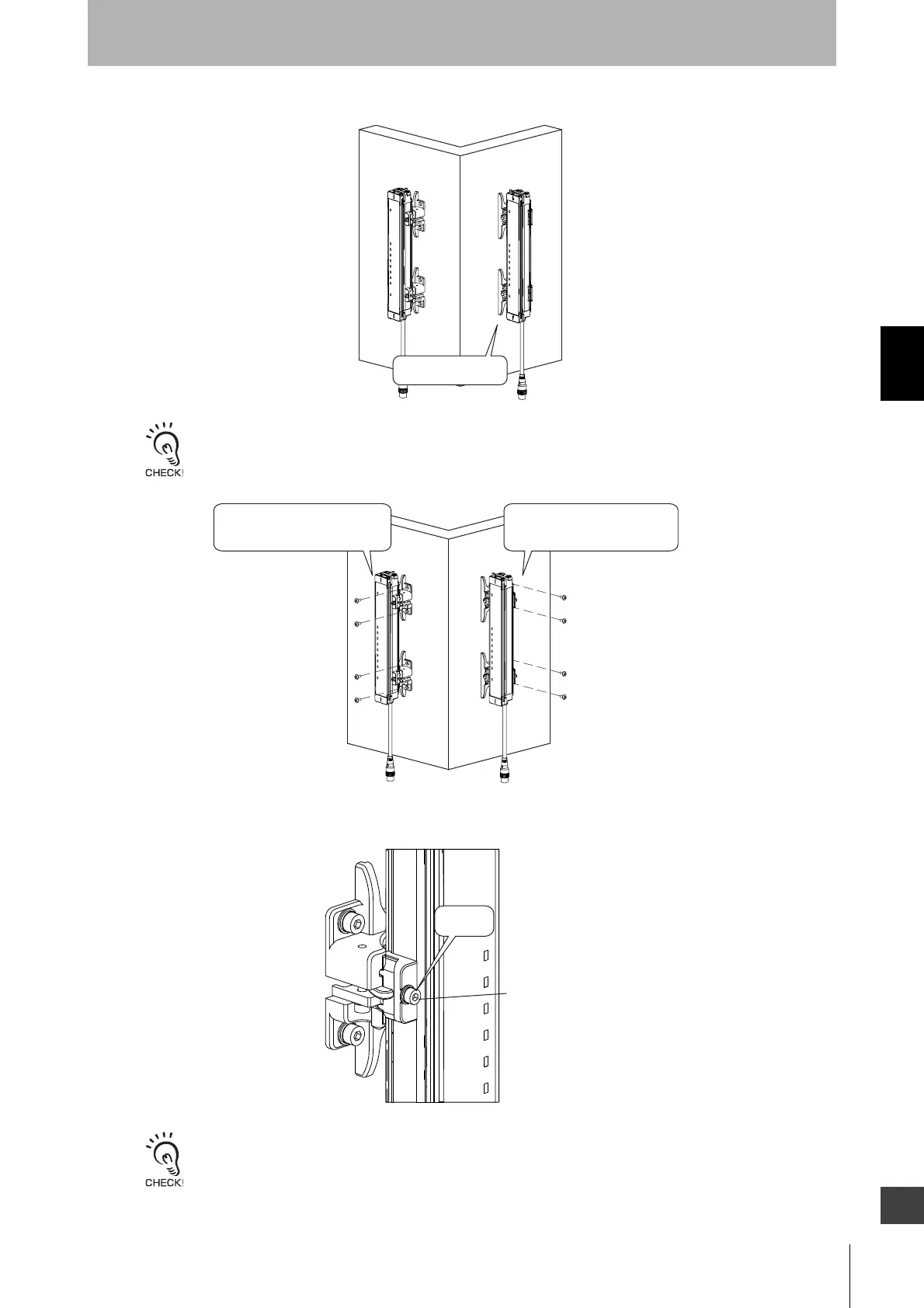
3. Slide the Intermediate Brackets to the mounting position of the wall. (Figure 18)
Screws to mount the brackets to the wall are not included.
4. Tighten the screws that fix the Intermediate Bracket and the wall. (Figure 19)
5. Tighten the hexagon socket head cap screw (M3 x 12) of Intermediate Bracket (1) with the tightening
torque at 0.54 N•m (recommended). (Figure 20)
Tightening screws with a torque that considerably exceeds the recommended torque may cause failure.
Side mountingBackside mounting
Adjust to the
mounting position
Side mountingBackside mounting
Tighten the screws to secure
the Intermediate
Brackets and the wall.
Tighten the screws to secure
the Intermediate
Brackets and the wall.
Hexagon socket head
cap screw (M3 x 12)
Tighten
securely


 To Next Page
 Loading...