Section 2 INSTALLATION
2-8
INSTALLATION
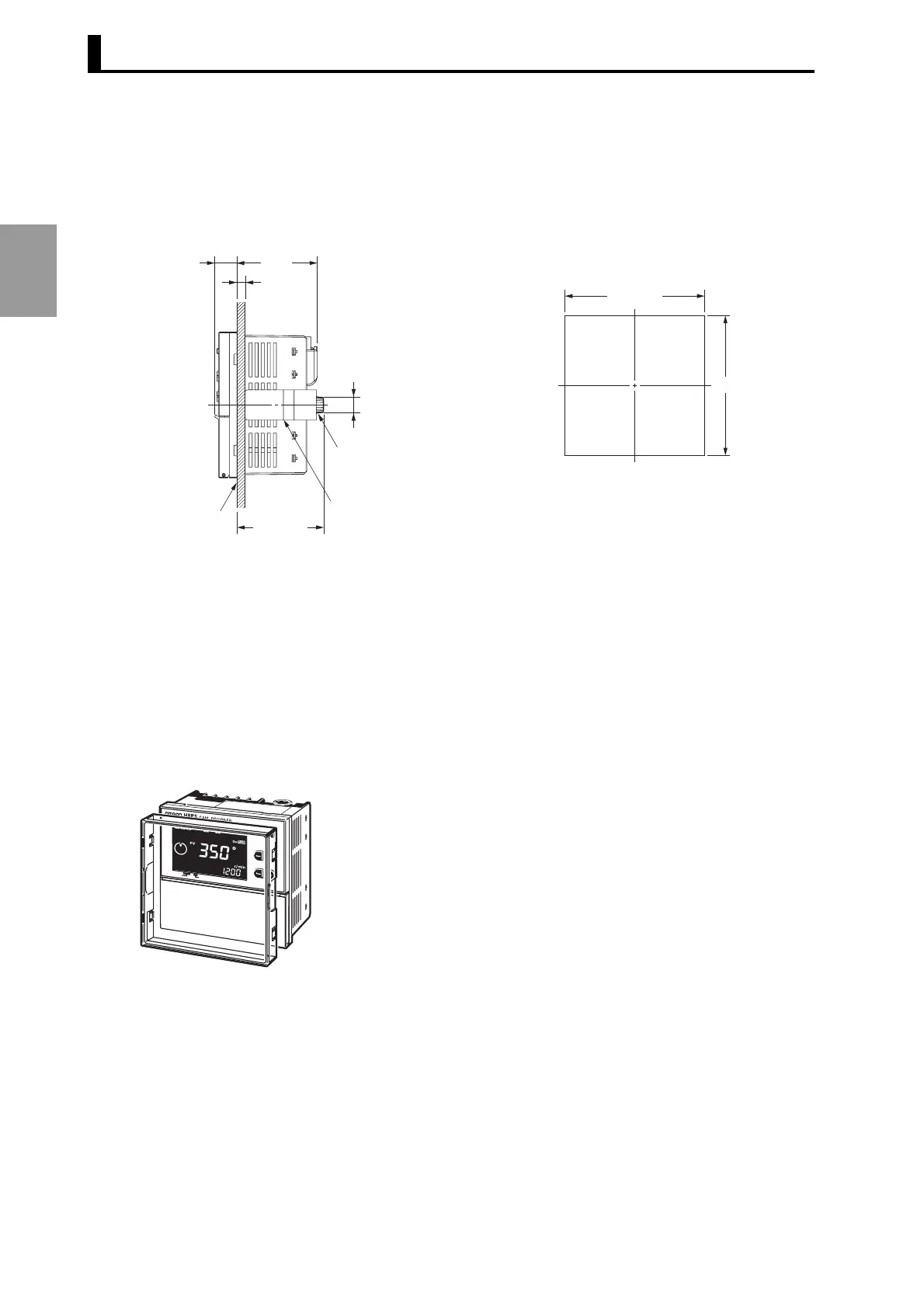
2.2.2 Mounting Method
■ Mounting on the Panel (for all flush mounting models)
• Mounting panel thickness should be 1 to 5 mm.
• The illustration shows an 8-output model. With 16-/32-output models, the encoder cable is
connected at the bottom of the cam positioner unit.
■ Options for Panel Mounting (sold separately)
● Protective Cover
A hardened Y92A-96B Protective Cover is available.
Use it for the following:
• To protect the front panel from dust and dirt.
• To prevents the set value from being altered due to accidental contact with the keys or switches.
14.6
Mounting panel
(1 to 5 mm)
α
52.9
52.3 + α
11 dia.
Mounting bracket (included)
Mounting screws
(2 included) (M4 x 12)
92
+0.8
0
92
+0.8
0
Panel Cutout (according to DIN 43700)
CAM
STEP
CHECK
CAM
STEP
Y92A-96B



 To Next Page