Section 3 HOW TO USE THE BASIC FUNCTIONS
3-18
HOW TO USE THE
BASIC FUNCTIONS
3.9 Checking the Settings in the Run Mode
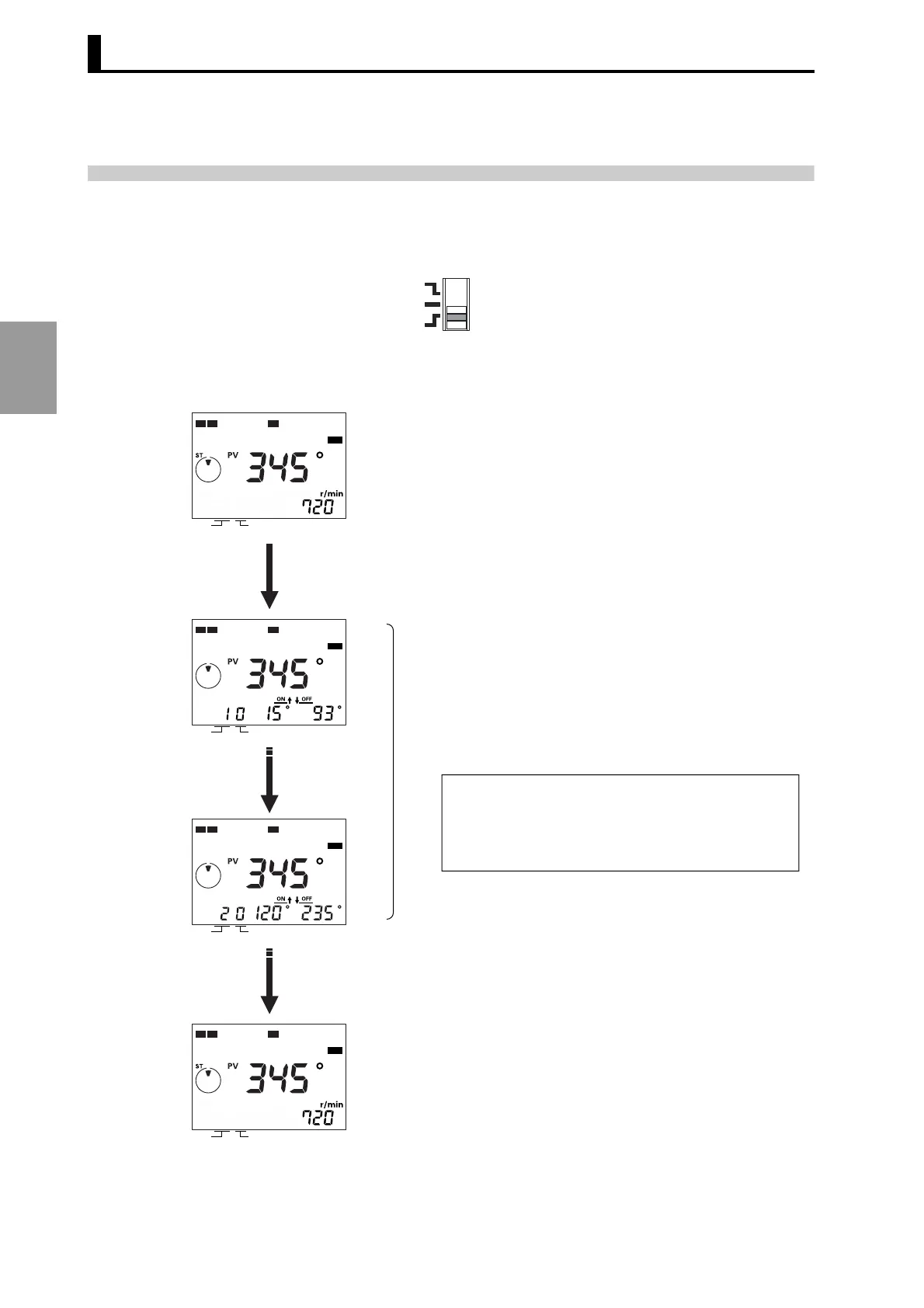
The section below explains the procedure for checking cam programs
in the Run mode.
• Press the [CHECK] key to check the programmed ON/OFF angles.
PRGM
TEST
RUN
Press the [CHECK] key.
[CHECK] key
[CHECK] key
* Operation may be started from any display screen.
(RUN mode)
The cam programs are displayed in the sequence as
they were written.
(Cams and steps where ON/OFF angles are not set
are skipped.)
After checking all programs, the previous display will be resumed.
If there is no key operation for 10 seconds or longer during the
checking operation, the previous display will be resumed.
Pressing the CAM keys ([+], [−]) and the STEP keys
([+], [−]) enables to designate the cam number and the
step number to be checked directly.
In this operation, the cams and steps where ON/OFF
angles are not set are displayed.
CAM
STEP
12 7
RUN
CAM
STEP
12 7
RUN
CAM
STEP
12 7
RUN
CAM
STEP
12 7
RUN



 To Next Page