4-10
4-2 Function Mode
4
Functions
Operator Rotation Direction Selection
•Select the rotation direction applied to the RUN command via the Digital Operator.
•This is disabled at terminals.
<Group A: Standard Function Parameters>
Frequency Reference Selection
Select the method for using the frequency reference.
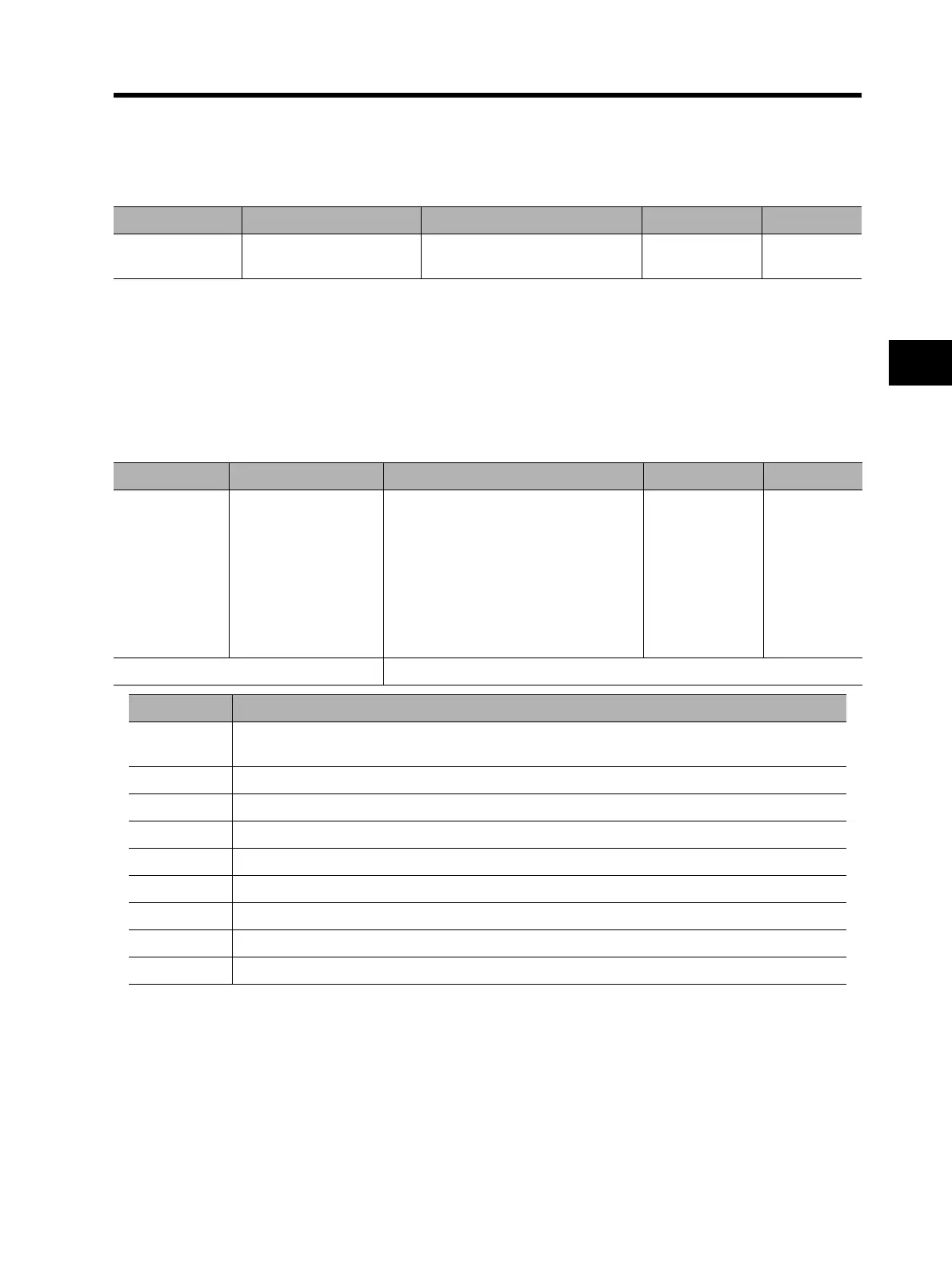
Parameter No. Function name Data Default setting Unit
F004
Operator rotation direction
selection
00: Forward
01: Reverse
00
Parameter No. Function name Data Default setting Unit
A001
Frequency reference
selection
00: Digital Operator (FREQ adjuster)
01: Terminal
02: Digital Operator (F001)
03: ModBus communication
04: Option 1
05: Option 2
06: Pulse train frequency
07: Not used
10: Operation function result
02
Related functions A005, A141 to A143, A145, A146
Data Frequency reference source
00
Set a frequency with the FREQ adjuster on the Digital Operator.
(Enabled when 3G3AX-OP01 is used.)
01 Set a frequency via terminals. (FV-FC, FI-FC, FE-FC)
02 Set a frequency via the Digital Operator (F001).
03 Set a frequency through the ModBus communication.
04 Set a frequency via the PCB mounted to option port 1.
05 Set a frequency via the PCB mounted to option port 2.
06 Set a frequency as a pulse train by using 3G3AX-PG01.
07 Not used
10 The operation result of the frequency operation function is defined as a frequency reference.












 To Next Page