
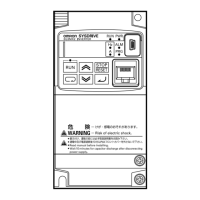
What to do if Omron Inverter STOP/RESET key does not work?
A
amanda28Jul 30, 2025
If the STOP/RESET key isn't working, consider these possibilities:
* The STOP/RESET key might be disabled by a setting. Check and correct the STOP Key Selection (b087) setting.
* The Overvoltage Suppression Function During Deceleration (b130) could be enabled. Try setting Overvoltage Suppression Function During Deceleration (b130) to "00: Disabled" or adjust the operation level of each function.
* Controlled Deceleration on Power Loss (b050) might be enabled. Set Controlled Deceleration on Power Loss (b050) to "00: Disabled" or adjust the operating level of each function.
J
John HatfieldAug 3, 2025
Why Omron SYSDRIVE MX2 Digital Operator keys do not work?
S
Stacey CookAug 3, 2025
If the Digital Operator keys aren't functioning, it's possible that:
* "86: DISP (Display fixed)" is allocated to a multi- function input terminal and the terminal is turned ON. Turn OFF the terminal to which the applicable function is allocated.
D
Dale YoungAug 16, 2025
What causes Overcurrent Trip (E03) during Omron SYSDRIVE MX2 operation?
A
amy95Aug 16, 2025
An Overcurrent Trip (E03) during operation can occur due to several reasons:
* The acceleration time might be too short. Try extending the Acceleration Time (F002/F202/ A092/A292).
* The load may be excessive, so reduce the load.
* Overload Limit Selection (b021/b024) might be disabled. Enable Overload Limit Selection (b021/ b024).
R
Rodney Bennett DDSAug 20, 2025
Why Omron SYSDRIVE MX2 power does not turn on?
M
Miguel DennisAug 20, 2025
If the power does not turn on and the main POWER LED indicator isn't lit, check the following:
* Ensure the shorting bar between terminals +1 and P/+2 or the DC reactor is connected. If disconnected, connect the shorting bar or DC reactor.
* Verify that the input wire is properly connected. If disconnected, check the wiring and reconnect it.
W
wayne30Aug 25, 2025
Why specified parameters are not displayed on Omron Inverter?
J
Jason MillerAug 26, 2025
If specified parameters are not being displayed, it might be because:
* Display Selection (b037) is set to a limited display mode like "01: Individual display of functions," or "04: Basic display." To see all parameters, set Display Selection (b037) to "00: Complete display".
* "86: DISP (Display fixed)" is allocated to a multi- function input terminal and the terminal is turned ON. Turn OFF the terminal to which the applicable function is allocated.
P
pmitchellNov 6, 2025
What to do if Omron SYSDRIVE MX2 Inverter motor rotation speed does not rise?
A
Alexis WoodsNov 6, 2025
If the motor rotation speed isn't increasing, consider these potential causes:
* There may be contact failure with the analog input for frequency reference or Variable Resistor. Check the wiring, and measure the FV-SC terminal voltage or source-FI terminal current to ensure the correct signal is present.
* The overload limit or overcurrent suppression function might be activated. Try disabling the function or raising the operation level.
* The Maximum Frequency (A004) or Frequency Upper Limit (A061/A261) setting may be too low. Change the setting to a higher value.
* The acceleration time could be set too long. Shorten the acceleration time (F002/F202/ A092/A292).
* If jogging is enabled via a multi-function input terminal, turn OFF the terminal.
* If a multi-step speed settin...
K
kristinadavisNov 10, 2025
What to do if Omron SYSDRIVE MX2 Inverter motor does not turn after RUN command?
K
Kimberly WalkerNov 10, 2025
If your motor isn't turning after a run command, it might be due to several reasons:
* The Rotation Direction Limit Selection (b035) may be set to prohibit forward or reverse rotation. Ensure the correct setting for Rotation Direction Limit Selection (b035).
* The input terminal wiring for the RUN command or shorting-bar connection position could be incorrect. Correct the wiring, using the Multi-function Input Monitor (d005) to check the ON/OFF status of the input terminal.
* The analog input for frequency reference or Variable Resistor wiring may be incorrect. Correct the wiring and measure the FV-SC terminal voltage or source-FI terminal current to check for the correct signal.
* A multi-function input terminal with "51: F-TM (Forced terminal block)" allocated might be ON while ...








