3-3SectionSYSMAC-CPT Precautions
106
CLR
D1234
Ć00722
CLR
D1234
FD2E
DM
D0000D1234
FD2E
B
1
C
2
D
3
F
5
D1235D1234
FD2E
MONTR
D1235D1234
B669 FD2E
3-6-30 Using Signed Binary Instructions
The following instructions must be allocated function codes in the instructions
table before they can be used.
• 2’S COMPLEMENT – NEG(––)
• DOUBLE 2’S COMPLEMENT – NEGL(––)
• DOUBLE BINARY ADD – ADBL(––)
• DOUBLE BINARY SUBTRACT – SBBL(––)
• SIGNED BINARY MULTIPLY – MBS(––)
• DOUBLE SIGNED BINARY MULTIPLY – MBSL(––)
• SIGNED BINARY DIVIDE – DBS(––)
• DOUBLE SIGNED BINARY DIVIDE – DBSL(––)
Allocating Function Codes The procedure to using the Programming Console to allocate function codes is
shown below. Be sure that pin 4 on the CQM1’s DIP switch is turned ON to
enable use of a user-set instruction table before performing this operation.
Example: Allocating Function Code 19 to ADBL
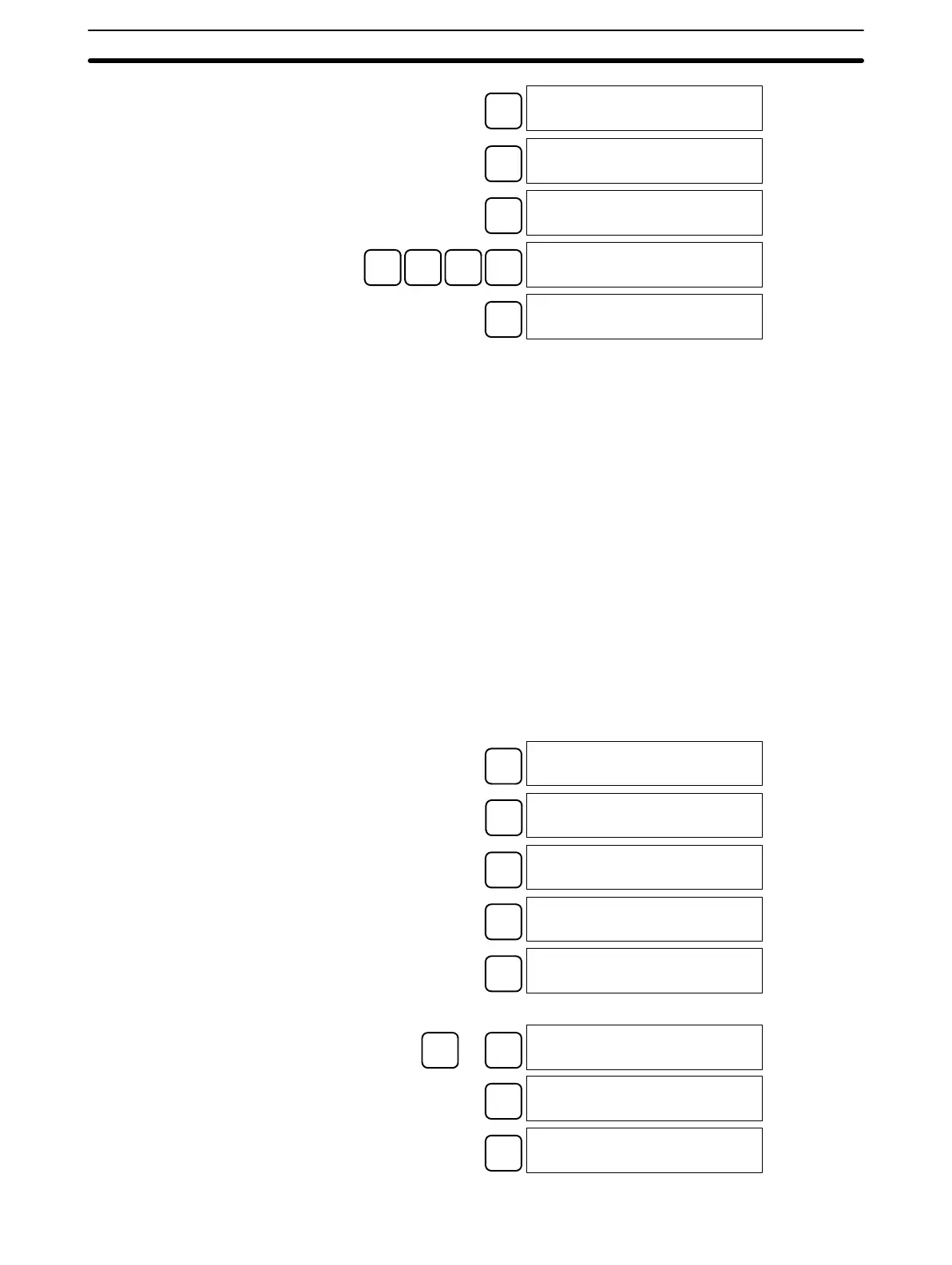
CLR
00000
EXT
INST TBL READ
FUN17:ASFT
↓
INST TBL READ
FUN18:SCAN
↓
INST TBL READ
FUN19:MCMP
CHG
INST TBL CHG?
FUN19:MCMP~????
Press the Up or Down Cursor Key until ADBL is displayed.
↑
or
↓
INST TBL CHG?
FUN19:MCMP~ADBL
WRITE
INST TBL READ
FUN19:ADBL
CLR
00000
Artisan Technology Group - Quality Instrumentation ... Guaranteed | (888) 88-SOURCE | www.artisantg.com







 To Next Page