22
2-3-5 Standard Dimensions
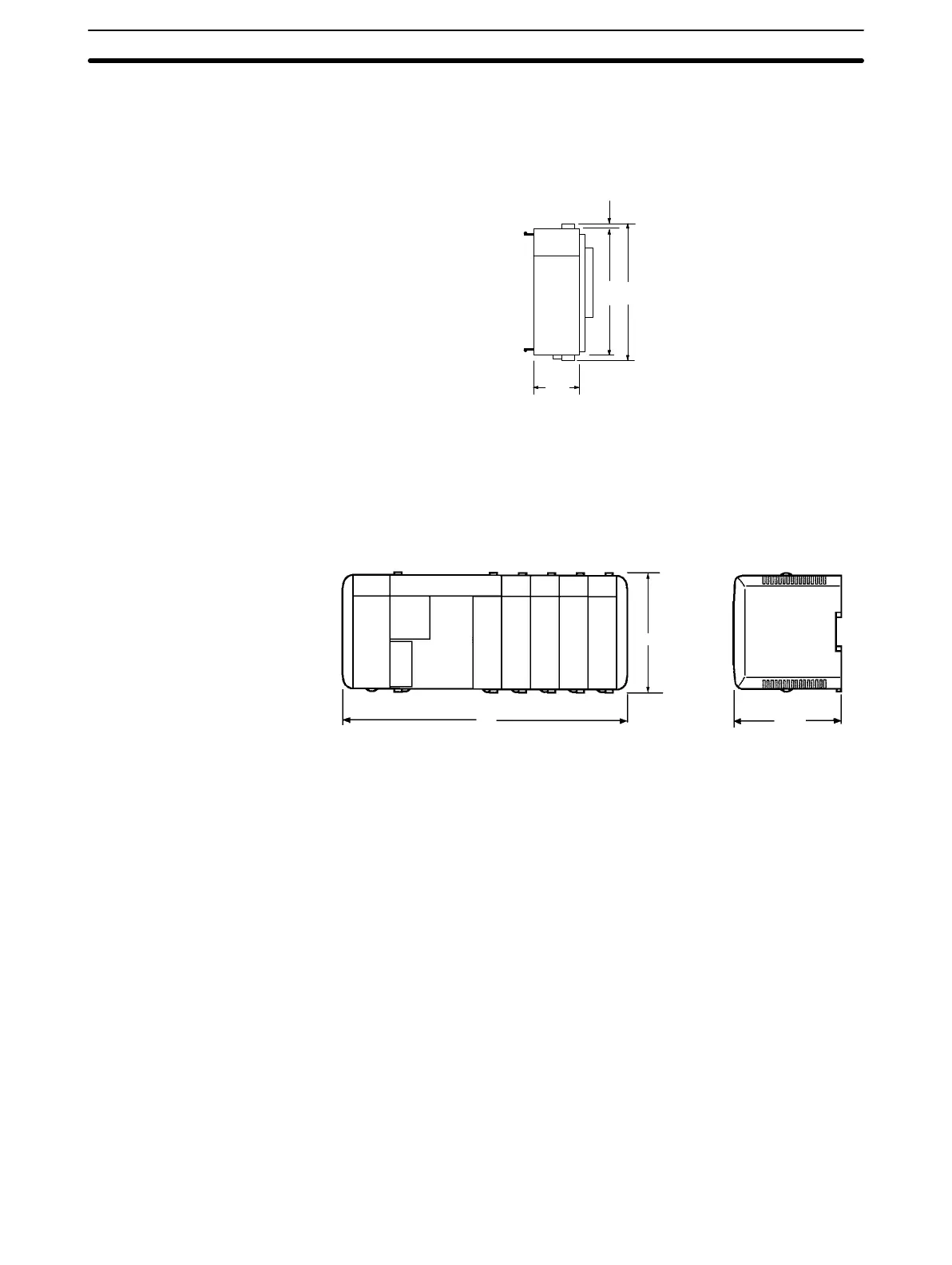
The following diagram shows the dimensions of a standard I/O Unit. All dimen-
sions are in millimeters.
110 115.7
2
32
Note Refer to the table on page 19 for the weights of I/O Units.
Assembled Dimensions The following diagram shows the dimensions of a CQM1 PC consisting of a CPU
Unit, 4 I/O Units, and a Power Supply Unit. The width varies with the Power Sup-
ply Unit, as indicated.
CQM1-PA203: W = 315
CQM1-PA206: W = 347
CQM1-PA216: W = 347
CQM1-PD026: W = 347
W
107
115.7
Note The I/O capacity of CQM1-CPU4j-EV1 CPU Unit has been increased to
256 points, but only 11 Units can be connected in the PC.
2-4 PC Assembly and Installation
This section describes how to assemble the Units that make up the CQM1 PC
and install the PC on a DIN Track.
2-4-1 Connecting PC Components
The Units that make up a CQM1 PC can be connected simply by pressing the
Units together and sliding the locking tabs towards the back of the Units. The
End Cover is connected in the same way to the Unit on the far right side of the
PC. Follow the procedure listed below to connect PC components.
Always turn off the CQM1 when connecting or disconnecting Units. Replace
Units only after shutting down the CQM1 system.
PC Assembly and Installation
Section 2-4
Artisan Technology Group - Quality Instrumentation ... Guaranteed | (888) 88-SOURCE | www.artisantg.com







 To Next Page