24
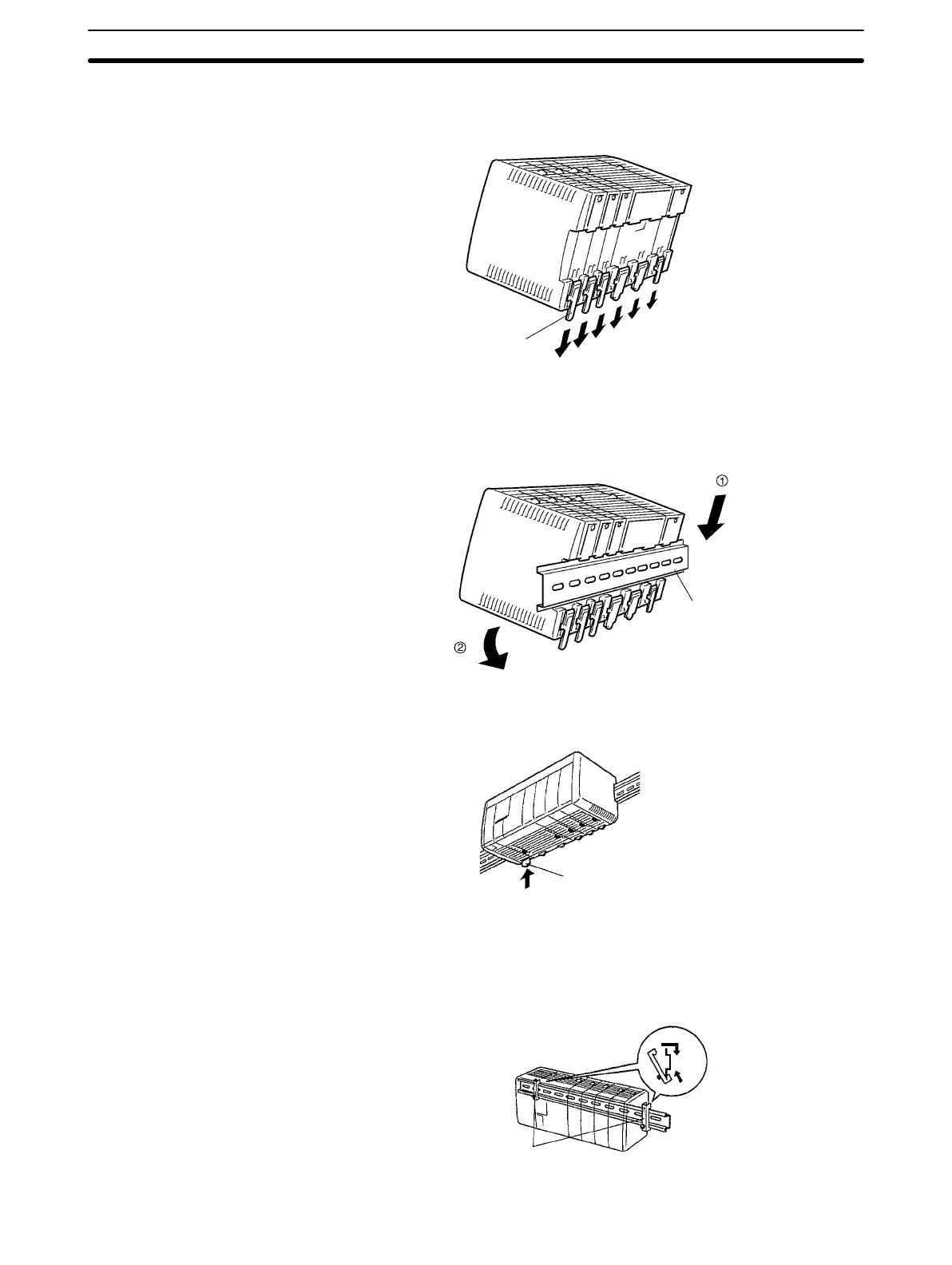
2. Release the pins on the backs of the CQM1 Units. These pins lock the PC to
the DIN Track.
DIN track
mounting
pin
Unlock
3. Fit the back of the PC onto the DIN Track by inserting the top of the track and
then pressing in at the bottom of the PC, as shown below.
Din track
4. Lock the pins on the backs of the CQM1 Units.
DIN track mounting pin
5. Install a DIN Track Bracket on each side of the PC. To install a bracket, hook
the bottom of the Bracket on the bottom of the track, rotate the Bracket to
hook the top of the Bracket on the top of the track, and then tighten the screw
to lock the Bracket in place.
DIN Track Brackets
PC Assembly and Installation
Section 2-4
Artisan Technology Group - Quality Instrumentation ... Guaranteed | (888) 88-SOURCE | www.artisantg.com







 To Next Page