3.1 Installation Overview
A complete working system consists of the laser engraving cabinet, its vent, a water tank with a pump, all applicable
connection cables, and the laser and access keys. The cabinet can use designs provided by the enclosed engraving
software by direct or internet connection with your computer; it can also engrave designs loaded directly from a flash
drive. Users can configure other additional accessories (such as an industrial water chiller, fume extractor, or rotary axis)
to suit their needs.
Use only the hardware, wiring, and power sources that came with or are compatible with this device.
Installing equipment that your device is not designed to work with can lead to poor performance,
shortened service time, increased maintenance costs, property damage, and personal injury.
Please note the specific requirements of your system's installation. Every customer must understand these notes before
installation to execute a proper setup and achieve safe laser performance. If you have any installation questions or
problems, contact our technicians and customer support team.
Any auxiliary equipment must be adjusted to the base machine. Queries may be directed to the dealer or manufacturer
of such equipment.
3.2 Location Selection
Before you install your engraver, select an appropriate location for its use.
Be sure that it meets all of the requirements discussed in the Safety Information above. The location should be stable,
level, dry, and climate controlled to ensure an ambient temperature of 5–35°C (40–95°F) and an ambient humidity under
70%. In particular, the temperature and humidity together should not be close to the dew point. It is also advisable to use
a windowless room or to use blinds and/or curtains to avoid exposure to the potential additional heat of direct sunlight.
The location should be free of dust and other airborne pollutants and well ventilated enough to process any fumes
produced by the engraving process in accordance with all applicable laws and regulations. Depending on the materials
to be processed, this may require construction of a dedicated ventilation system. It should be away from children; com-
bustible, flammable, explosive, or corrosive materials; and sensitive EMI devices. The power cord should be plugged
into a compatible and stable power source via a grounded 3-prong socket. No other item should be drawing current from
the same fuse. There should be firefighting equipment nearby and the local fire brigade's phone number should be clear-
ly displayed.
It is highly recommended to have an extra work table nearby in order to avoid placing objects on or directly adjacent to
the machine, which could become a fire or laser hazard.
3. Installation
14
3.3 Unpacking Your Engraver
Your engraving machine arrives in a wooden crate with its accessories (including
this manual) packaged in the main bay. You should have placed the crate in a
spacious flat area for unpacking, ideally where you plan to operate the machine
permanently.
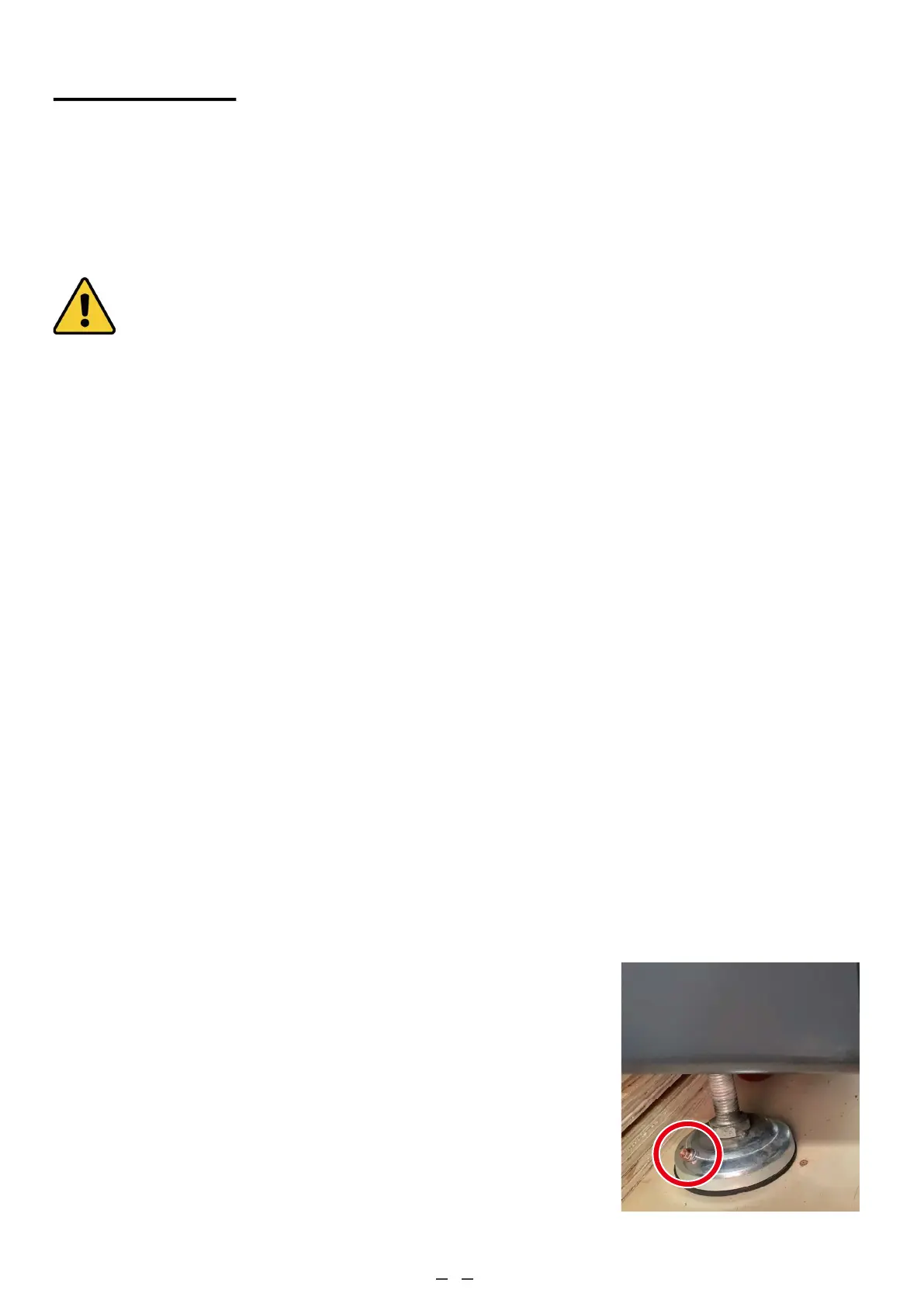
Step 1. If you have not already done so, finish removing the crate from around
your engraver. Each foot is attached to the base of the crate with a hex
screw. Use a 7.8 mm Allen key to remove them. Rotate the feet up,
unlock the wheels, and roll the machine into place.
Step 2. Fix it in place by pressing down on the brake pads on the 2 front wheels
and rotate the feet down to anchor them. If needed, suitable fasteners
can also be used with the 5 mm (0.2 inch) holes to further secure your
engraver.



 To Next Page