35
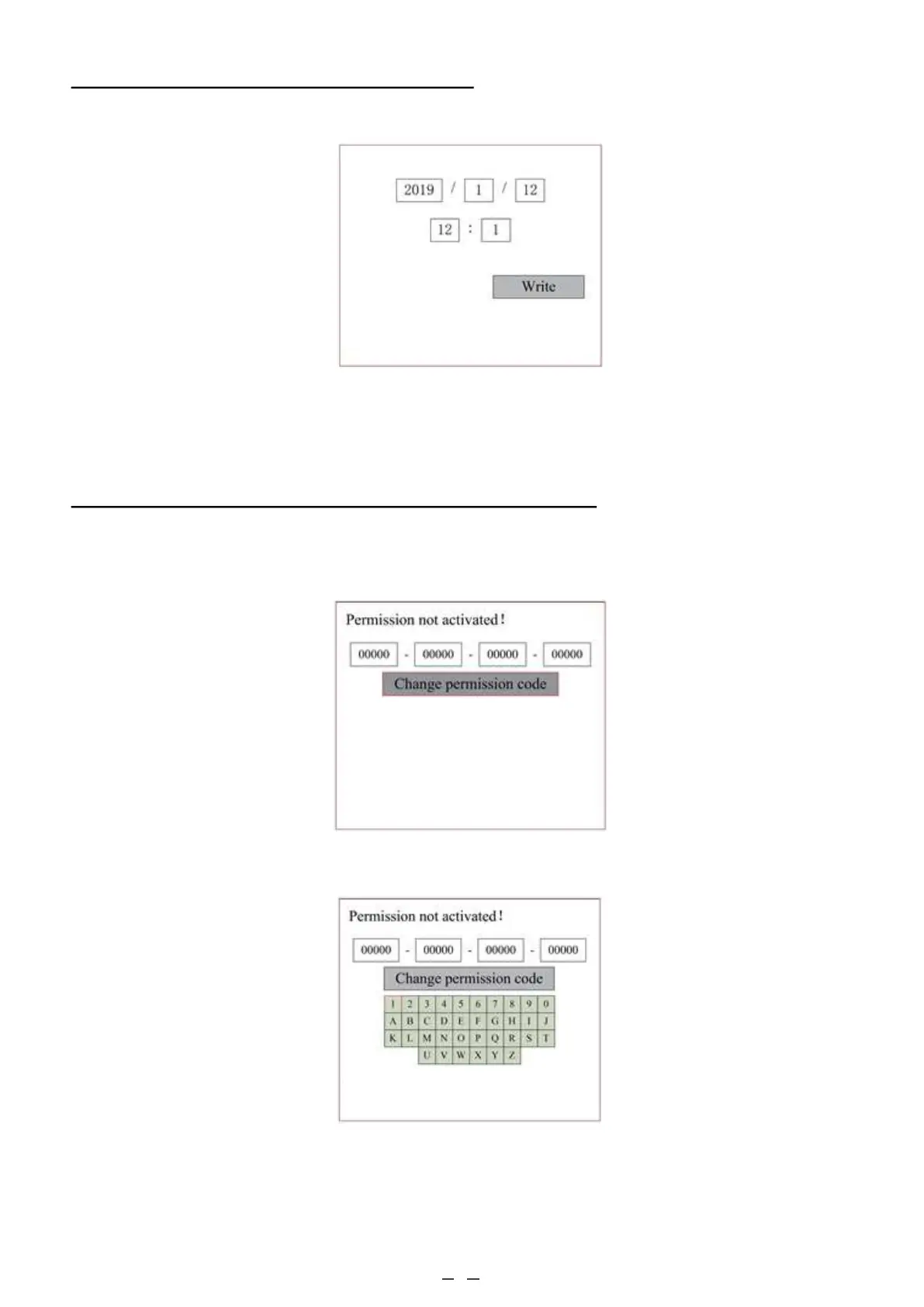
4.4.26 Setting the Machine’s Date and Time
In the Controller Setup submenu, select Time Setting+ to display the following interface:
4.4.27 Authorisation Management and Keyboard Layout
Press ENT once to select the first field, and press ENT a second time to bring up the keyboard.
Use the direction keys and ENT to select the correct character. Press ESC and then ENT to re-enter a field if you make
any mistakes. Use the arrow keys to move to the other entry fields, and enter their contents in the same way. After all fields
are correctly entered, select Change Permission Code and press ENT to leave this screen and return to the main menu.
Select and adjust the parameters by pushing the arrows. When you finish your adjustments, move the cursor to Write
and press ENT to save the parameter change or ESC to exit without saving. Read can load saved parameters.
Your engraver should arrive already authorised and ready to go. If you purchased your engraver on a lease plan
and did not already receive your permission code, contact customer service. Enter it by going to the main menu
and selecting Permission. The following interface will pop up:



 To Next Page