30103AC 19
VIEWER SOFTWARE
To access the setup menu, you need to install the viewer software on your PC or DVR.
The viewer software will install automatically the first time you connect to the camera. If
your internet browser doesn’t install the viewer software, check the security settings or
ActiveX controls and plug-in settings. If your internet browser asks for permission to install
the ActiveX control, you must allow the ActiveX control to continue the installation.
The first time you connect to a camera, the browser will ask for permission to install the
ActiveX Control necessary to display the camera video. Right-click the information bar and
click Install ActiveX Control to allow the installation.
Note IP camera audio is only available on the Indoor IP mini dome camera. The Talk
button will not be available on the Outdoor version of the camera.
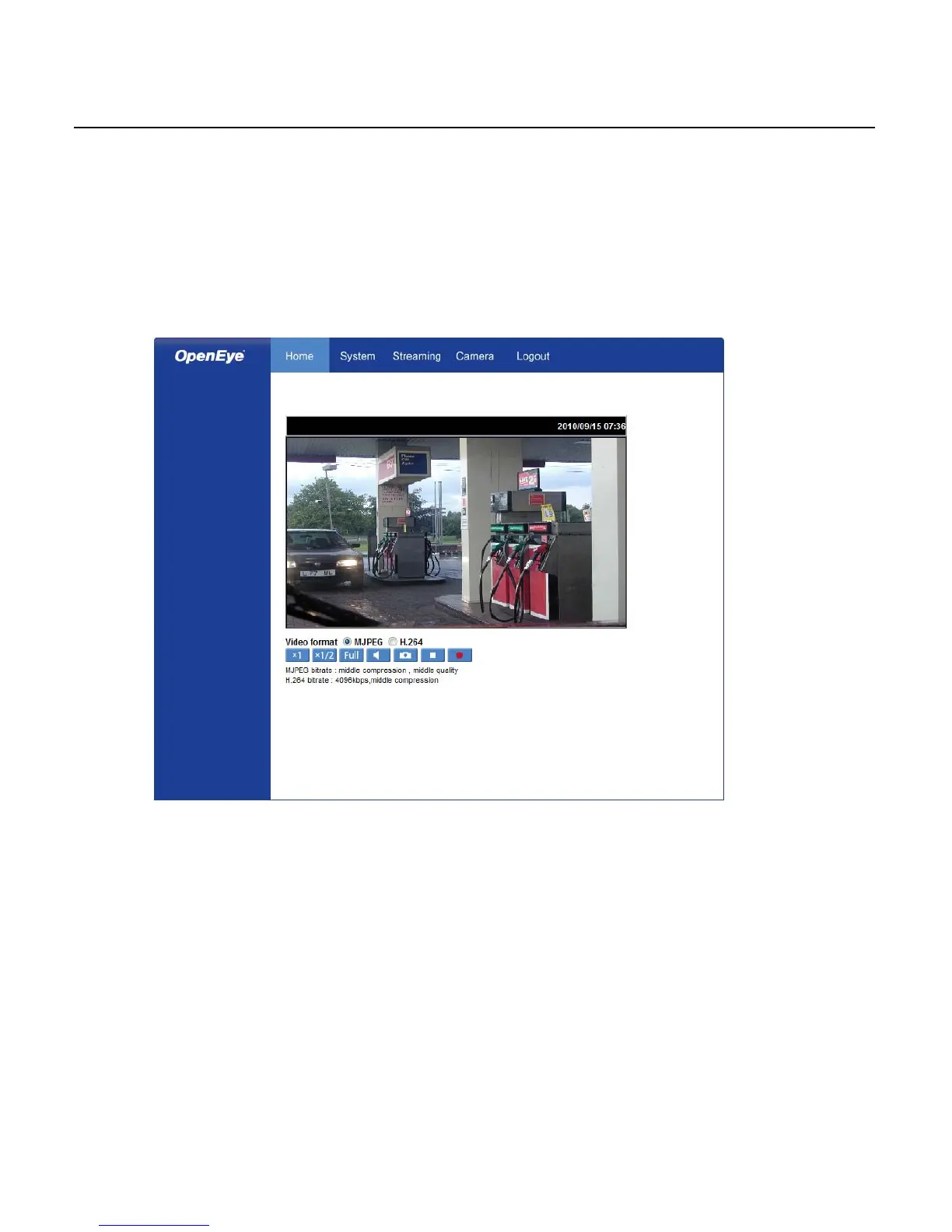
Viewer Tabs
Home – Monitor live video.
System – Set the host name, system time, root password, and network related settings.
(Admin access only)
Streaming – Modify the video resolution and select the audio compression type.
Camera – Adjust the camera parameters including Exposure, White Balance, Brightness,
Sharpness, Contrast, and Digital Zoom.
Logout – Change user.



 To Next Page