22
System
Note The System tab is only accessible by the Administrator.
System
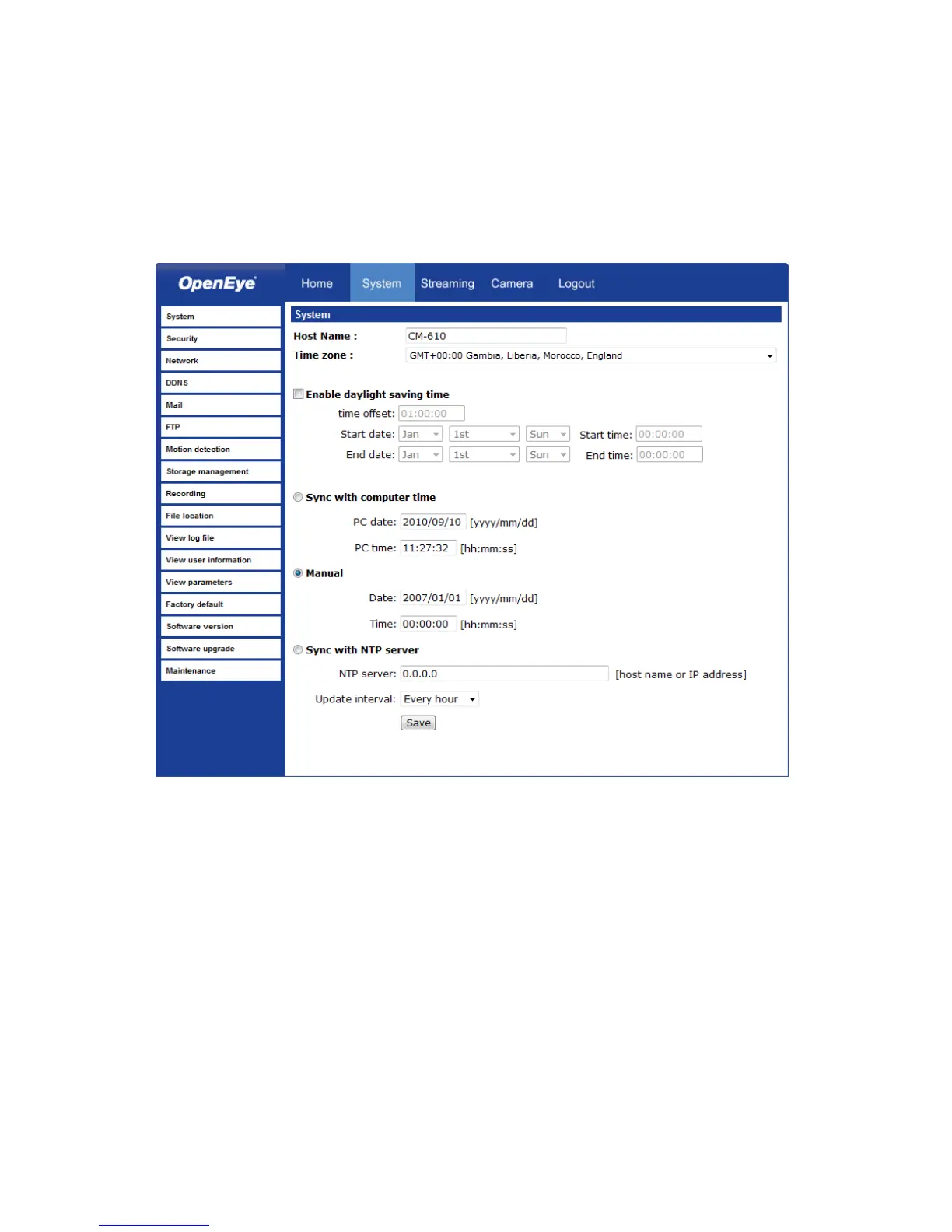
Host Name – The Host Name is used to identify the camera on your system. If camera
based Motion Detection is enabled and is set to send alarm message by Mail/FTP, the
host name entered here will display in the alarm message.
Time Zone – Select your time zone.
Sync With Computer Time – Select to synchronize the camera date and time with the
connected DVR.
Manual – Set video date and time manually.
Sync with NTP server – Network Time Protocol (NTP) is an alternate way to synchronize
your camera’s clock with a NTP server. Specify the server you wish to synchronize in the
NTP Server box. Then select an Update Interval. For more information about NTP, visit
www.ntp.org.



 To Next Page