30103AC 27
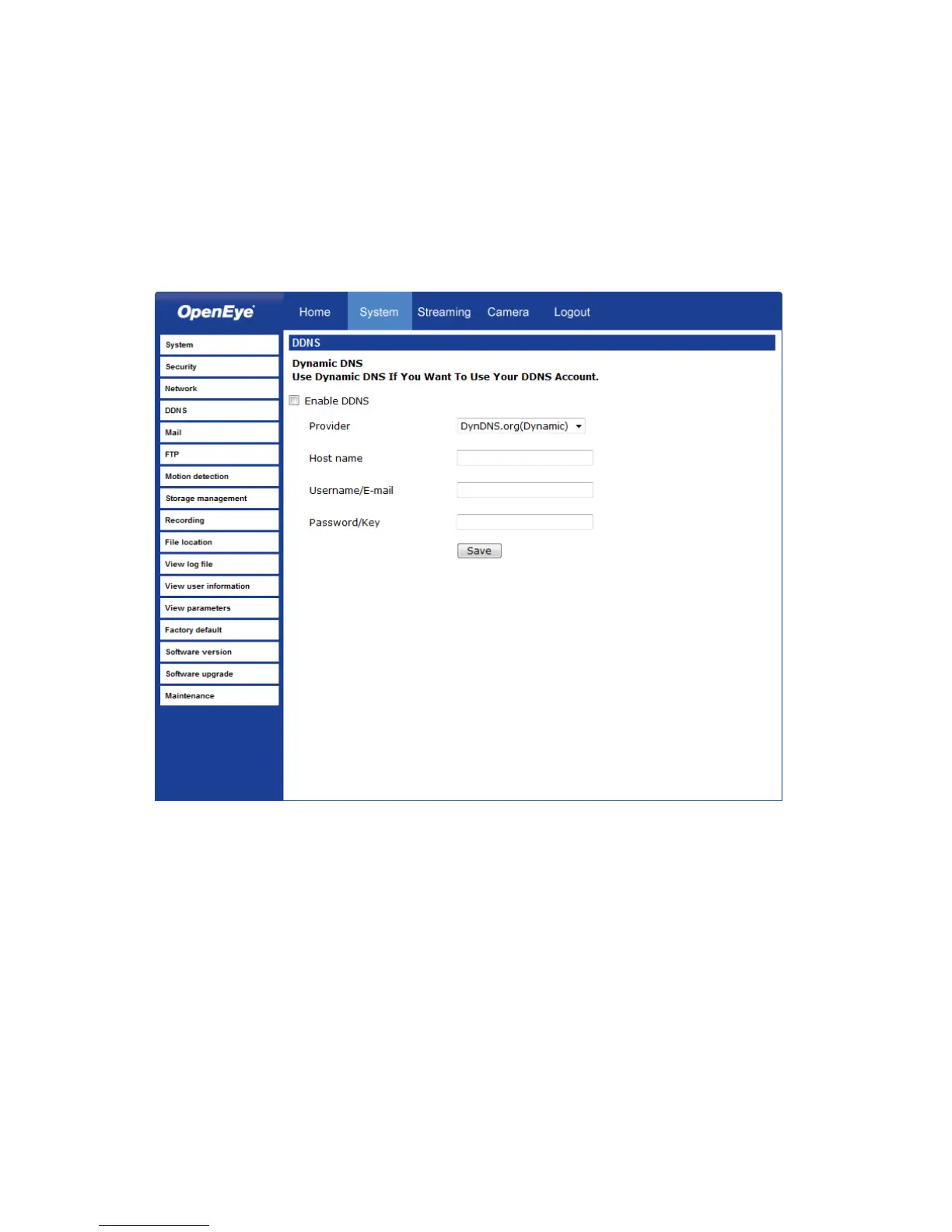
DDNS
DDNS (Dynamic Domain Name Service) is a service that allows a connection to an IP
address using a hostname (URL) address instead of a numeric IP address. Most Internet
Service Providers use Dynamic IP Addressing that frequently changes the public IP
address of your internet connection; this means that when connecting to the camera over
the internet, you need to know if your IP address has changed. DDNS automatically
redirects traffic to your current IP address when using the hostname address.
• Enable DDNS – Select the check box to enable DDNS.
• Provider – Select a DDNS host from the Provider list.
• Host name – Type the registered domain name in the field.
• Username/E-mail – Type the username or e-mail required by the DDNS provider for
authentication.
• Password/Key – Type the password or key required by the DDNS provider for
authentication.



 To Next Page