30103AC 25
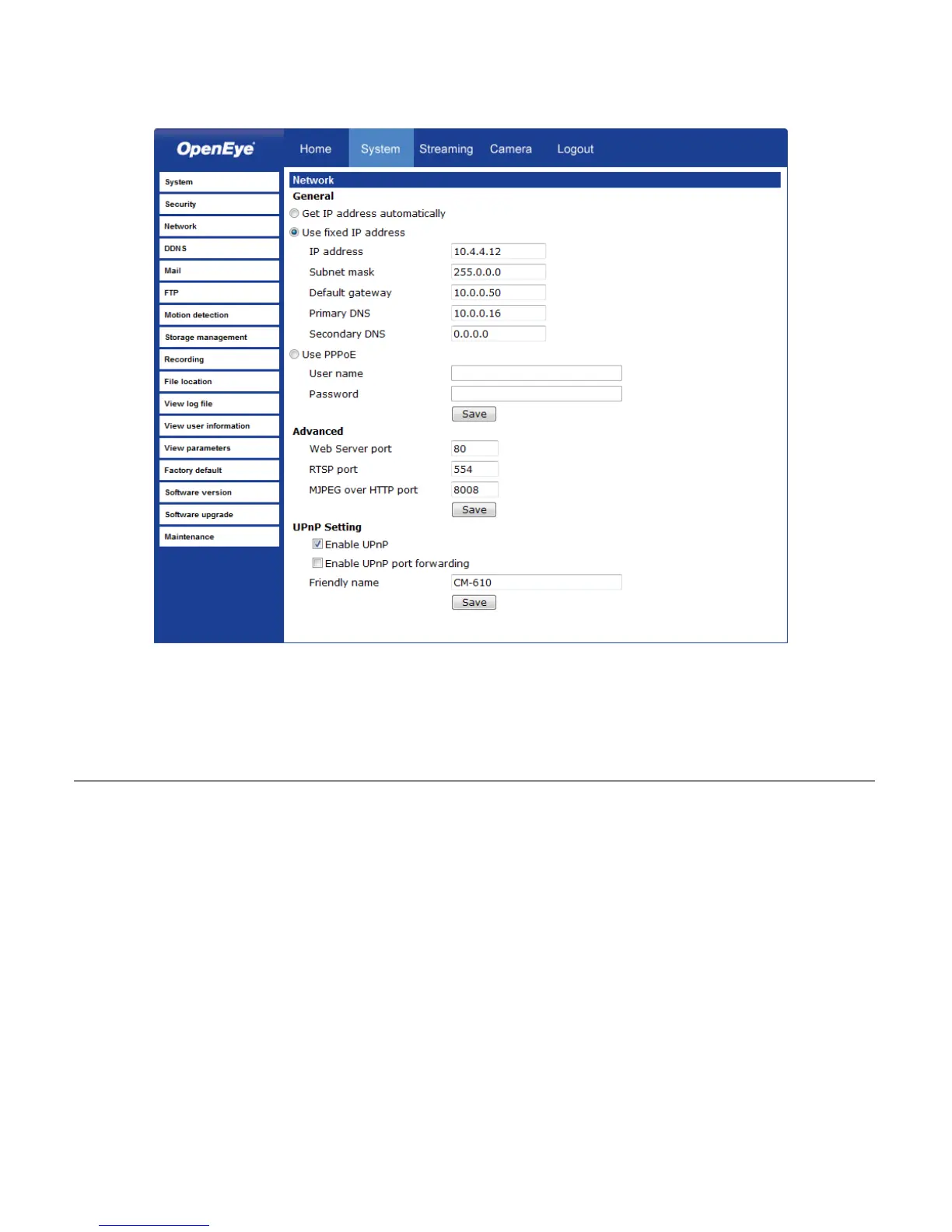
Network
You can choose to use a fixed IP address or a dynamic IP address (assigned by a DHCP
server or router) for the camera.
Get IP address automatically (DHCP)
The camera comes preconfigured with a fixed IP address, selecting Get IP address
automatically requires a router or DHCP server to assign an IP address to the camera.
Note Every network device has a unique Media Access Control (MAC) address that
can be used for identification. The MAC address is located on the bottom of
each camera, and on the box label (OpenEye IP Finder also displays the MAC
address for identification). Record your camera’s MAC address for identification
in the future.



 To Next Page