44
Video and Audio Streaming Settings
On the Streaming tab, you can configure specific video resolution, video compression
mode, video protocol and audio transmission mode.
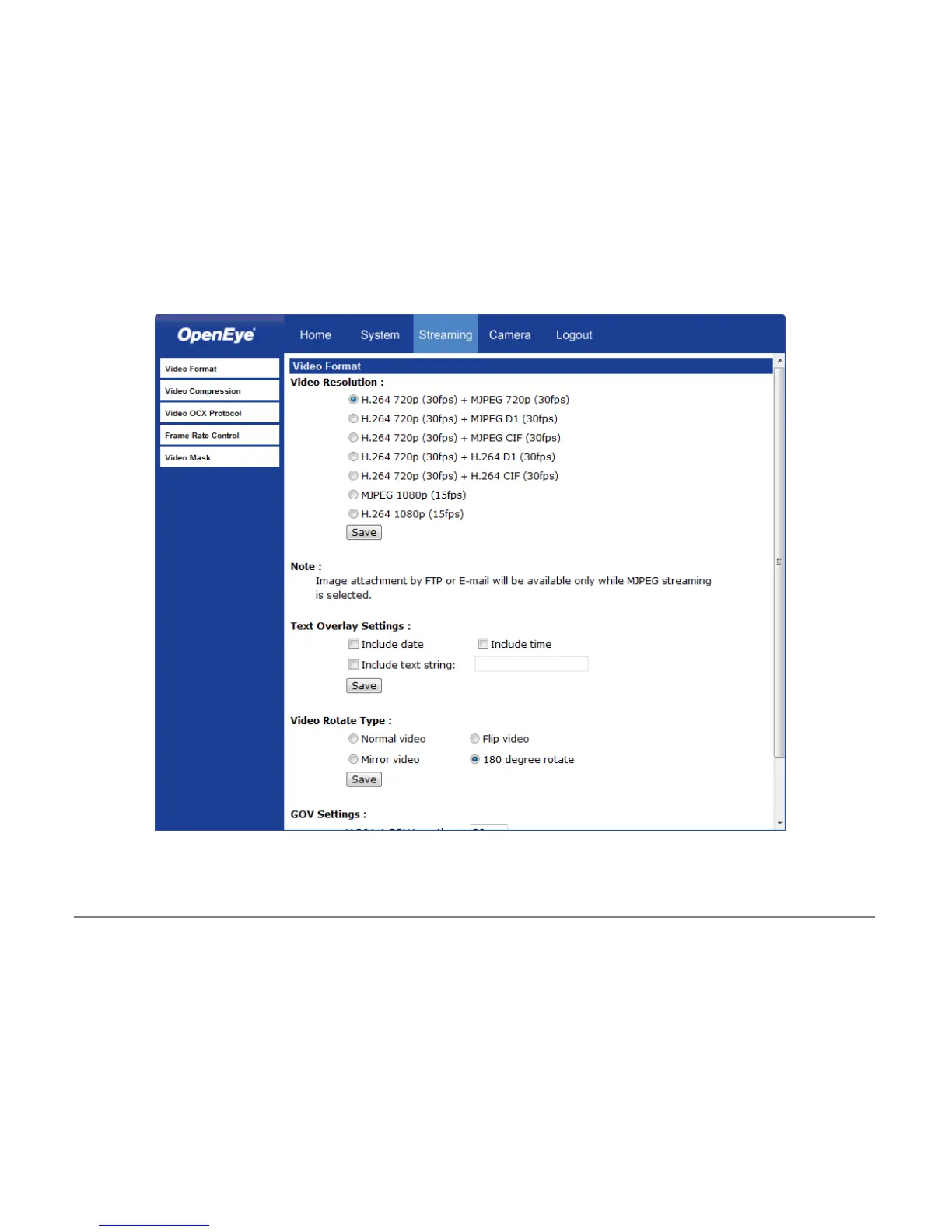
Video Format
Select the desired video resolution for the camera on the Video Format page. The DVR
will record video based on the resolution selected here.
Text Overly Settings
You can set up a text overlay for the transmitted video that can include the date, time, or
custom text.



 To Next Page