30103AC 35
Recording
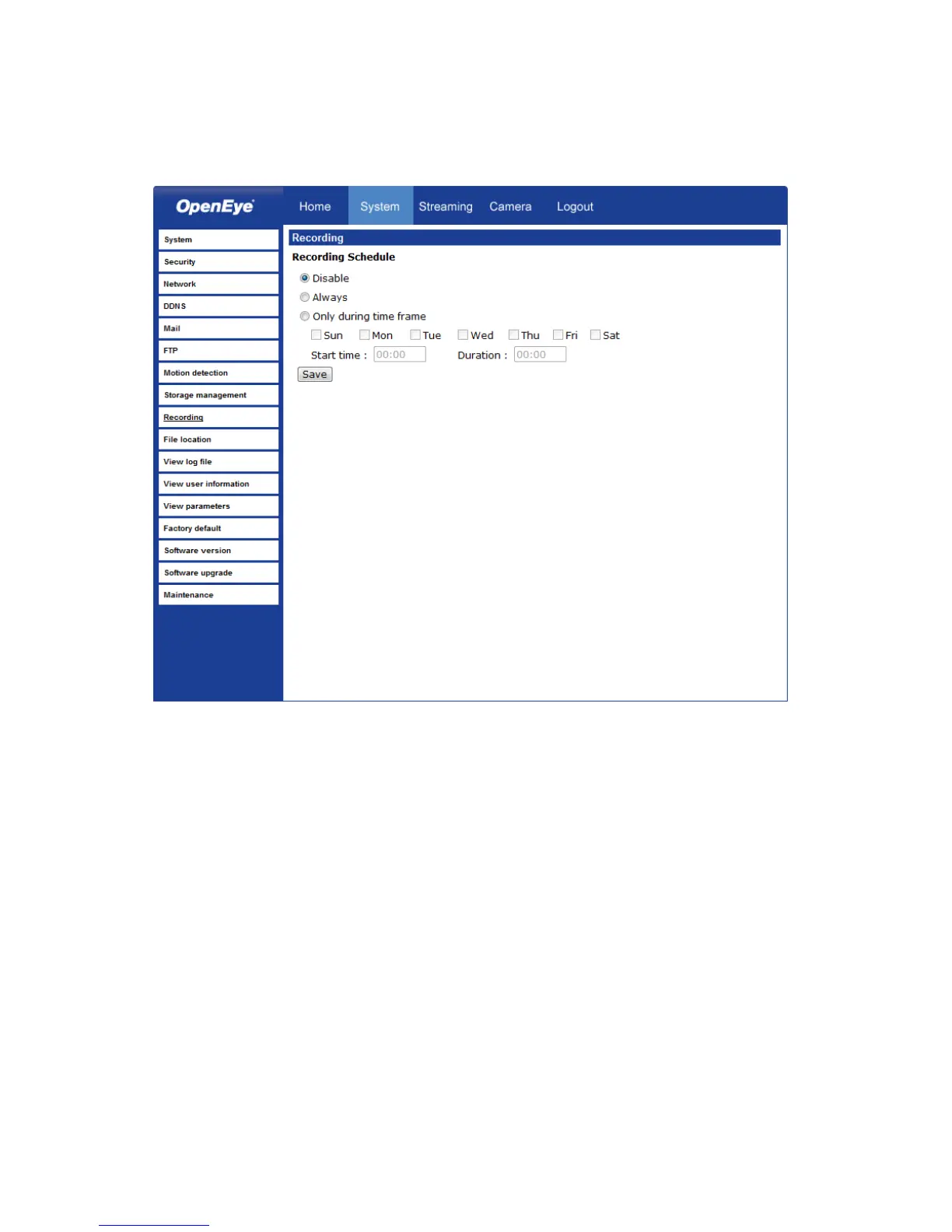
The recording schedule allows you to set up scheduled recording to the microSD™ card.
Recording Schedule – The camera can be set up to record continuously until the card is
full (or overwrite old data, see the Storage Management section). The camera can also be
set up to record only during a scheduled time. Select the days that you would like to
record, then input the recording start time and the recording duration.



 To Next Page