50
Audio
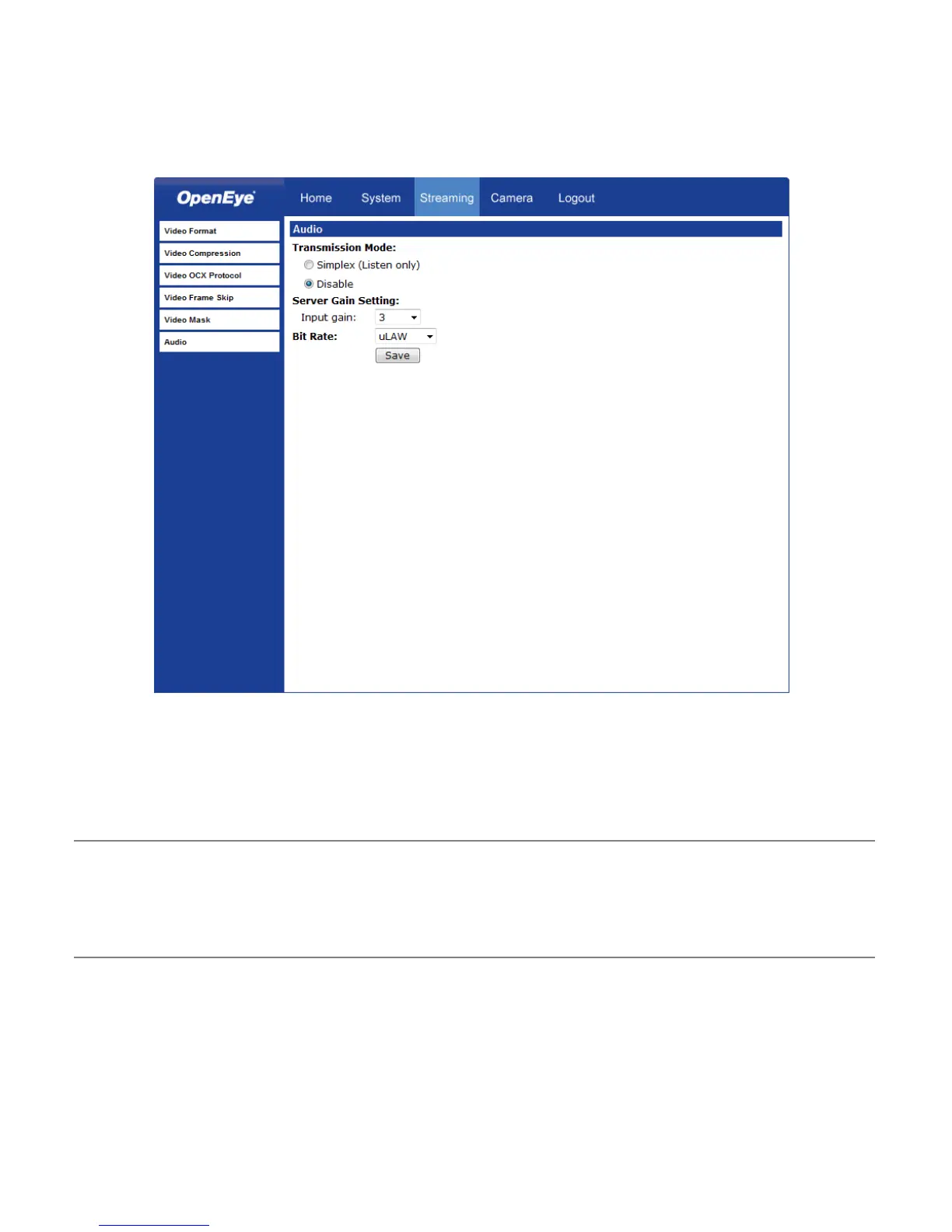
On the Audio page, you can select an audio transmission mode and audio bit rate. Audio
is only available on the CM-610.
Note Audio monitoring and recording laws vary from location to location. It is highly
recommended that you consult your local, state and federal laws to verify that
you are in compliance before implementing audio recording.
Transmission Mode
• Simplex (Listen only) – The local/remote site can only listen to the other site.
• Disable – Turn off the audio transmission function.
Bit Rate
Selectable audio transmission bit rate include:
16 kbps (G.726)
24 kbps (G.726)
32 kbps (G.726)
40 kbps (G.726)
uLAW (G.711)
ALAW (G.711)
Both uLAW and ALAW signify 64 kbps but in different compression formats. Higher bit
rate will provide higher audio quality and require more bandwidth.



 To Next Page