32
Triggered Action
You can specify which actions the camera should take when motion is detected.
• Send Alarm Message by FTP/E-Mail – Select to send an alarm message to a
configured FTP and/or E-Mail address when motion is detected. When sending to
email, the alarm notification is text only. When sending to FTP, the alarm notification
will upload a text file to the FTP location.
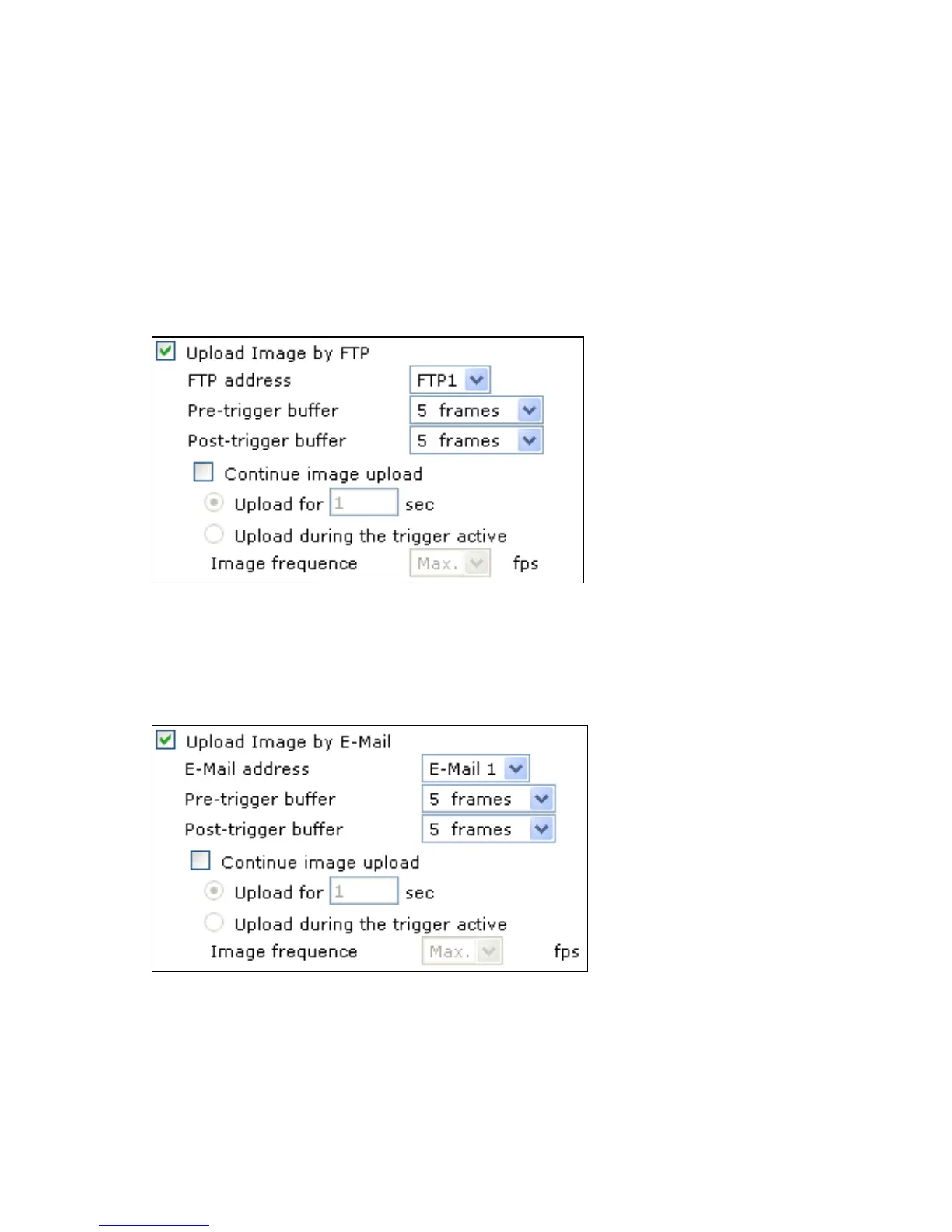
• Upload Image by FTP – Select to assign an FTP site and configure various
parameters as shown in the figure below. When motion is detected, event images will
be uploaded to the appointed FTP site.
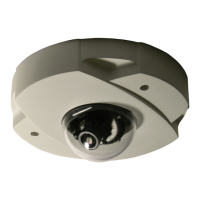
Upload Image by E-Mail – Select to assign an e-mail address and configure various
parameters as shown in the figure below. When motion is detected, event images will be
sent to the appointed e-mail address.
Note Make sure SMTP or FTP configuration has been completed. See the Mail and
FTP sections for more information.



 To Next Page