21
Using the control unit (important notes!)
up
down
OK
Off/On
Be careful not to mix up the 12V/5V/Opto connectors, when
connecting any accessory to the control board as this might damage
or destroy the devices!
Main Menu
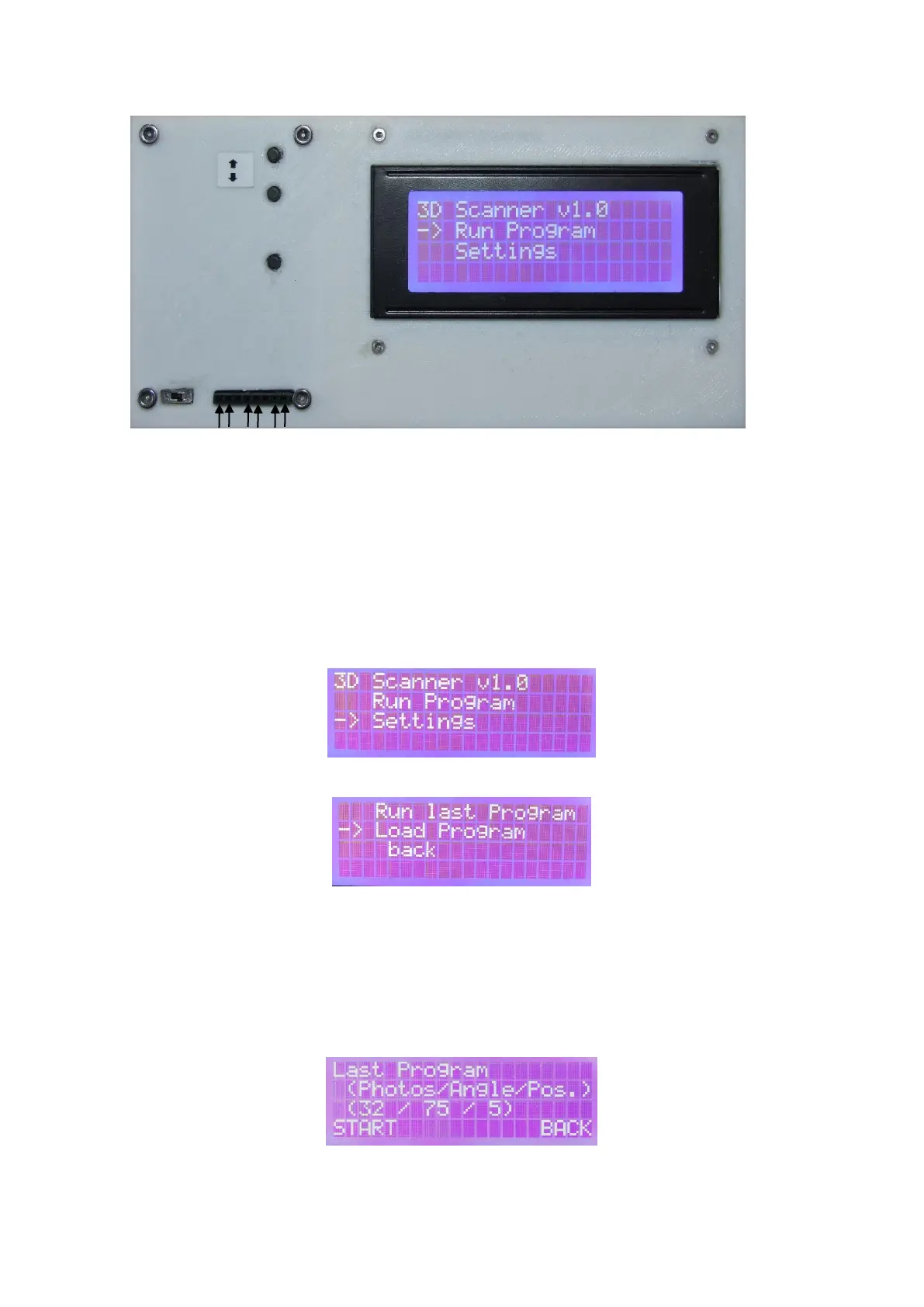
In the main menu, you can use the arrow keys to select whether a program should be loaded or started
or whether settings of the scanner should be changed..
Load/Start Program
The last used program or a saved program from the internal memory can be selected (up to twelve
program sequences can be stored).
Select using the arrow keys up / down and confirm with OK.
Run last program
With the selection "Run Last Program" the last program is selected and the following screen appears.
To start this program, select "Start" with the arrow keys and confirm with OK. The parameters specify
the following values:



 To Next Page