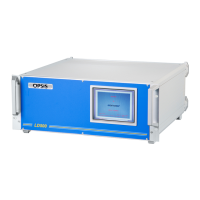
Light adjustment kit LA060
24
6.1 Visually alignment of the
transmitter and receiver with the
LA060
1. Switch the power on (switch on the rear end). The LCD display indicates version
and status of operation. The left connector on the top sends out a red beam.
2. Connect the optical fibre included in the kit. This is a multimode fibre. Then con-
nect the other end of the fibre to the optical transmitter. (Remove the ordinary fibre
first).
3. Adjust the focus on the translator until the beam is close to parallel.
4. Adjust the direction of the beam, so it is in the centre of the outgoing opening. This
operation may depend upon the model of transmitter being installed. See drawings
for transmitter and receiver adjustment.
5. The transmitter may have to be removed so it is possible to see the spot on a wall or
some other obstacle. Distance to the wall should be the same as the measure path.
The transmitter is prealigned from factory, so this procedure is not necessary in
most cases.
6. On the receiver side, adjust focus and direction of focus until it is well centred on
the receiving detector.
7. Finally, switch back to the ordinary fibre, power on the LD500 and the receiver
electronic unit. Enter the Light optimise menu in the installation part. Make sure
that the invisible mode
is selected. Observe the light level indicated in the menu.
The same information is also displayed on the receiver electronic unit.
8. The light level can now be fine tuned to an optimum. The dB scale is a logarithmic
scale. 3 dB units more means a doubling of the light level. 10 dB is a factor of 10.
6.2 Alignment of the transmitter and
receiver with the LA060 with feedback
from the LD500
1. Switch the power on (switch on the rear end). The LCD display indicates status. The
left connector on the top sends out a red beam.
2. Connect the optical fibre included in the kit. Then connect the other end of the fibre
to the optical transmitter. Put the ordinary fibre from the LD500, into the right con-
nector of the LA060.
3. Power up the LD500 and the receiver electronic unit. Make sure that the communi-
cation link is ok and enter the Light optimising menu. Activate the visible mode and
select the path that is to be installed. The LA060 display should now indicate “link
on”. The path number is displayed together with the light level.
4. Adjust the focus on the translator until the beam is close to parallel.


 To Next Page