Assistant Service
Manual
OPTIKON 2000
Code 121008S
10-13 Rev. D
10.6
STEP 6 - CALIBRATION
•
Insert the special calibration cassette supplied by Optikon.
•
In the system calibration software interface after pressing “CALIBRATION”
set the FLOW MAX to the value previously taken (step 1).
•
Connect unit to compressed air source.
•
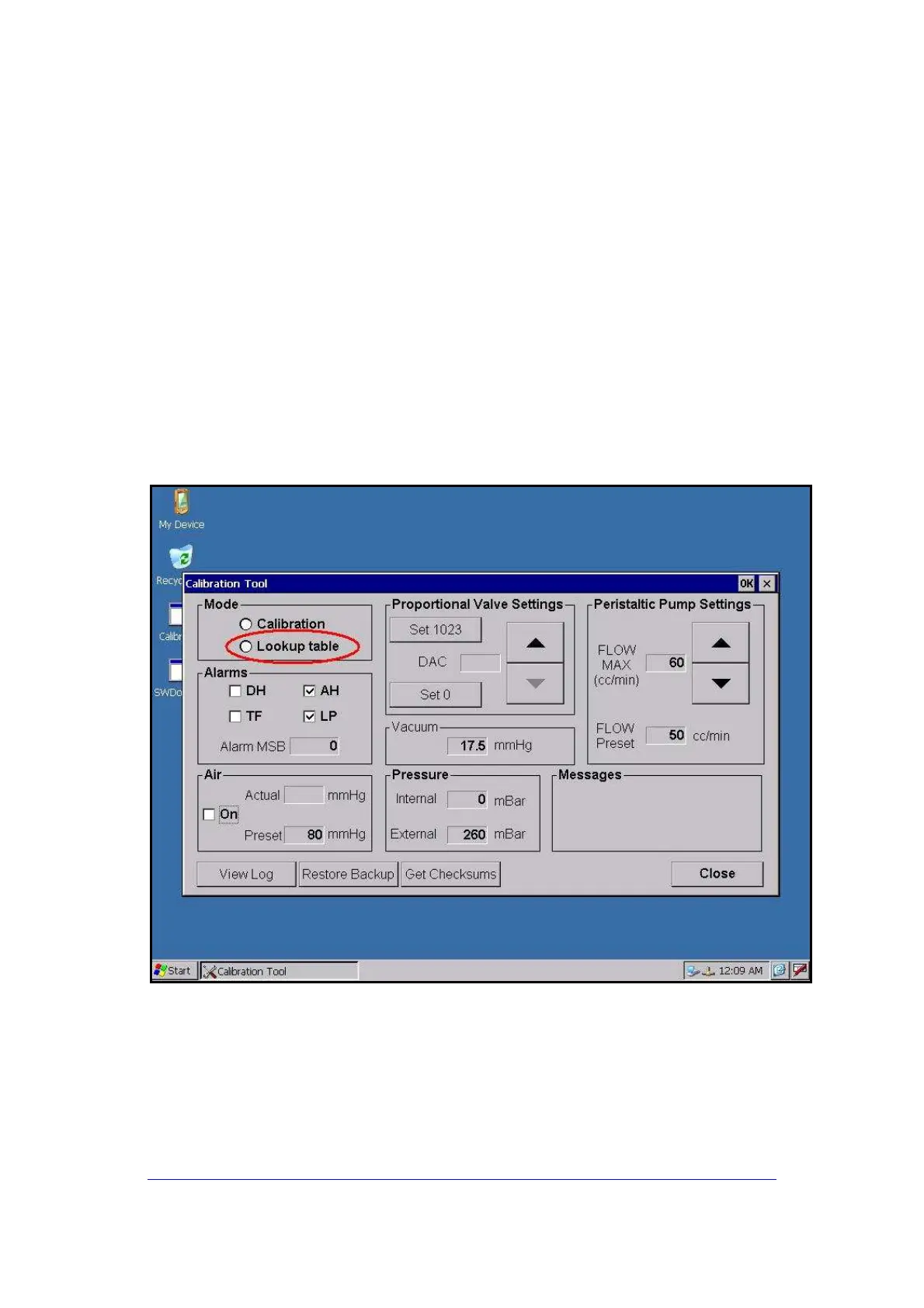
Start the lookup table building by touching the appropriate button (fig.21).
The pressure to the Venturi pump will increase gradually and, therefore,
the pump will start building vacuum. Every 50mmHg, a point of the look up
table is taken and a beep is heard.In a few minutes the table will be
completed. If the process is interrupted (by switching off the equipment)
before the first point is taken(50mmHg), the previous table is kept. If the
process is interrupted before completion at a later stage, it is strongly
recommended to restart a complete building cycle.
Fig.21
To exit the System Calibration Software, restart the system by switching the
unit off and then back on.



 To Previous Page