Assistant Service
Manual
OPTIKON 2000
Code 121008S
10-4 Rev. D
10.2 STEP 2 - INSTALL PROGRAMMER DEVICE
•
Do not connect the programmer to the computer
•
Insert the CDROM supplied in your cd-driver. A main menu page
should appear automatically within few seconds. If it does not
show automatically, with "My computer" double click the icon for
the CD-driver and launch (double click)
"PICKit2_Starter_Kit_Welcome.htm"
•
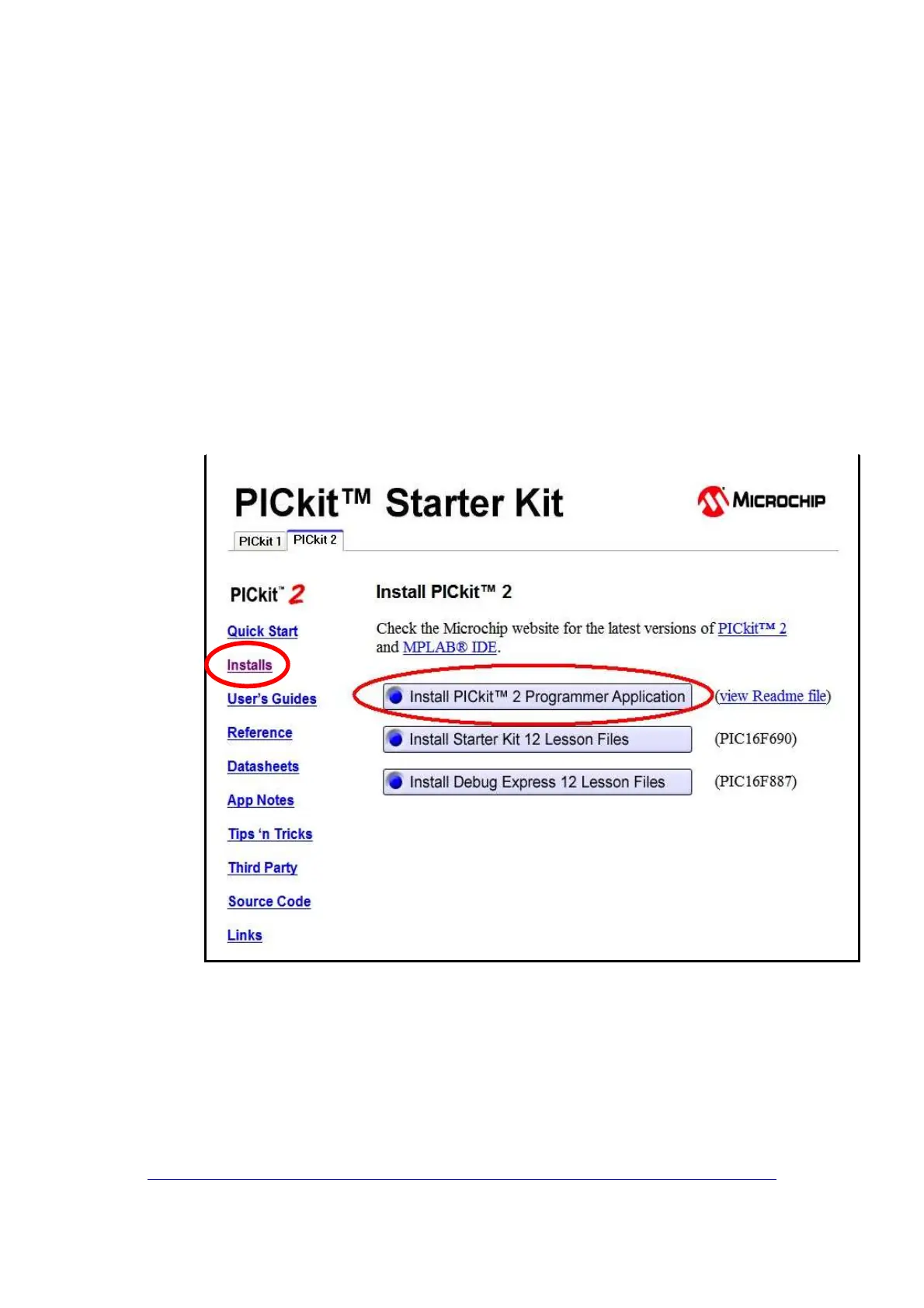
In the menu, click “Installs” and then click on "install PICKit2
Programmer Application". (fig.10)
Fig.10
•
Execute Setup.exe and follow all the installation steps.



 To Next Page