DV11 / DVD100 / U2 / U3 2-7
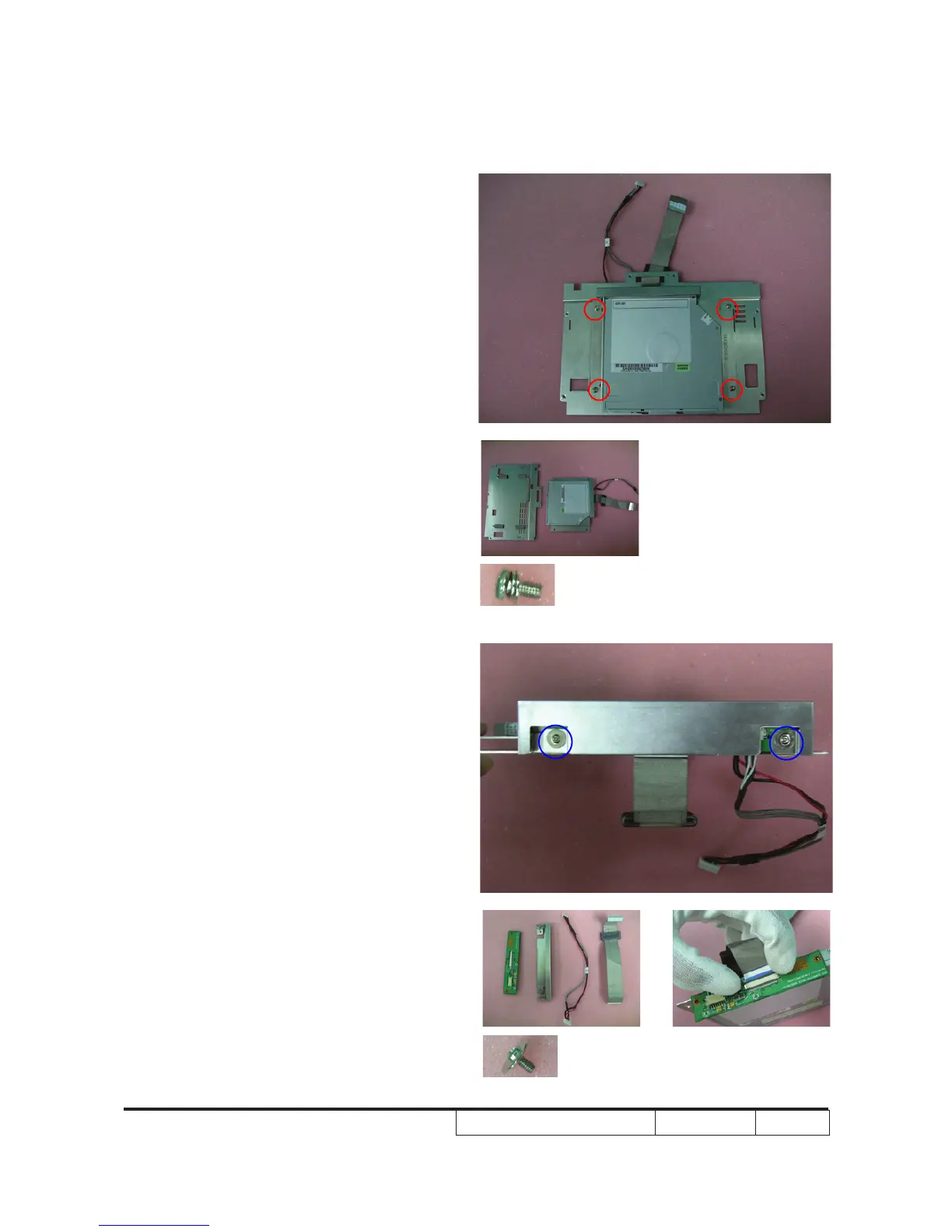
2. Unscrew 4 screws on the DVD module.
3. Unscrew 2 screws and take out the
connector board
Note: - Make sure cables plug into the correct
ports when assembling the unit.
- When you disassemble the FPC cable,
you should use two gures to parallel
pull out the hook.



 To Next Page