DV11 / DVD100 / U2 / U3 2-8
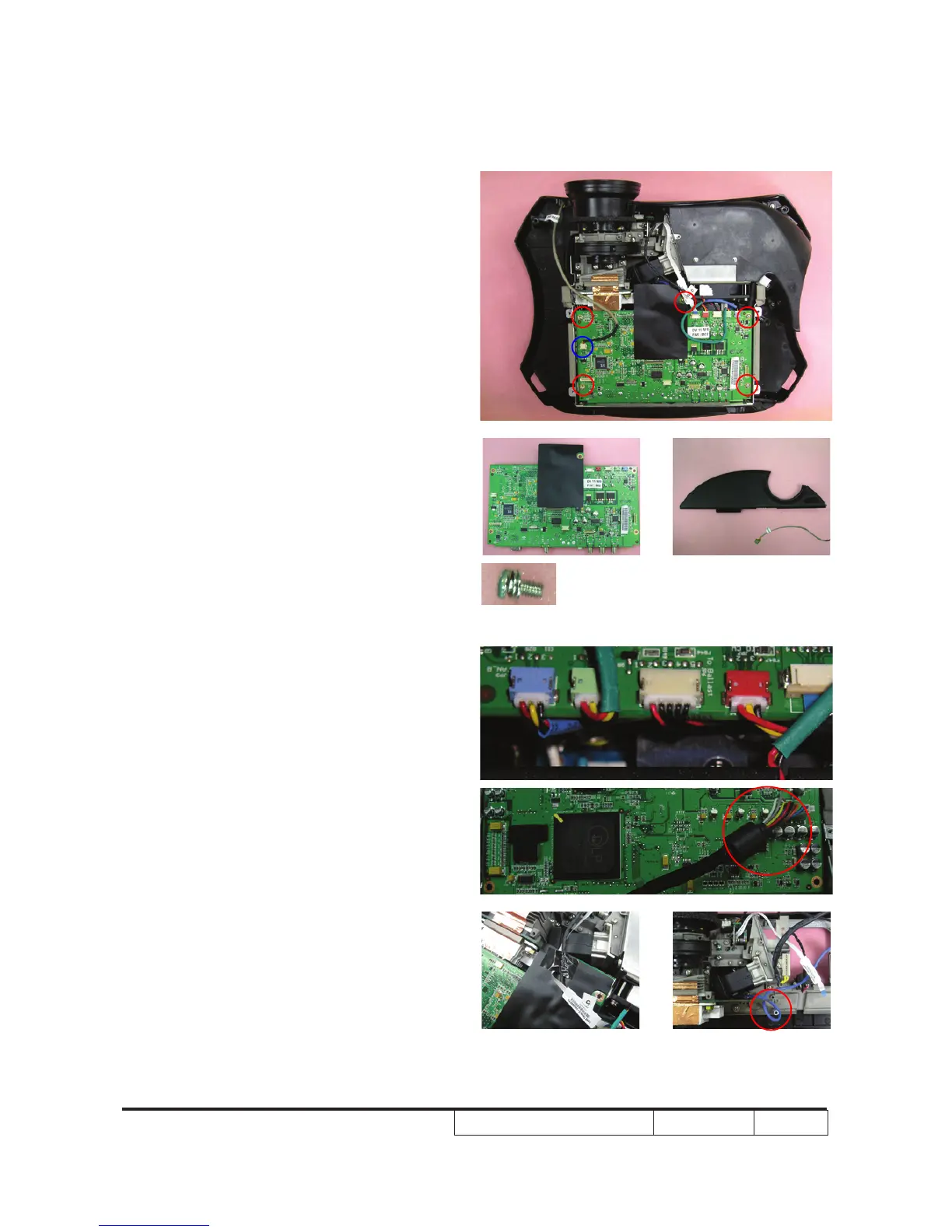
2-10 Disassemble MB
Module
1. Unscrew 5 screws on the main board
2. Unplug the IR cable on the main board
and take out the front cover
Note: - Each cable should be plug into the
correct ports.
- Avoid cables interrupt with system
fan when organizing the cables. (see
images)
- Use an electrostatic ion gun to puff
the main board connector



 To Next Page