EP783/EP783S/EP783L/OPX5000/TX783L/TX783S
Condential 2-5
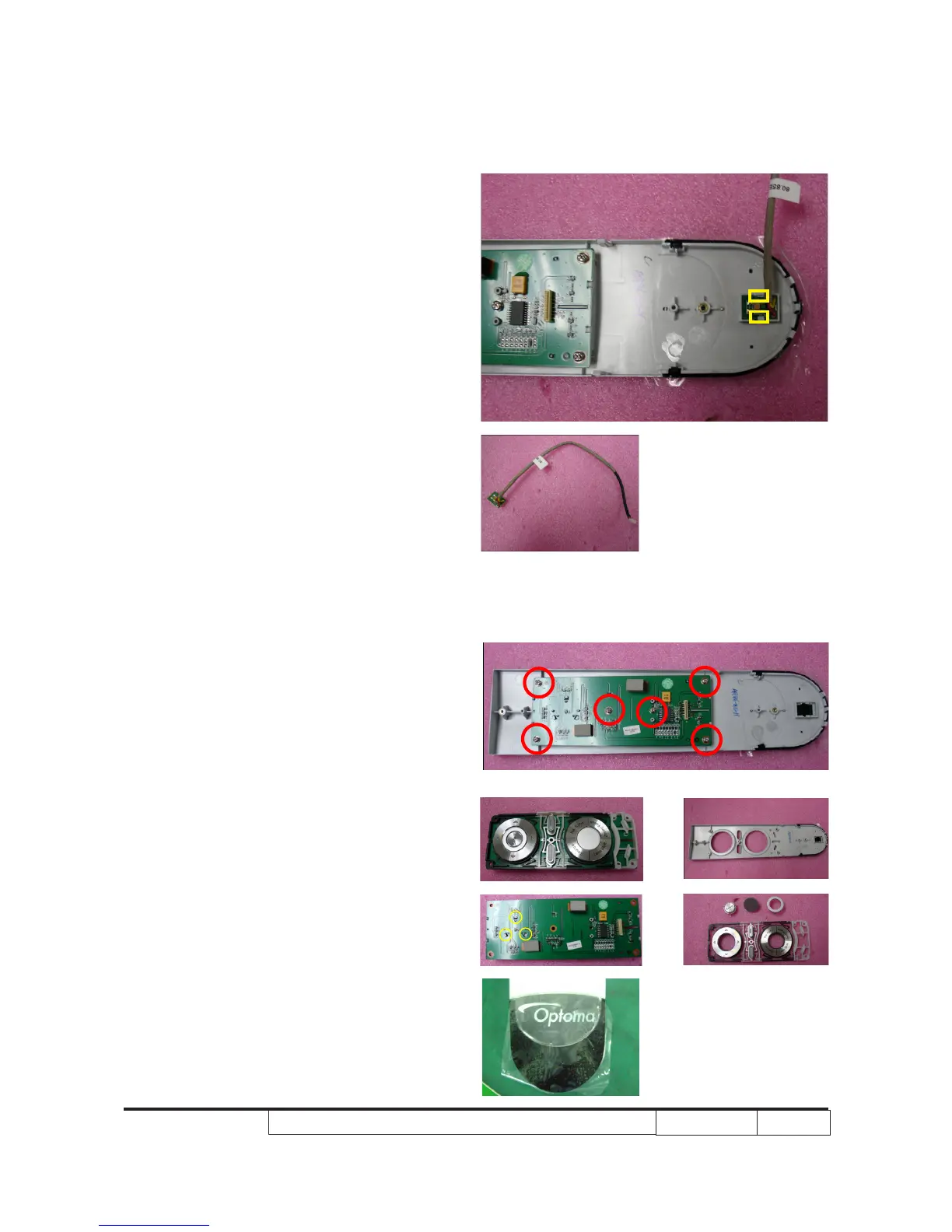
2-6 Disassemble IR Sensor
Board
1. Use tweezers to disassemble the IR
Sensor Board.
Note: - When you disassemble the IR Sensor
Board, you should use ngures to
press the two tenons (as yellow
square) and use tweezers to pull out
the IR Sensor Board.
2-7 Disassemble Keypad
Board
1. Unscrew 6 screws (as red circle) to
disassemble Keypad Board Module.
2. Use tweezers to press the 3 tenons (as
yellow circle),then separate Keypad
Board from the Keypad Module.
3. Take off IR Lens from Key Pad Panel.
IR Lens
Key Pad Panel



 To Next Page