EP783/EP783S/EP783L/OPX5000/TX783L/TX783S
Condential 2-17
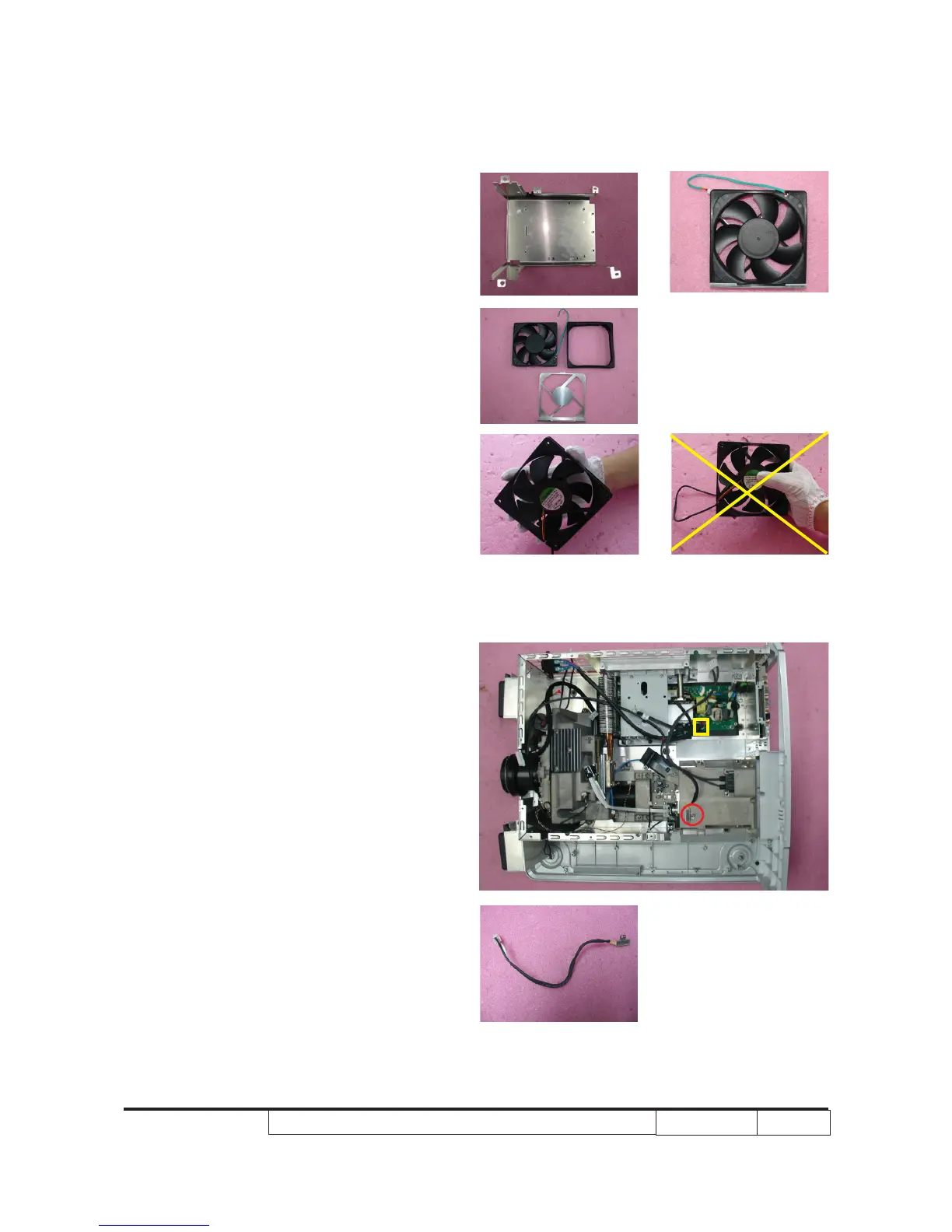
2-22 Disassemble Thermal
Switch
1. Unscrew 1 screw (as red circle) and
1 connector (as yellow square) to
disassemble Thermal Switch.
the right gesture
the wrong gesture
5. Separate Fan, Fan Rubber and Fan
Bracket Plate.
Note: - Take the Fan Module as the right
gesture.



 To Next Page