EP783/EP783S/EP783L/OPX5000/TX783L/TX783S
Condential 2-30
2-42 Re-write Lamp Usage
Hours
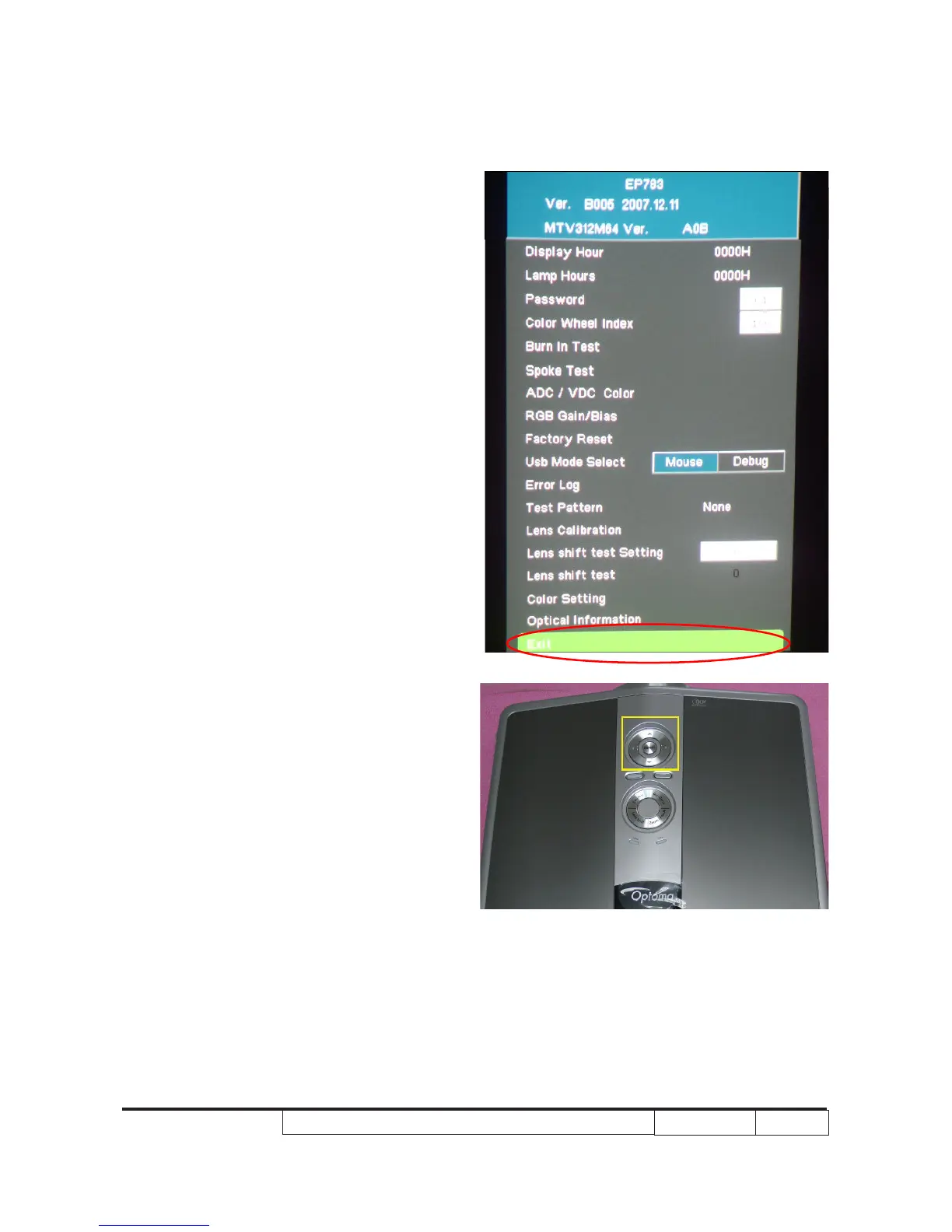
1. Get into service mode
- Press (Power→Left→Left→UP) to get
into service mode.
2. Use “Up” or “Down” key to choose Exit.
3. Use “Left” or “Right” key to re-write the
lamp hour back to previous lamp usage
hours.
4. Press “Select” to exit service mode.
Note: Left key = decrease lamp hour
Right key=increase lamp hour



 To Next Page