EP783/EP783S/EP783L/OPX5000/TX783L/TX783S
Condential 2-23
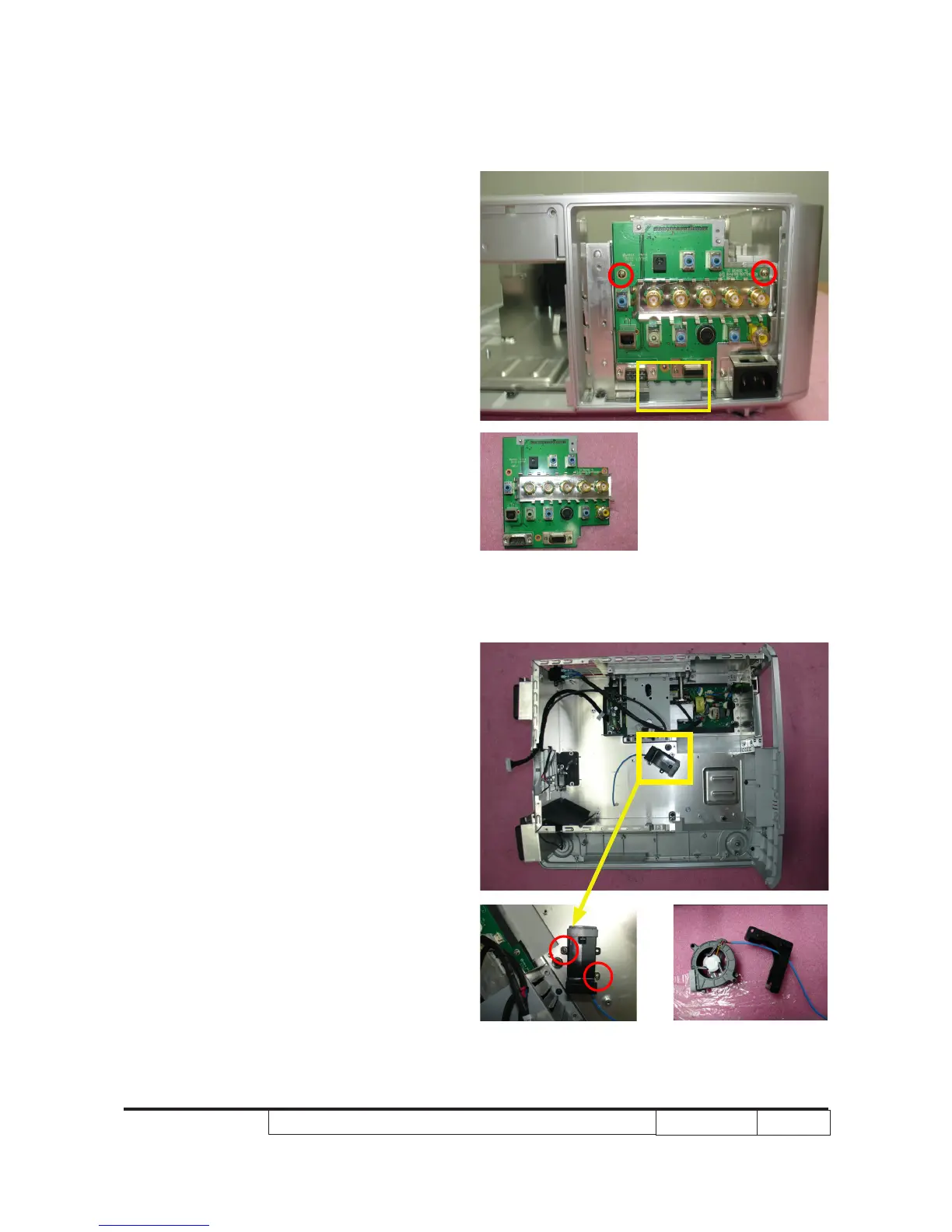
2-32 Disassemble I/O Board
1. Unscrew 2 screws (as red circle) to
disassemble I/O Board.
Note: - Make sure the I/O Board insert the
inner of the tenon (as yellow square)
when assembling the unit.
2-33 Disassemble Blower
Module
1. Unscrew 2 screws (as red circle) to
disassemble Blower Module.
2. Separate Blower and Blower Bracket.
Note: - To avoid blower damage during repair
process,please make sure blower
handle metherd as image.



 To Next Page